
Samsung Music: Music Player for Galaxy
Samsung Music is a free music player by Samsung Electronics Co., Ltd. that lets you play and manage audio files on Galaxy devices.
Get Samsung Music · v16.2.45.1Samsung Music is a 34 MB free app that requires Android 9 or higher and includes ads. It supports MP3, AAC, and FLAC playback and organizes songs by track, album, artist, genre, folder, and composer. Samsung Music suits owners of Samsung Galaxy phones and tablets who want a clean interface and Spotify playlist recommendations.
- Version
- 16.2.45.1
- Size
- 34 MB
- Requires Android
- 9
- Updated
- Nov 17, 2026
- Installs
- 1B+
- Rating
- ★ 3.85 (822,879)
- Category
- Entertainment
- Developer
- Samsung Electronics Co., Ltd.
- Content rating
- Teen
- Package
- com.sec.android.app.music
- Free
- ✓ · Contains ads
Screenshots
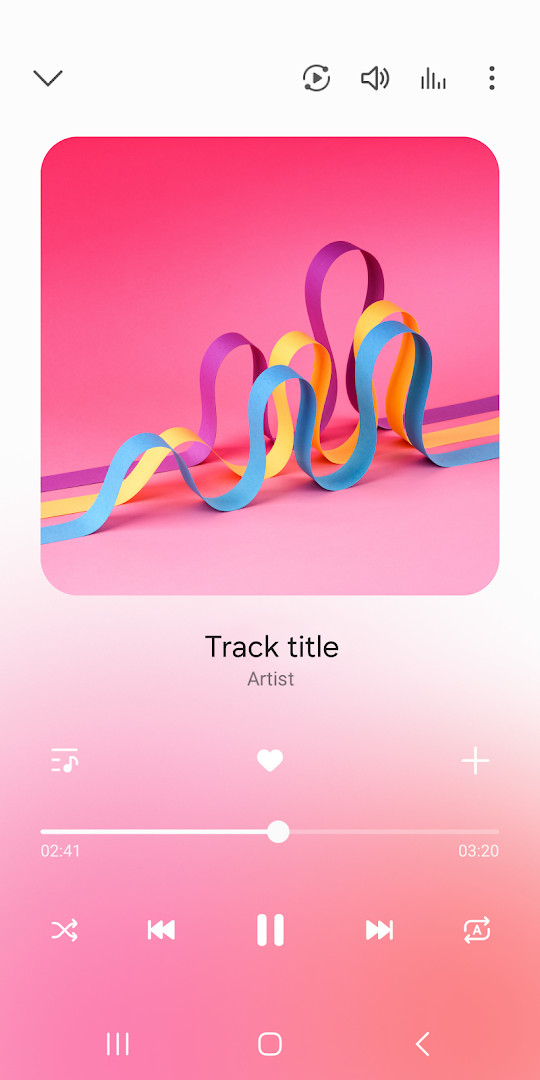
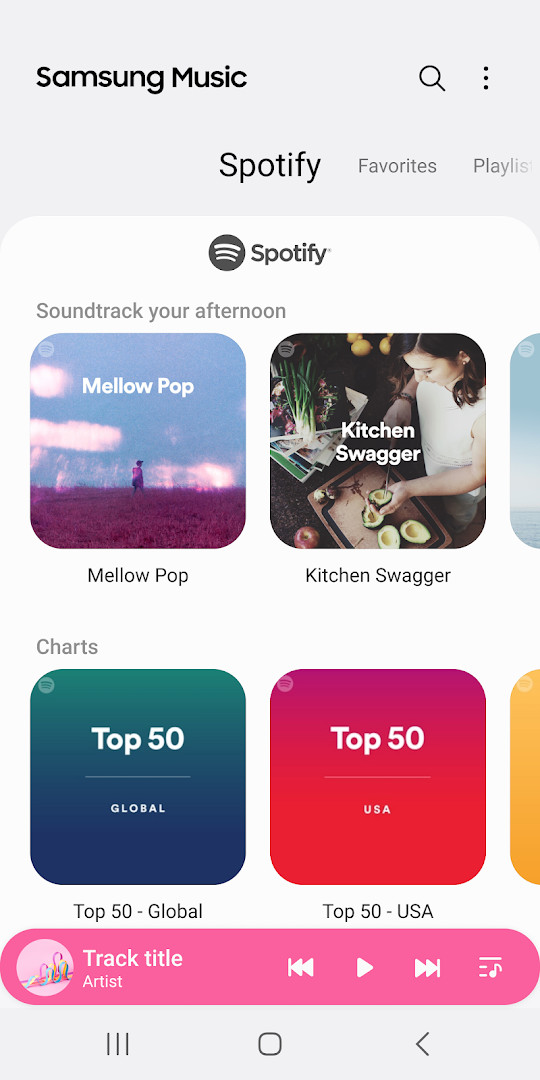
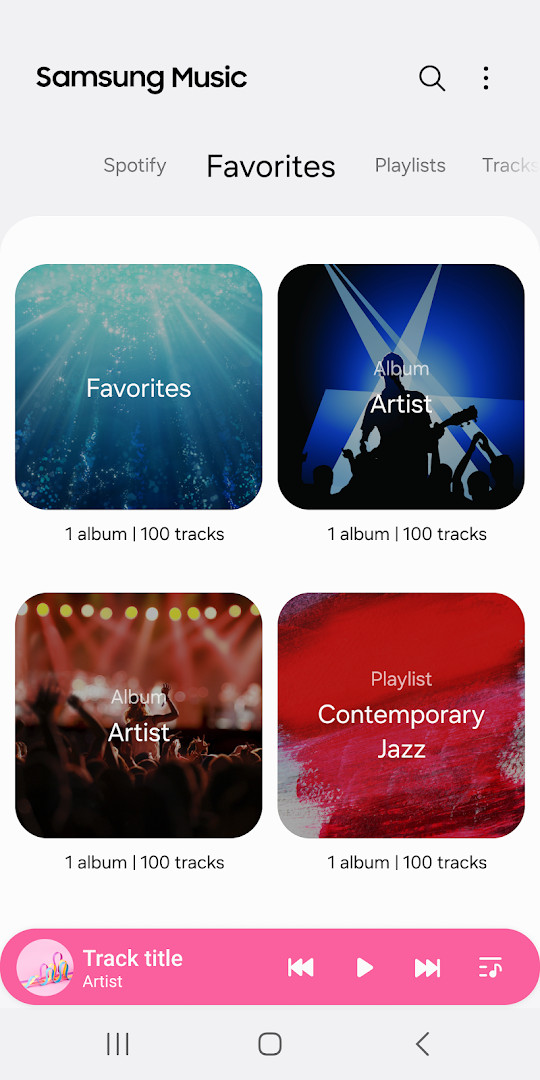
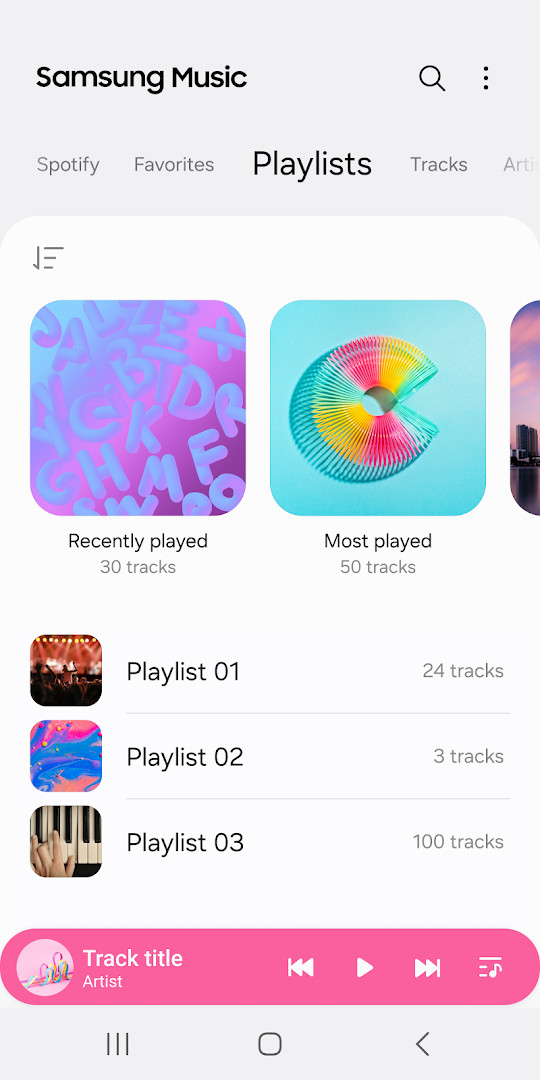
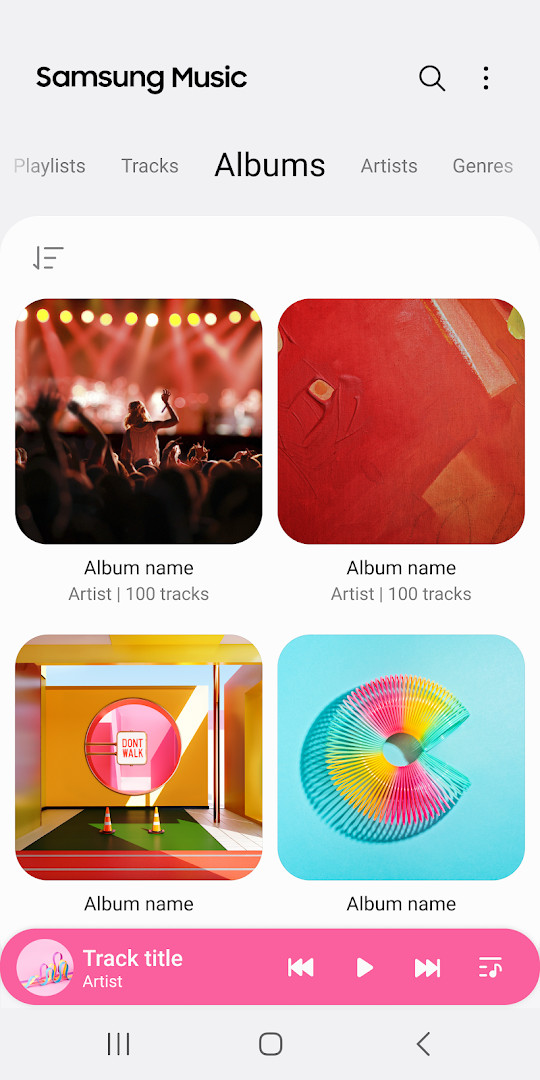
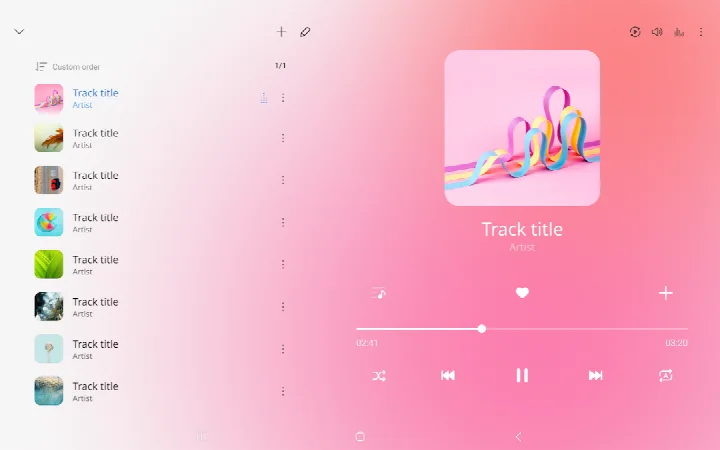
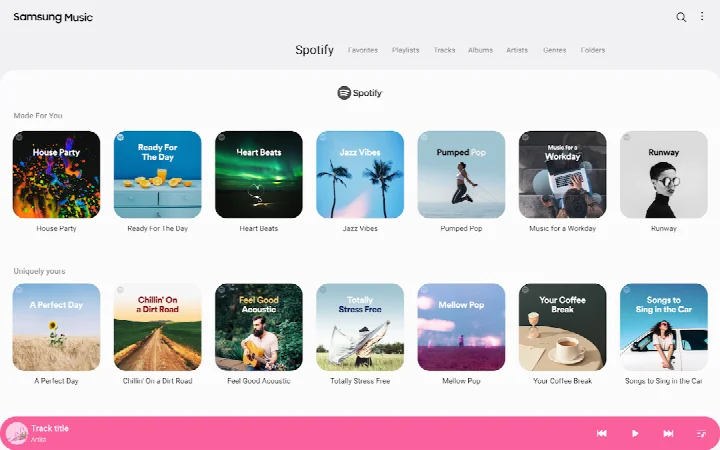
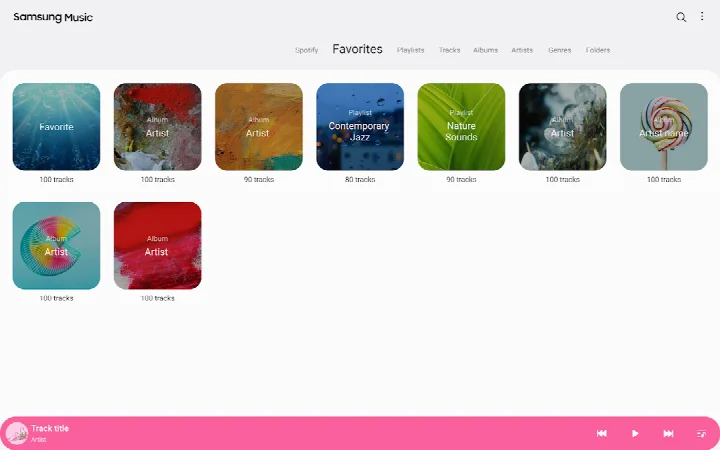
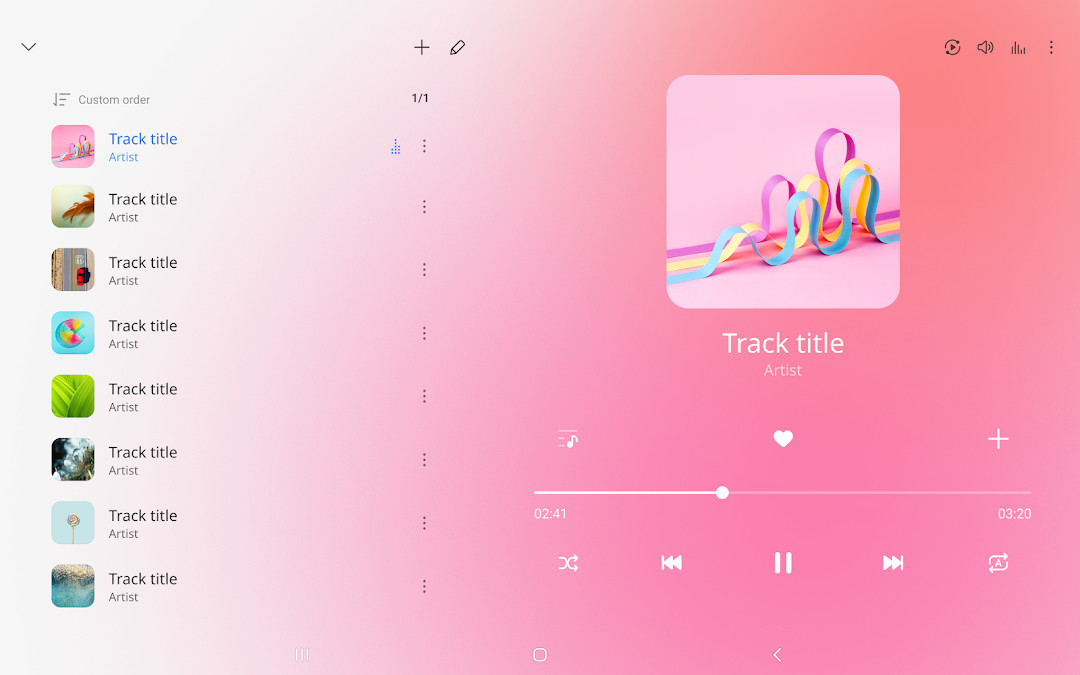
Samsung Music is a music player app by Samsung Electronics Co., Ltd. that plays audio files and organizes your library on Android devices. Designed primarily for Samsung Galaxy phones and tablets, it acts as a dedicated hub for your local music collection, letting you play songs, manage playlists, and browse tracks by common categories. The app focuses on a clean, straightforward interface that makes finding and playing your music simple, even if you are not familiar with more complex player apps.
At its core, Samsung Music supports a variety of audio formats, including MP3, AAC, and FLAC, so you can play most standard music files you have stored on your device. Beyond basic playback, it helps you keep your library tidy by sorting songs into groups such as track, album, artist, genre, folder, and composer. This makes it easy to jump to a specific song or explore your collection by artist or album without scrolling endlessly. The player also includes a dedicated Spotify tab in supported countries, where you can discover recommended playlists and search for music you might like, provided you have a Spotify account and the service is available in your region.
This app is built for anyone who keeps music files on their phone and wants a reliable, no-frills player. It is especially suited for Samsung users who want an optimized experience on their Galaxy device, but it can work on other Android devices running version 9 or newer. The app is free to download and use, with no in-app purchases, though it does show ads. It has been around since 2016 and is regularly updated, with the latest version released in November 2026. If you prefer a simple player that handles your local music without extra clutter, Samsung Music is a solid choice.
Key features
- Supports playback of various sound formats such as MP3, AAC, and FLAC (supported formats may vary by device)
- Manages song lists by categories including Track, Album, Artist, Genre, Folder, and Composer
- Provides a clean and intuitive user interface
- Shows playlist recommendations from Spotify and allows searching Spotify music (Spotify tab available only in countries where Spotify is offered)
- Includes a contact option within the app settings, requiring the Samsung Members app to be installed
- Recent update (version 16.2.45) includes partial changes to widget design and other bug fixes
How to install
- Tap the download button on this page to get the APK file, which is about 34 MB in size.
- When Android asks for permission, allow your browser or file manager to install apps by enabling the 'Install unknown apps' setting for that app.
- Open the downloaded APK file from your notification bar or file manager.
- Tap the Install button on the screen that appears.
- Wait for the installation to finish, then tap Open to launch Samsung Music.
- Make sure your device runs Android 9 or a newer version, as this is the minimum requirement.
Pros
- Supports multiple audio formats including lossless FLAC
- Clean and intuitive interface that is easy to navigate
- Organizes music by several categories for quick access
- Free to download with no in-app purchases
- Regular updates with bug fixes and design improvements
- Works on a wide range of Android devices running version 9 and above
Cons
- Shows ads, which can interrupt the listening experience
- Requires storage permission to access music files, which may raise privacy concerns for some users
- Spotify integration is limited to countries where Spotify is available
- Contact support feature requires the Samsung Members app to be installed
- Some permissions, like phone access on Korean devices, may seem unnecessary to international users
Recent updates · 16.2.45.1
Version 16.2.45.1 introduces partial changes to the widget design, along with other bug fixes. The update focuses on refining the visual appearance of widgets and resolving various issues to improve overall stability and user experience.
Version history
| Version | Size | Requires Android | Updated |
|---|---|---|---|
| 16.2.45.1 | 34 MB | 9 | Nov 17, 2026 |
| 16.2.26.15 | 24 MB | 5.0 | Nov 14, 2026 |
| 16.2.46.0 | 34 MB | 9 | Nov 11, 2026 |
| 16.2.44.0 | 34 MB | 9 | Jun 22, 2026 |
| 16.2.42.0 | 32 MB | 9 | Jun 14, 2026 |
| 16.2.39.12 | 23 MB | 7.0 | Jan 25, 2025 |
| 16.2.33.6 | 38 MB | 11 | Oct 16, 2023 |
| 16.2.28.5 | 25 MB | 6.0 | Aug 21, 2022 |
| 6.0 | 0.7 MB | 5.0 | Nov 30, 2018 |
| 1.0.69 | 1 MB | 5.1 | Sep 5, 2018 |
Samsung Music is for Android users, particularly those with Samsung Galaxy devices, who want a straightforward and reliable music player for their local audio files. It is ideal for beginners who need a simple interface to play MP3, AAC, or FLAC music and organize their library by artist, album, or genre. It also suits people who want free music playback without paying for a subscription, though it does include ads. If you rely on Spotify for discovery and live in a supported country, the built-in Spotify tab adds extra value.
To get the most out of Samsung Music, keep your music files organized in folders on your device, as the app can browse by folder. If you encounter playback issues, check that your audio files are in a supported format like MP3, AAC, or FLAC, since some formats may not work on all devices. For the Spotify recommendation feature, ensure you have a Spotify account and that you are in a country where Spotify is available. If you want to contact support, install the Samsung Members app beforehand, as it is required for the Contact Us option. Finally, be aware that the app shows ads, so you might see promotional content while using it.
Permissions
FAQ
How do I install the Samsung Music APK on my Android device?
To install the APK, download it to your device and open the file. If prompted, allow installation from unknown sources in your settings. The app requires Android 9 or higher and takes up about 34 MB of space.
What is new in version 16.2.45.1?
Version 16.2.45.1, released on November 17, 2026, includes partial changes to the widget design along with other bug fixes. It is the latest update in the 16.2 series.
Does Samsung Music contain ads or in-app purchases?
The app is free to download and use, and it does not offer in-app purchases. However, it does display ads, so you may see advertisements while using the app.
Can I use Samsung Music offline?
Yes, you can play music stored locally on your device without an internet connection. The app reads audio files from your storage and SD card, allowing offline playback of your own music library.
What audio formats does Samsung Music support?
Samsung Music supports playback of various sound formats such as MP3, AAC, and FLAC. Note that supported file formats may vary depending on your device.
Are there alternatives to Samsung Music in the same category?
Yes, there are other music player apps available for Android that offer similar features like local file playback and playlist management. You can explore options in the music and audio category to find one that suits your needs.
Does Samsung Music require any special permissions?
It requires storage access to read and play music files from your device and SD card. Notifications are optional, and the phone permission is used only on Korean devices. Denying optional permissions does not stop basic functions.
Samsung Music is a dependable, free music player that handles your local audio files with ease and a clean interface. It supports common formats like MP3, AAC, and FLAC, and organizes your library neatly. While it includes ads and some permissions, its simplicity and regular updates make it a good option for beginners and Samsung users alike. If you want a straightforward player without extra costs, this app is worth trying.
Similar apps








More from this developer




Updated: Nov 21, 2026