Device Care for Android
Device Care is a system utility tool from Samsung Electronics Co., Ltd. for checking and maintaining the health of Galaxy smartphones.
Download Device CareDevice Care suits Galaxy owners who want a simple way to monitor and improve their phone’s performance without expert knowledge. The free app, last updated in September 2026, works on Android 11 and newer, occupies 27 MB, and detects malware, analyzes battery use, and frees memory without requiring an account or internet connection.
- Size
- 27 MB
- Requires Android
- 11
- Updated
- Sep 3, 2026
- Installs
- 5B+
- Rating
- ★ 3.93 (702,416)
- Category
- Tools
- Developer
- Samsung Electronics Co., Ltd.
- Content rating
- Everyone
- Package
- com.samsung.android.lool
- Free
- ✓
Screenshots
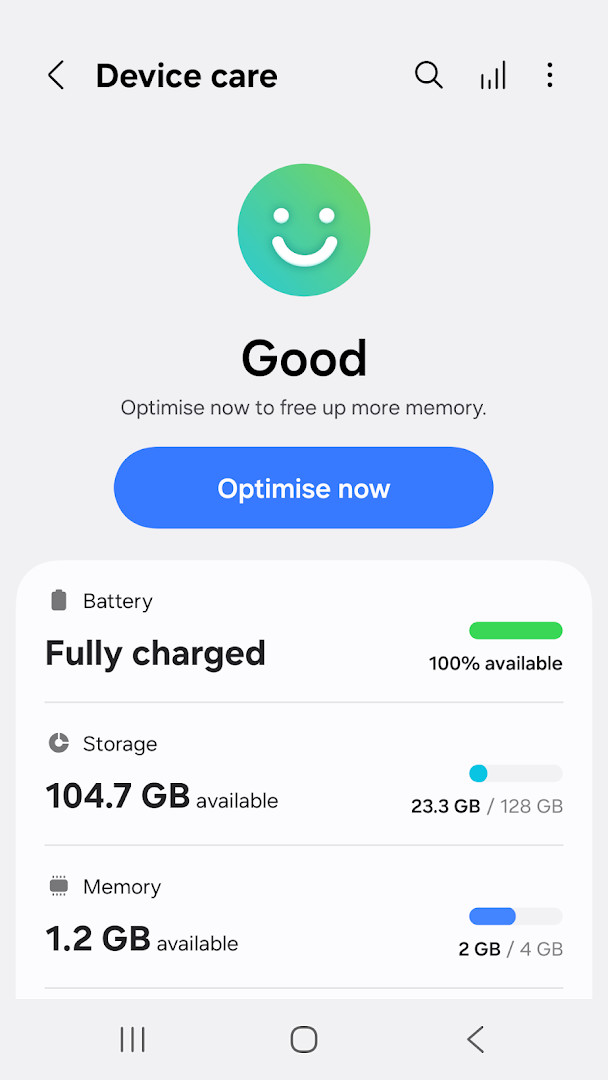
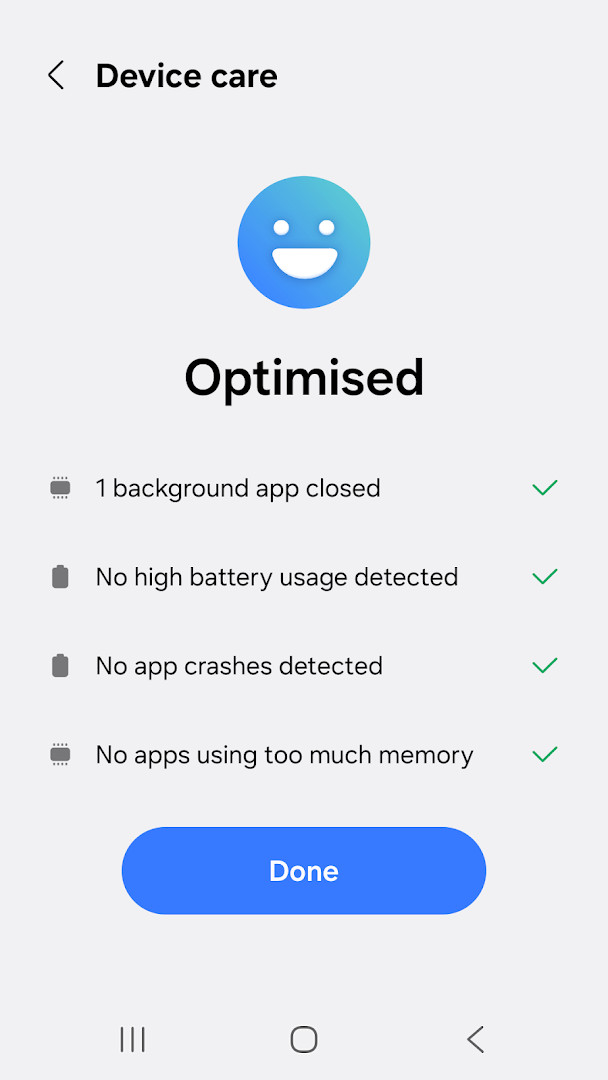
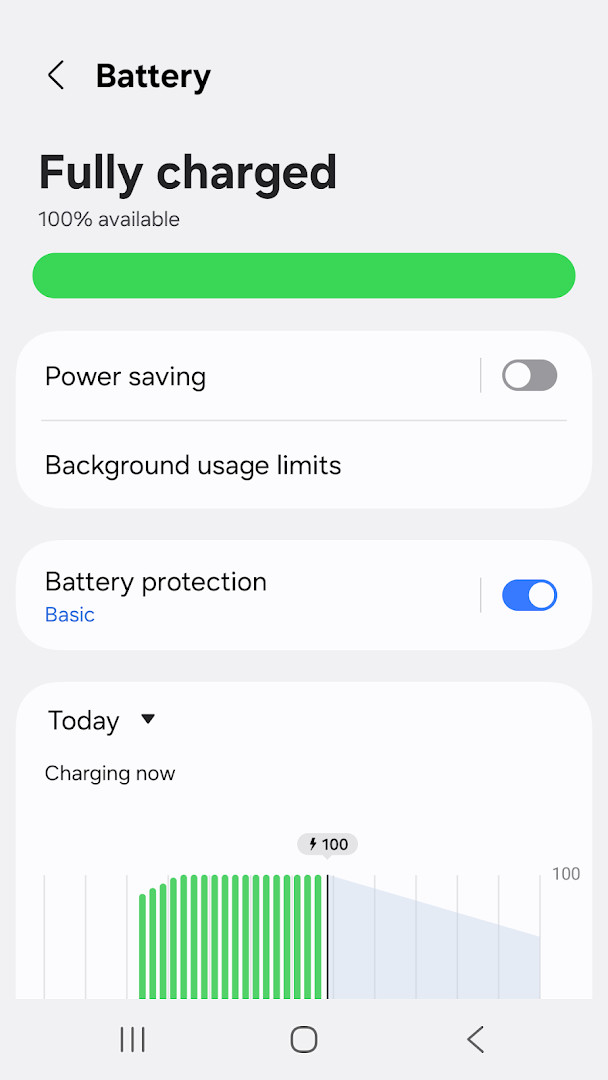
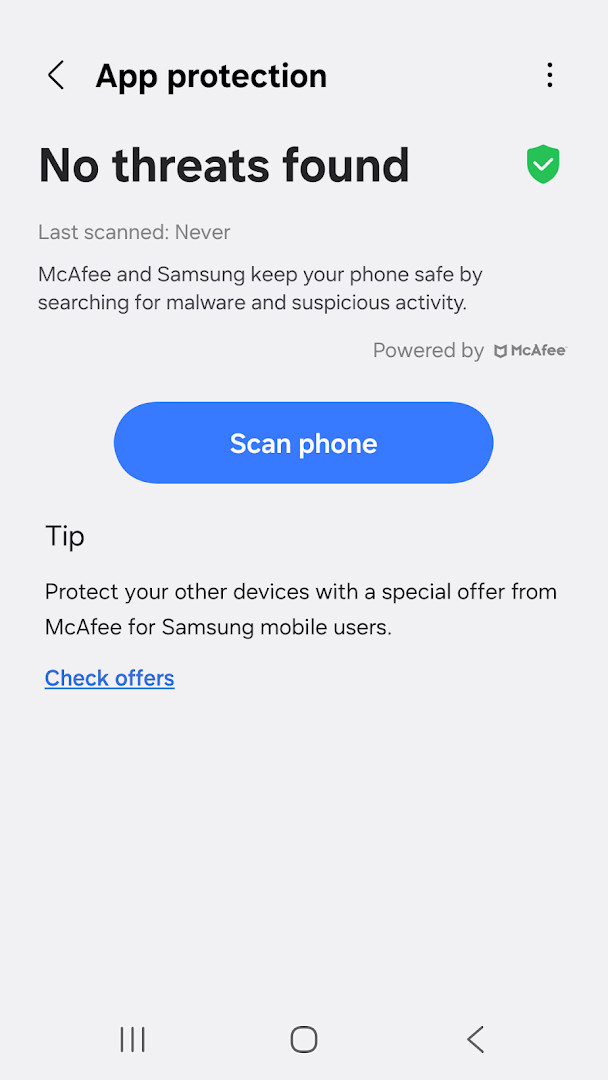
Device Care is a system utility by Samsung Electronics Co., Ltd. that monitors and optimizes the performance of Galaxy smartphones. It provides a single dashboard that reports the overall health of the device on a 100-point scale, covering battery, storage, memory, and security. The app is designed for anyone who wants to keep their phone running smoothly without needing technical expertise; the interface is straightforward, and it guides users to take prompt action if it detects issues such as malware or excessive battery drain. In addition to diagnostics, the app offers one-touch optimization, per-app battery analysis, power-saving modes, memory management, and real-time malware protection. It also includes two widget types for quick status checks. Some features may not be supported on certain Galaxy devices, and the app requires only the Notifications permission as mandatory, with optional permissions for device and app history and Wi-Fi connection information. It is free, contains no ads, and has no in-app purchases, making it a practical tool for extending the usability of compatible Samsung devices running Android 11 or later.
Key features
- Reports device condition on a 100-point scale
- Optimizes the smartphone with a single click
- Analyzes battery usage per app and identifies battery-draining apps
- Provides App power monitor to check unused apps and save battery
- Offers Power saving mode and Maximum power saving mode
- Manages and frees up memory efficiently
- Detects malware (viruses, spyware) and provides real-time protection
- Offers two widget types for convenience
How to install
- Tap the download button on this page to get the APK file, which is 27 MB in size.
- When Android prompts, allow your browser or file manager to install apps by enabling the 'Install unknown apps' setting.
- Open the downloaded APK file from your notifications or file manager.
- Tap Install and wait for the installation to complete.
- Open the app from your app drawer. Note that it requires Android 11 or higher.
Pros
- Free with no ads or in-app purchases
- Comprehensive health score at a glance
- One-click optimization saves time
- Per-app battery monitoring helps identify drainers
- Real-time malware protection built in
- Includes power-saving modes for extended usage
Cons
- Some features may not work on all Galaxy devices
- Requires Android 11 or later, excluding older devices
- Optional permissions for device history and Wi-Fi info may concern privacy-minded users
Version history
| Version | Size | Requires Android | Updated |
|---|---|---|---|
| 13.8.82.1 | 27 MB | 11 | May 29, 2026 |
| 13.8.81.1 | 27 MB | 11 | May 29, 2026 |
| 13.8.80.7 | 27 MB | 11 | May 14, 2026 |
| 13.8.71.1 | 24 MB | 11 | Jan 16, 2026 |
| 11.0.11.0 | 11 MB | 10 | Apr 24, 2022 |
| 2.1.00.3 | 7.8 MB | 7.0 | Feb 5, 2020 |
| 11.0.01.18 | 17 MB | 9 | Oct 24, 2019 |
Device Care is for owners of Samsung Galaxy smartphones running Android 11 or later who want a simple, built-in way to monitor battery, storage, memory, and security without diving into complex settings. It suits both casual users who prefer one-touch fixes and more attentive users who appreciate per-app battery insights and power-saving options.
For best results, run the one-touch optimization after heavy usage days, and check the App power monitor periodically to identify rarely used apps that can be put to sleep. Use Maximum power saving mode when you need to stretch battery life during travel or long events. Also, keep the app updated to receive the latest security definitions and performance improvements.
Permissions
FAQ
How do I install the APK on an Android device?
To install the APK, download the file to your device and open it. If prompted, allow installation from unknown sources in your settings, then confirm the install. The app requires Android 11 or higher.
What is the current version of Device Care?
The latest version is 13.8.82.1, released on May 29, 2026. Previous versions include 13.8.81.1 and 13.8.80.7.
Does Device Care contain ads or in-app purchases?
No, Device Care is free and does not include ads or in-app purchases. The app is offered at no cost.
Can I use Device Care offline?
Most core features, such as battery analysis, memory management, and malware detection, work on your device without an internet connection. Notifications about updates and events may require connectivity.
Are there alternative apps in the same category?
Yes, other tools in the device optimization category are available. However, Device Care is specifically designed for Galaxy smartphones and offers features like a 100-point health score and one-click optimization.
Does Device Care require special permissions?
The app requires notifications and requests optional permissions for device and app history, plus Wi-Fi connection information. You can still use basic functions without granting optional permissions.
Device Care delivers a practical, no-frills approach to smartphone maintenance, bundling diagnostics, optimization, and security into a single free tool. While it is tailored to Galaxy devices, its straightforward interface and actionable insights make it a worthwhile addition for anyone looking to keep their phone responsive and secure.
Similar apps








More from this developer



Updated: Nov 15, 2026