
Samsung Push Service notification delivery
Samsung Push Service is a free communication app by Samsung Electronics Co., Ltd. that delivers notifications for Samsung services on Samsung devices.
Get APKSamsung Push Service is a free 3.9 MB app with no ads and no in-app purchases, requiring Android 9 or higher. It shows new messages in pop-ups, on the notification bar, and as icon badges for Samsung services such as Galaxy Apps, Samsung Link, and Samsung Pay. The app suits Samsung device owners who rely on timely alerts from Samsung's own services.
- Size
- 3.9 MB
- Requires Android
- 9
- Updated
- Sep 15, 2026
- Installs
- 5B+
- Rating
- ★ 3.84 (1,625,158)
- Category
- Communication
- Developer
- Samsung Electronics Co., Ltd.
- Content rating
- Everyone
- Package
- com.sec.spp.push
- Free
- ✓
Screenshots
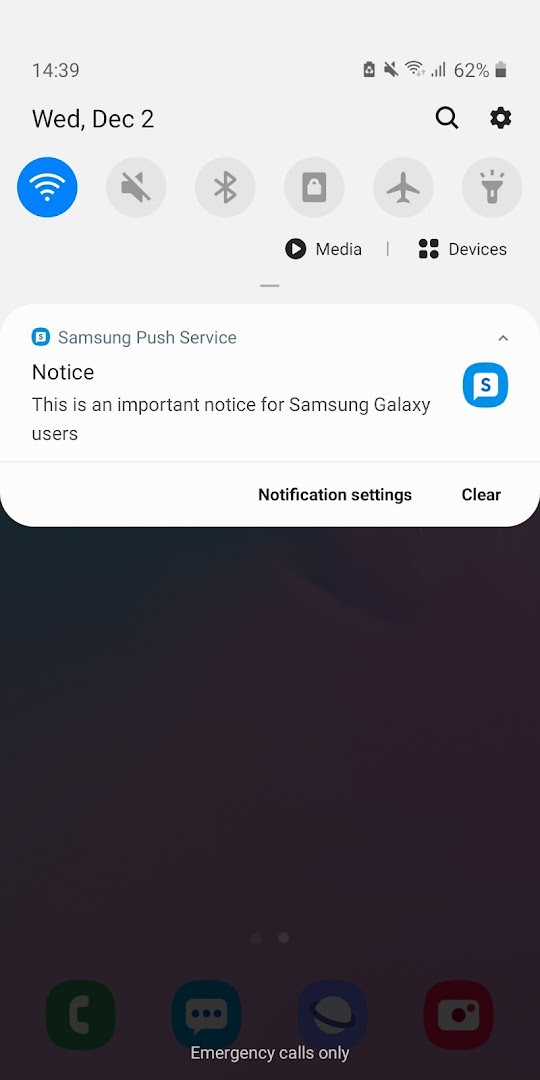
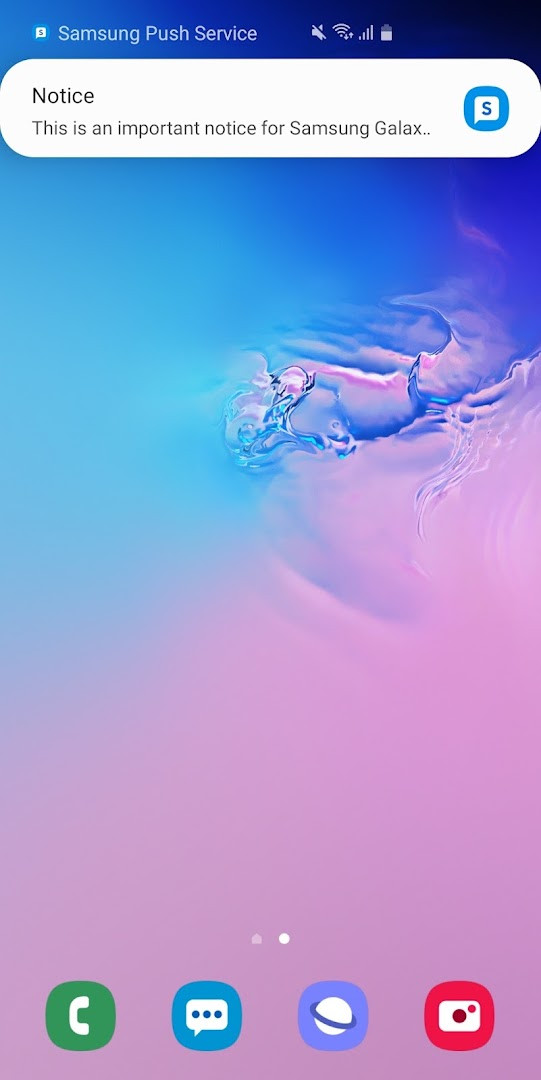
Samsung Push Service is a system-level communication utility by Samsung Electronics Co., Ltd. that delivers push notifications for Samsung-branded apps and services on Samsung devices. Rather than being a standalone messaging client, it acts as the background notification channel that keeps Galaxy Apps, Samsung Pay, Samsung Link, and similar Samsung services in sync with their servers.
The utility is compact at 3.9 MB and requires Android 9 or newer. It is free, contains no ads, and offers no in-app purchases. Samsung reports over five billion installs, with an aggregate user rating of 3.84 based on roughly 1.6 million ratings. The latest build in the version line, 3.4.27.0, focuses on enhancing functional stability, and the package has been in active development since its initial release in March 2013, with a September 2026 update.
Experienced users should note that this package is not a general-purpose push framework for third-party apps. It only services Samsung's own ecosystem, and removing it may stop notification messages for those services. On Android 9 and later, installation is handled like any ordinary APK, but the service runs silently in the background, so its presence is mainly visible through the notifications it relays.
Key features
- Relays new message notifications in a pop-up window for supported Samsung services
- Adds a badge to application icons when a new message arrives
- Displays new messages in the system notification bar
- Covers Samsung services such as Galaxy Apps, Samsung Link, and Samsung Pay
- Requires the Notifications permission to show messages on the notification bar
- Uses the Telephone permission for device identification during service subscription on Android N and below
- Installation can be confirmed in Settings > Application manager
- The latest build, 3.4.27.0, improves functional stability
How to install
- Tap the download button on this page to save the 3.9 MB APK file.
- If Android prompts you, allow your browser or file manager to install apps by enabling the 'Install unknown apps' setting for that app.
- Open the downloaded APK file from your notification shade or Downloads folder.
- Tap Install and wait for the short setup to finish; keep in mind that Android 9 or newer is required.
- Open the app once, though it is designed to run in the background as a service.
- Verify the installation in Settings > Application manager if you want to confirm it is present.
Pros
- Free with no ads or in-app purchases
- Small footprint at only 3.9 MB
- Essential for reliable notifications from Samsung's own services
- Broad deployment with over five billion reported installs
- Actively maintained with recent stability-focused updates
Cons
- Only serves Samsung services; it does not handle notifications for third-party apps
- Deleting it can cause missed notification messages for Samsung services
- May request phone-related permissions on older Android versions
- Runs silently with no user-facing interface to configure
Recent updates
The latest update focuses on enhancing functional stability. This change applies to the Samsung Push Service, which handles notifications for Samsung services on Samsung devices. No new features are listed; the release is primarily a stability improvement.
Version history
| Version | Size | Requires Android | Updated |
|---|---|---|---|
| 3.4.27.0 | 3.9 MB | 9 | Oct 7, 2026 |
| 3.4.13.2 | 2 MB | 6.0 | Sep 21, 2026 |
| 3.4.22.0 | 3.7 MB | 9 | Sep 17, 2026 |
| 3.4.24.0 | 3.7 MB | 9 | Sep 16, 2026 |
| 3.4.06.1 | 1.9 MB | 4.4 | Sep 15, 2026 |
| 2.0.12 | 2.4 MB | — | Jun 12, 2019 |
Samsung device owners who rely on Galaxy Apps, Samsung Pay, Samsung Link, or other Samsung services and want their push notifications, icon badges, and pop-ups to arrive dependably without managing a separate messaging client.
Keep the service installed even if it appears invisible, because disabling it will likely break Samsung notification delivery. If messages stop appearing, check Settings > Application manager to confirm the package is still present and has not been force-stopped.
Permissions
FAQ
What happens if I uninstall Samsung Push Service from my Samsung device?
According to the app description, removing Samsung Push Service may prevent you from receiving new notification messages. The app is intended to deliver notifications only for Samsung services such as Galaxy Apps, Samsung Link, and Samsung Pay on Samsung devices.
Which notification features does Samsung Push Service provide?
The service displays new messages in a pop-up window, shows a badge on the application icon when a new message arrives, and displays new messages on the notification bar. The developer describes it as a fast and precise notification service.
What permissions does Samsung Push Service require and why?
Two permissions are listed as required. The Telephone permission is needed for device identification during service subscription, but only on Android N OS and below. The Notifications permission is required to show new messages on the notification bar. The app also lists additional permissions for Phone, Photos/Media/Files, Storage, Wi-Fi connection information, and Device ID & call information in its manifest.
How can I check whether Samsung Push Service is installed on my device?
After downloading the app, you can verify its installation by going to Settings > Application manager on your device. The app description provides this as the way to check the installation status.
What should I do if my device runs a system software version lower than Android 6.0?
If your system software is lower than Android 6.0, the description advises updating the software to configure app permissions. After a software update, previously allowed permissions can be reset from the Apps menu in device settings.
For Samsung device owners, Samsung Push Service is a small, ad-free system component that quietly handles push delivery for the company's own apps. If you depend on those services, keeping it installed is the safe choice; if you do not, it is easy to ignore.
Similar apps








More from this developer



Updated: Nov 21, 2026