Samsung My Files for Android
Samsung My Files is a file manager from Samsung Electronics Co., Ltd. for browsing and organizing files on your device.
Download NowSamsung My Files helps people who need to locate, organize, or free up space on their Android device, including files on SD cards and USB drives. It is free with no ads or in-app purchases, requires Android 16 or higher, and its 56 MB package includes storage analysis, folder and file shortcuts, and support for Google Drive and OneDrive.
- Size
- 56 MB
- Requires Android
- 16
- Updated
- Jun 29, 2026
- Installs
- 5B+
- Rating
- ★ 4.08 (556,099)
- Category
- Tools
- Developer
- Samsung Electronics Co., Ltd.
- Content rating
- Everyone
- Package
- com.sec.android.app.myfiles
- Free
- ✓
Screenshots
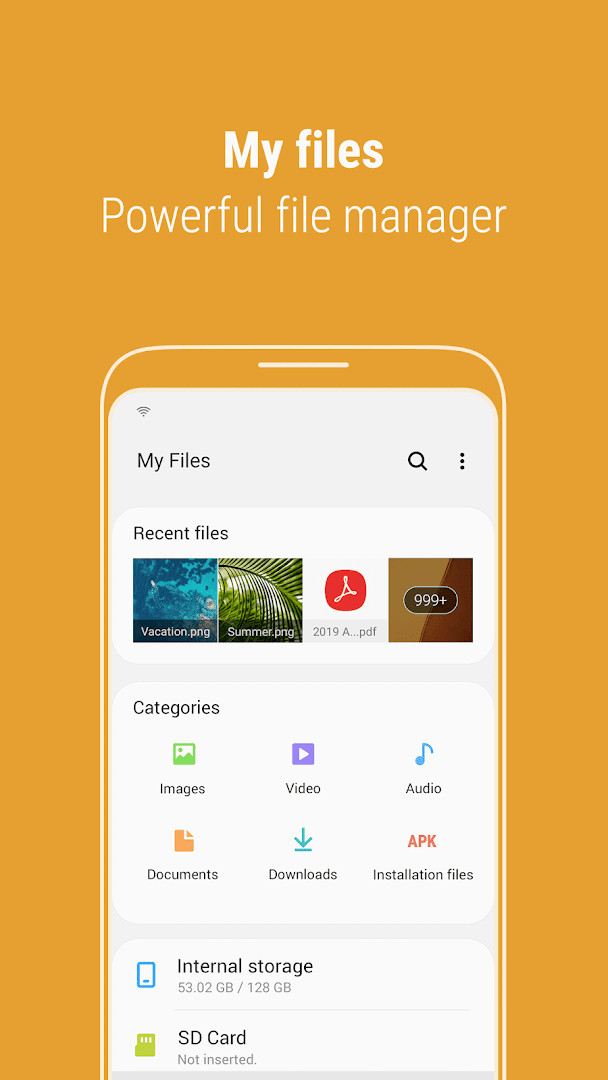
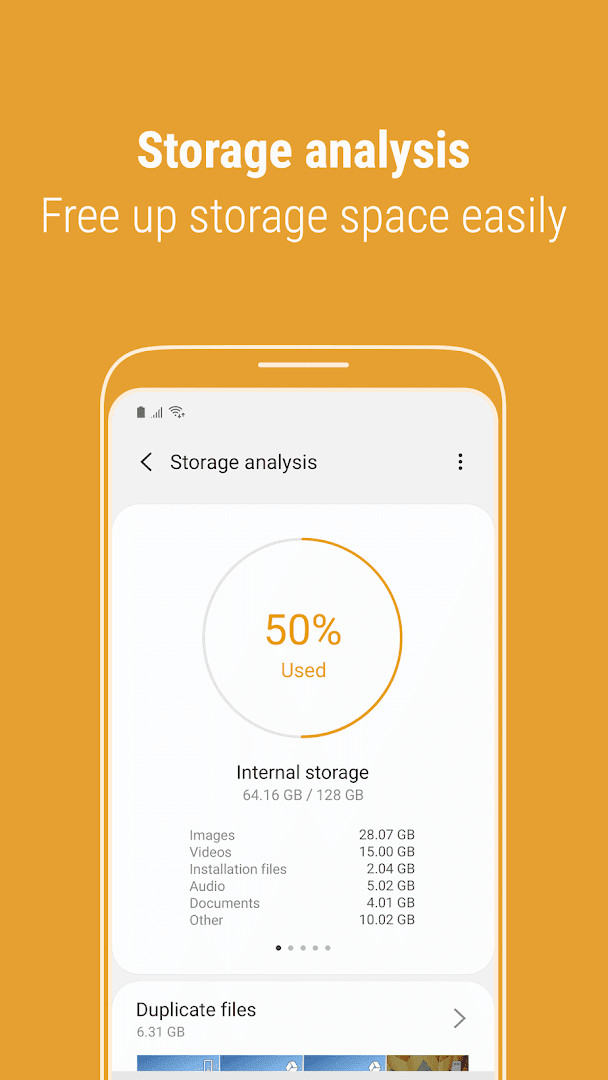
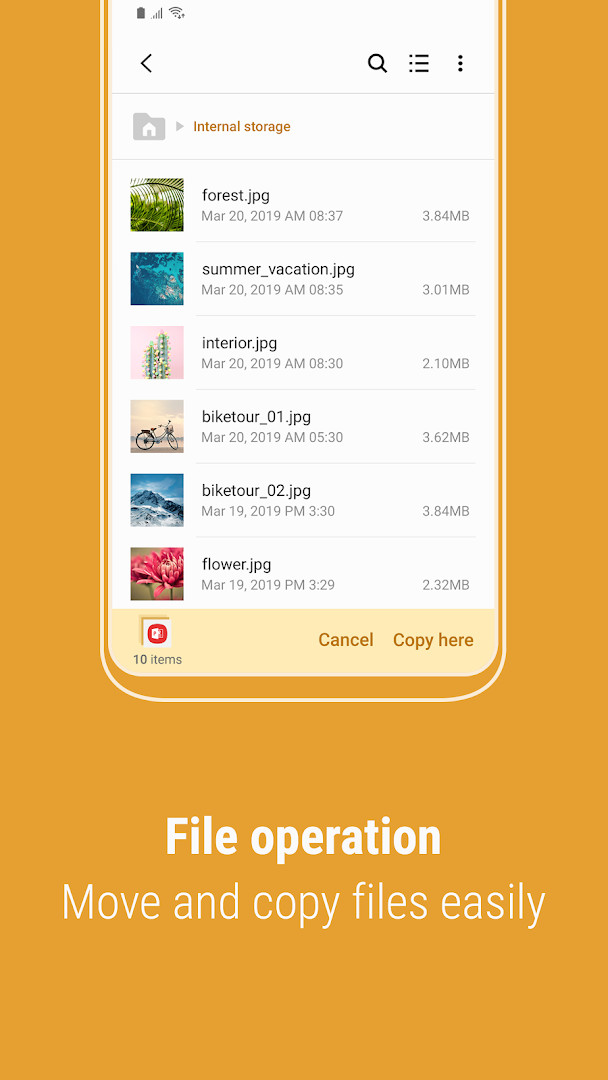
Samsung My Files is a file manager by Samsung Electronics Co., Ltd. that lets you browse, organize, and manage files and folders stored on your smartphone, SD card, USB drive, or connected cloud services. Acting much like a desktop file explorer, the app provides a central place to view, create, move, copy, share, compress, decompress, and inspect file details across multiple storage locations simultaneously. The tool also includes a Recent Files list, file type categories (downloads, documents, images, audio, video, and APK installation files), and the ability to create shortcuts on the device home screen or within the app's main screen. A storage analysis feature helps you identify and free up space, while cloud integrations with Google Drive and OneDrive let you manage remote content alongside local files. The latest update, version 15.6.03.3 from October 2026, adds the ability to add or delete Favorites directly while searching internal storage, introduces password-protected compression and decompression, and enhances the Analyze storage view to show usage by file type on OneDrive and Google Drive. Released in April 2018, the app has been updated regularly and carries a rating of 4.08 based on over 556,000 ratings, with more than five billion installs reported. It is free, contains no ads, and offers no in-app purchases. The app requests permissions for storage, notifications, device and app history, contacts, photos/media/files, and Wi-Fi connection information; storage access is used to open, delete, edit, and search files on internal and external memory on Android versions below 13, while notifications show progress for ongoing actions like moving or copying.
Key features
- Browse and manage files on the phone, SD card, or USB drive, including creating folders and moving, copying, sharing, compressing, and decompressing items
- Recent Files list showing files you have downloaded, run, or opened
- Categories view grouping files by type: downloaded, document, image, audio, video, and installation (.APK) files
- Storage Analysis button on the main screen to free up space easily
- Edit My Files home to hide unused storage spaces from the main screen
- Listview option to display long file names without ellipses
- Shortcuts for folders and files that can be placed on the device home screen or the My Files main screen
- Cloud service support for Google Drive and OneDrive, including storage usage analysis by file type
- Password-protected compression and decompression for stronger security
- Add or delete Favorites directly while searching internal storage
How to install
- Tap the download button on this page to get the APK file, which is about 56 MB in size.
- When Android prompts you, allow your browser or file manager to install apps by enabling the “Install unknown apps” setting for that app.
- Open the downloaded APK file from your notification or Downloads folder.
- Tap Install and wait for the installation to complete.
- Open Samsung My Files from your app drawer or home screen.
- Ensure your device runs Android 16 (minimum OS version) or later to install and use the app.
Pros
- Comprehensive file management across local, removable, and cloud storage
- Handy storage analysis tool to identify and free up space
- Password-protected compression adds security for sensitive archives
- Recent Files and Categories make it easy to locate frequently used items
- No ads or in-app purchases, and the app is free to use
- Regular updates with new features, such as Favorites during search
Cons
- Requires Android 16 or newer, which may exclude older devices
- Requests broad permissions including contacts and device history, which some users may find excessive
- Supported features can vary depending on the device model
- Cloud storage options are limited to Google Drive and OneDrive
Recent updates
When searching your internal storage, you can now add or remove Favorites directly while viewing the folder route. Compressing files now lets you set a password for extra security, and password-protected archives can be unzipped as well. The storage analysis feature also shows how much space is used by file type on OneDrive and Google Drive.
Version history
| Version | Size | Requires Android | Updated |
|---|---|---|---|
| 15.6.03.3 | 56 MB | 16 | Oct 10, 2026 |
| 15.6.01.22 | 56 MB | 16 | Aug 10, 2026 |
| 15.6.00.74 | 56 MB | 16 | Jul 29, 2026 |
| 15.4.09.5 | 56 MB | 16 | Jun 28, 2026 |
| 15.2.04.2 | 19 MB | 14 | Jun 11, 2026 |
| 13.1.03.501 | 22 MB | 12 | Jun 15, 2025 |
| 15.0.04.5 | 18 MB | 13 | Apr 11, 2024 |
| 12.2.09.531 | 13 MB | 11 | Feb 21, 2023 |
| 11.5.08.531 | 12 MB | 10 | Jan 31, 2023 |
| 5.0.11.2 | 8.8 MB | 8.0 | Jun 26, 2022 |
This app suits Samsung phone owners who want a built-in, feature-rich file manager for everyday organization, people who frequently move files between internal storage, SD cards, USB drives, and cloud services, and users looking to clean up storage space with a simple analysis tool.
Use the Storage Analysis button regularly to see which file types consume the most space, and combine it with the Categories view to quickly delete large or unwanted downloads and videos.
Permissions
FAQ
How does Storage Analysis help free up space on my device?
The main screen includes a Storage Analysis button that you can tap to review what is taking up space and then free up storage. The latest versions of the app also show how much space is being used by each file type on Google Drive and OneDrive.
Can I protect compressed files with a password?
Yes. When you compress files, you can enter a password to strengthen security, and password-protected compressed files can also be unzipped using the app.
What cloud storage services are supported?
The app supports Google Drive and OneDrive, so you can manage files stored in those cloud services alongside files on your device, SD card, or USB drive.
Is there a way to see full file names without ellipses?
Yes. Using the Listview button lets you view long file names without ellipses, making it easier to identify files at a glance.
Can I quickly mark files as favorites while searching?
When searching internal storage, you can immediately add or delete Favorites while checking the folder route, so you don't have to leave the search results to manage favorites.
Samsung My Files is a solid, free file manager that excels at unifying local, removable, and cloud storage in one interface. Its storage analysis, password-protected archives, and frequent updates make it a practical choice for most Android users, though the permission footprint and Android 16 requirement are worth weighing. Overall, it delivers dependable functionality with no ads or hidden costs, making it a strong default tool for managing files on Samsung devices.
Similar apps







More from this developer



Updated: Nov 17, 2026