PENUP – Drawing-sharing SNS: social drawing app
PENUP is a drawing-sharing social network by Samsung Electronics Co., Ltd. that lets users communicate through drawings.
Download PENUPPENUP – Drawing-sharing SNS is a free social app where users share drawings and interact with a global community. It offers coloring pages, templates, Live Drawing follow-along videos, and Photo Drawing aids, plus drawing challenges. The app requires Android 9 or higher, has a download size of 97 MB, and contains no ads or in-app purchases.
- Size
- 97 MB
- Requires Android
- 9
- Updated
- Sep 18, 2026
- Installs
- 100M+
- Rating
- ★ 4.53 (223,826)
- Category
- Art & Design
- Developer
- Samsung Electronics Co., Ltd.
- Content rating
- Teen
- Package
- com.sec.penup
- Free
- ✓
Screenshots
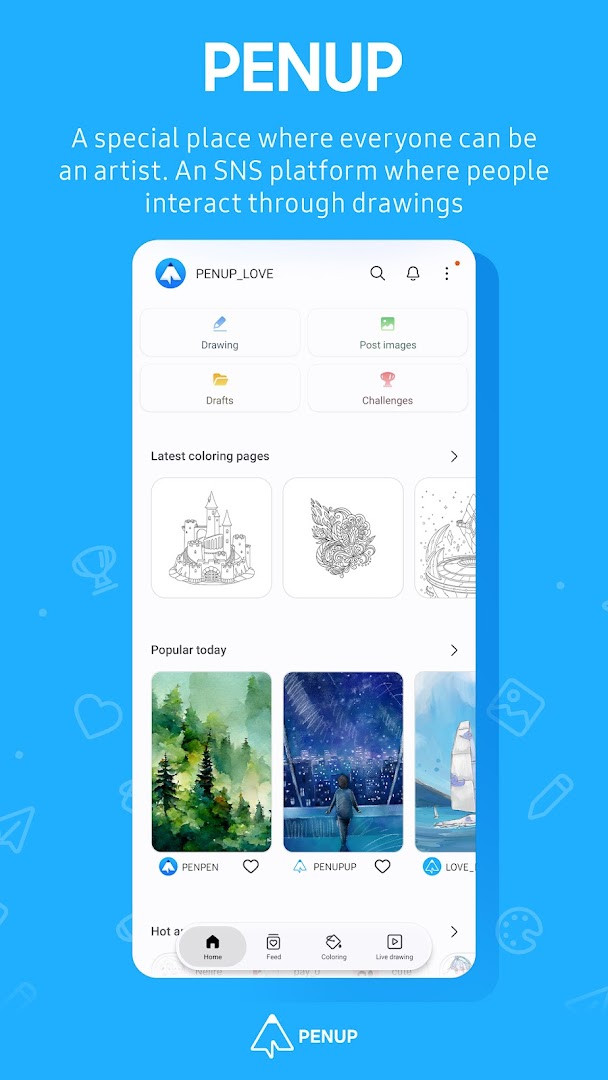
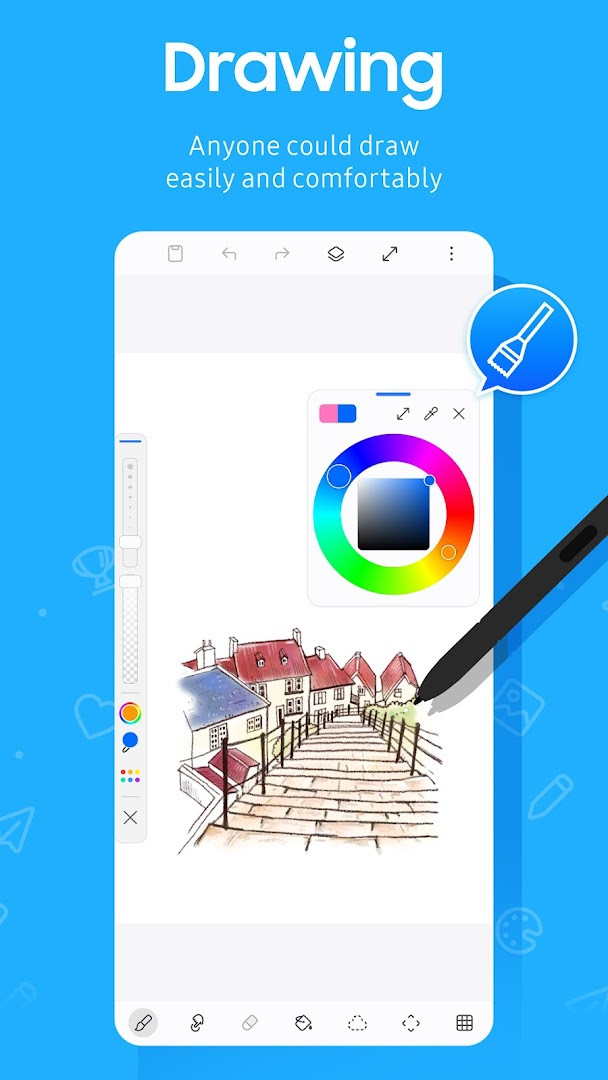
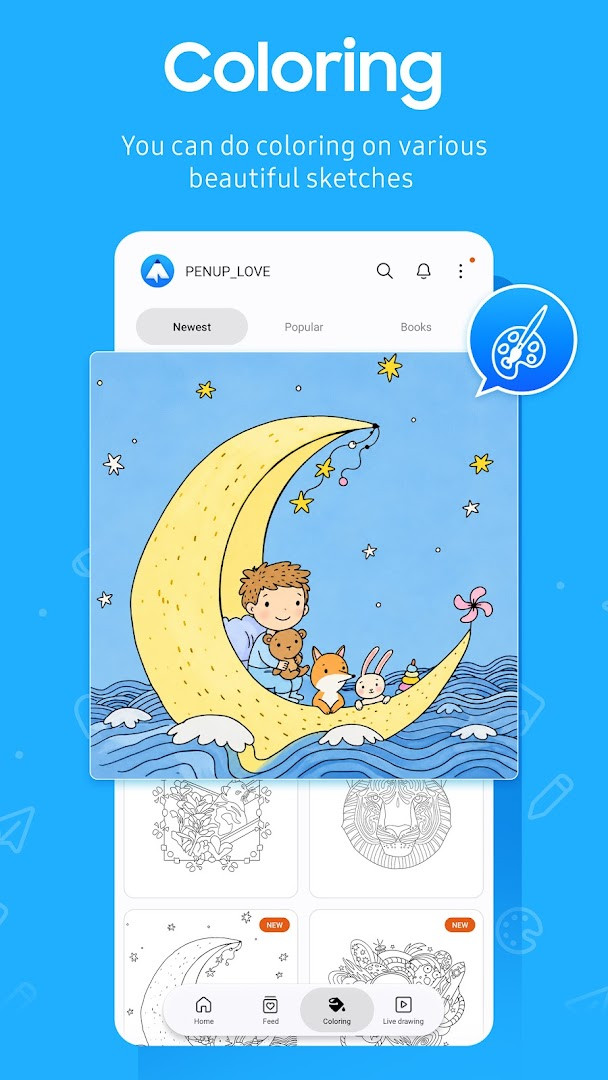
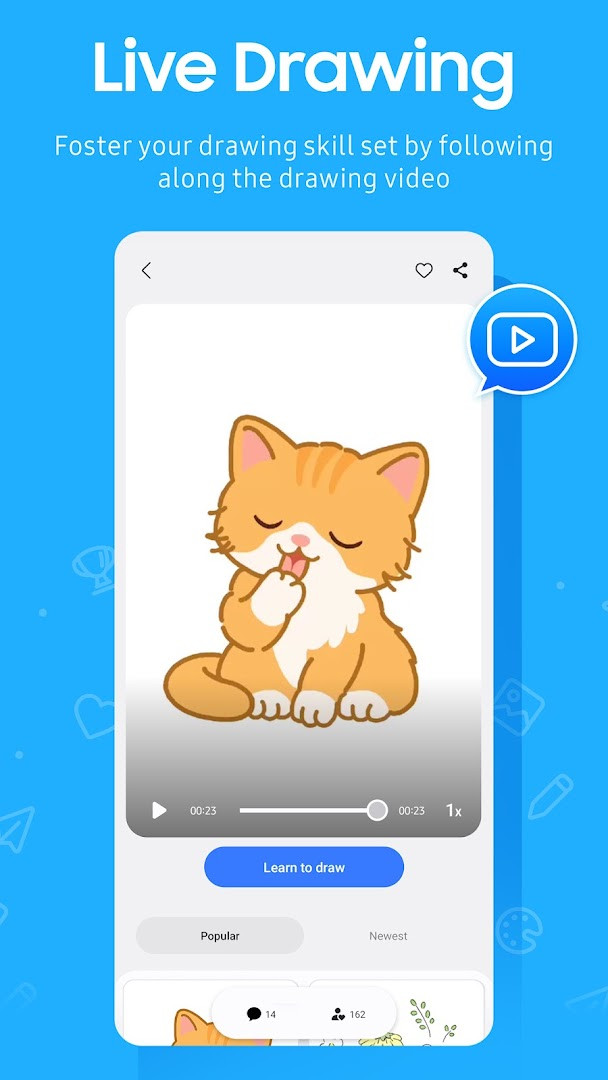
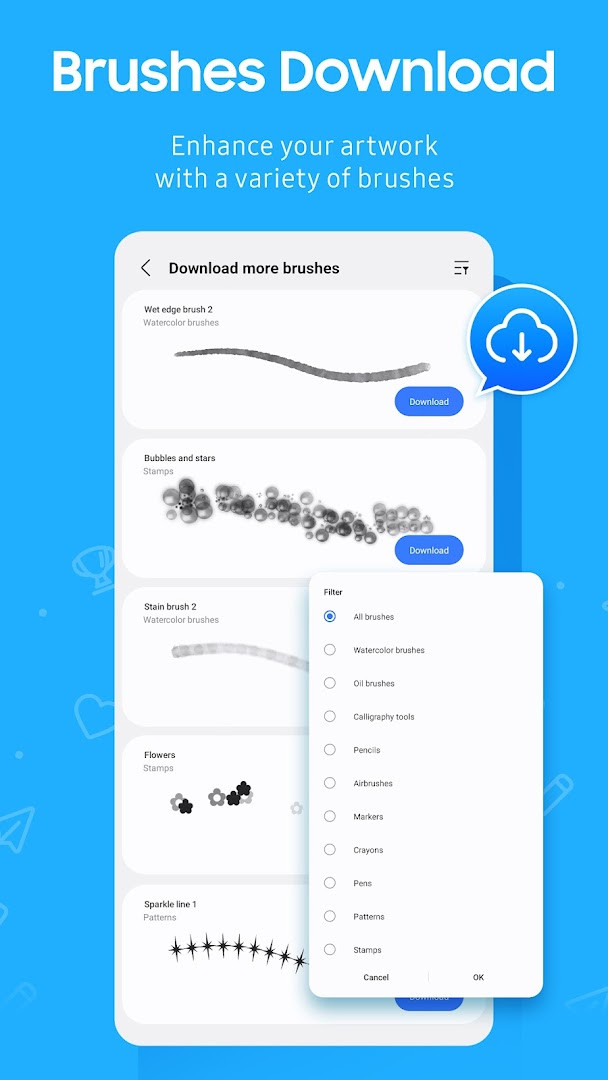
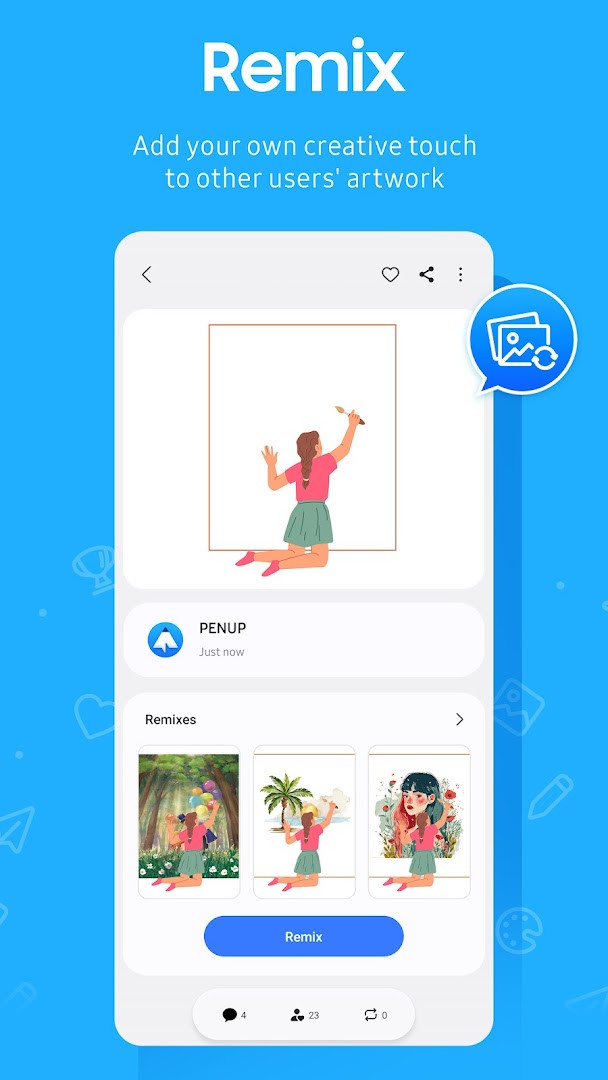
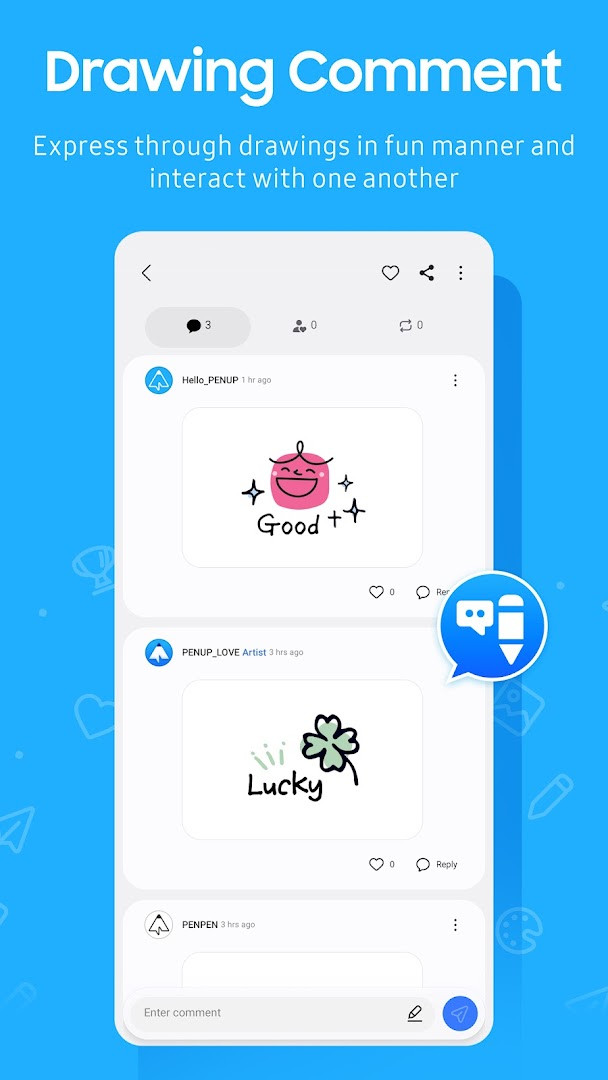
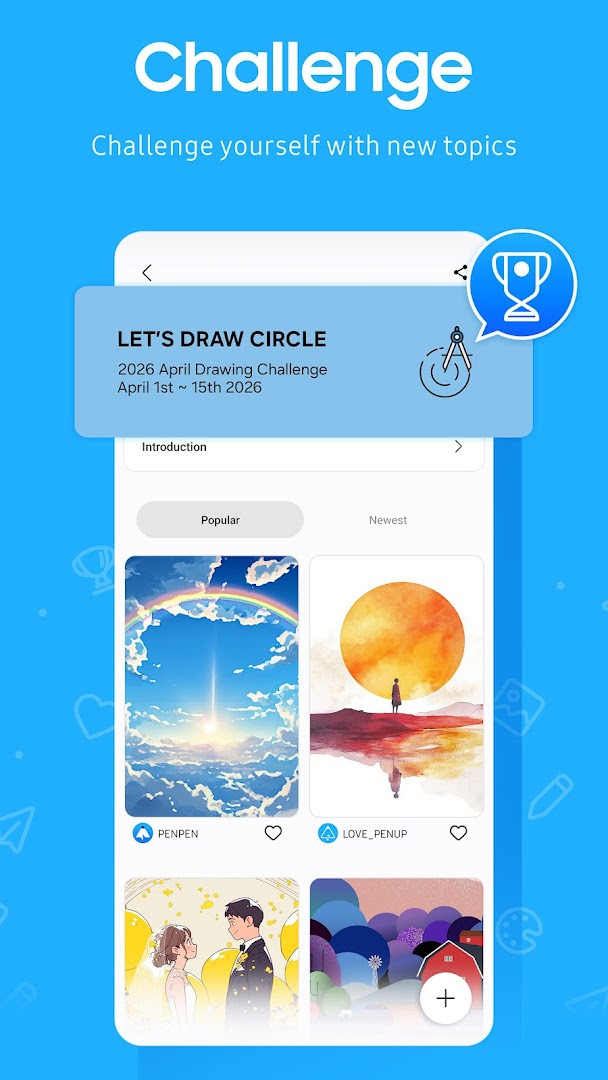
PENUP – Drawing-sharing SNS is a social networking application by Samsung Electronics Co., Ltd. that lets users share drawings and communicate through visual art. The app solves the problem of connecting creative people across the globe by providing a dedicated platform where anyone can post their artwork, browse trending pieces, and interact through comments. It makes drawing approachable for beginners through guided tools like coloring pages, templates, Live Drawing follow-along videos, and Photo Drawing assistance, while also offering challenges to practice skills. By combining creation and social feedback in one place, PENUP turns solitary drawing into a shared, community-driven experience where users can grow and get inspired by others.
Key features
- A variety of drawing tools including a newly added brush for creative flexibility
- Coloring book pages with ready-made illustrations for easy, relaxing coloring
- Templates to help users start drawings quickly without a blank canvas
- Live Drawing mode that plays video follow-along lessons to improve technique
- Photo Drawing aid that lets users draw over photos as a reference
- Drawing challenges to test and refine skills in a structured way
- Trending Works feed to browse and appreciate popular drawings from other users
- Comment system for sharing feedback and communicating on each other's creations
How to install
- Tap the download button on this page to get the APK file (97 MB).
- When Android asks, allow your browser or file manager to install apps by enabling the 'Install unknown apps' setting.
- Open the downloaded APK file from your notifications or file manager.
- Tap Install on the confirmation screen and wait for the installation to finish.
- Open the app from your home screen or app drawer. Note that Android 9 or newer is required.
Pros
- Free to download and use with no ads or in-app purchases
- Large community with over 100 million installs and a 4.53 rating
- Beginner-friendly features like coloring pages and templates
- Guided drawing tools help improve skills progressively
- Active social features encourage interaction and feedback
- Regular updates with new tools and improvements
Cons
- Requires optional permissions for storage and notifications, which may concern privacy-minded users
- Some permissions like Identity and Contacts are listed, though not clearly explained in the description
- No offline drawing mode mentioned, so features likely need an internet connection
- Content rating of Teen may not suit younger children without supervision
Recent updates
This update adds a new brush to the drawing tools, giving you more creative options for your artwork. If you enjoy exploring different styles, this addition makes it easier to experiment with fresh effects in your drawings.
Version history
| Version | Size | Requires Android | Updated |
|---|---|---|---|
| 3.9.24.3 | 97 MB | 9 | Oct 1, 2026 |
| 3.8.00.18 | 27 MB | 6.0 | Sep 29, 2026 |
| 3.9.23.13 | 97 MB | 9 | Sep 18, 2026 |
| 3.9.22.32 | 97 MB | 9 | Aug 14, 2026 |
| 3.9.21.33 | 124 MB | 9 | Jun 20, 2026 |
| 3.9.12.77 | 40 MB | 8.0 | Nov 13, 2025 |
| 3.2.01.1 | 21 MB | 5.0 | Jun 1, 2019 |
PENUP is ideal for beginners who want to start drawing without feeling intimidated, as it offers coloring pages, templates, and follow-along video lessons that lower the entry barrier. It also suits hobbyists who enjoy sharing their artwork and receiving comments from a global audience, as well as anyone looking for a creative social network to browse trending art and participate in challenges. Since it is free and has no ads, it appeals to casual users who want a low-pressure creative outlet on their Android device.
Start with the coloring book pages to get comfortable with the brush tools, then try Live Drawing to learn techniques step by step. Enable notifications to stay updated on comments and followers, but you can turn them off later in device settings if they become distracting.
Permissions
FAQ
How do I install the PENUP APK on an Android device?
To install the APK, download the file and open it from your device's file manager. If prompted, allow installation from unknown sources in your security settings. The app requires Android 9 or higher, and the package size is about 97 MB.
What is the current version of PENUP?
The most recent version is 3.9.24.3, released on October 1, 2026. The app was last updated on September 18, 2026, and the latest update added a new brush as a drawing tool.
Does PENUP contain ads or in-app purchases?
No. PENUP is free to download and use, with no advertisements and no in-app purchases. You can access all core features without paying or watching ads.
Can I use PENUP offline?
PENUP is primarily an online social network for sharing drawings, so most features like browsing, commenting, and uploading require an internet connection. However, you can still practice drawing and use some tools offline, but sharing and interacting with others will not work.
What Android permissions does PENUP request, and are they optional?
PENUP requests optional permissions for storage (to upload or download drawings on Android 9 or lower) and notifications (for activity alerts on Android 13 or above). Other permissions listed include Identity, Contacts, and Photos/Media/Files. You can deny optional permissions and still use the app's basic functions.
Are there alternative drawing apps similar to PENUP?
Yes, there are other drawing and art-sharing apps available in the Art & Design category. They typically offer similar features like digital canvases, brushes, and community galleries. You can explore other options that match your drawing style and social sharing preferences.
Is PENUP suitable for teenagers?
PENUP has a content rating of Teen, meaning it is intended for users aged 13 and older. The app is a social network for sharing drawings, so interactions with other users are part of the experience, and parental guidance may be appropriate.
PENUP offers a welcoming space for drawing enthusiasts to create and connect without cost or clutter. Its guided tools and active community make it a solid choice for beginners exploring digital art.
Similar apps



More from this developer


Updated: Nov 3, 2026