
Google Play services: Android core services
Google Play services is a free tools app by Google LLC that lets you keep Google apps and other apps updated with core system functions.
Get AppGoogle Play services is a 266 MB tools app from Google LLC that requires Android 9 or higher. It provides authentication to Google services, synchronized contacts, privacy settings, and location-based services, while also speeding up offline searches and improving maps and gaming.
- Size
- 266 MB
- Requires Android
- 9
- Updated
- Nov 12, 2026
- Installs
- 10B+
- Rating
- ★ 4.32 (44,504,730)
- Category
- Tools
- Developer
- Google LLC
- Content rating
- Everyone
- Package
- com.google.android.gms
- Free
- ✓
Screenshots
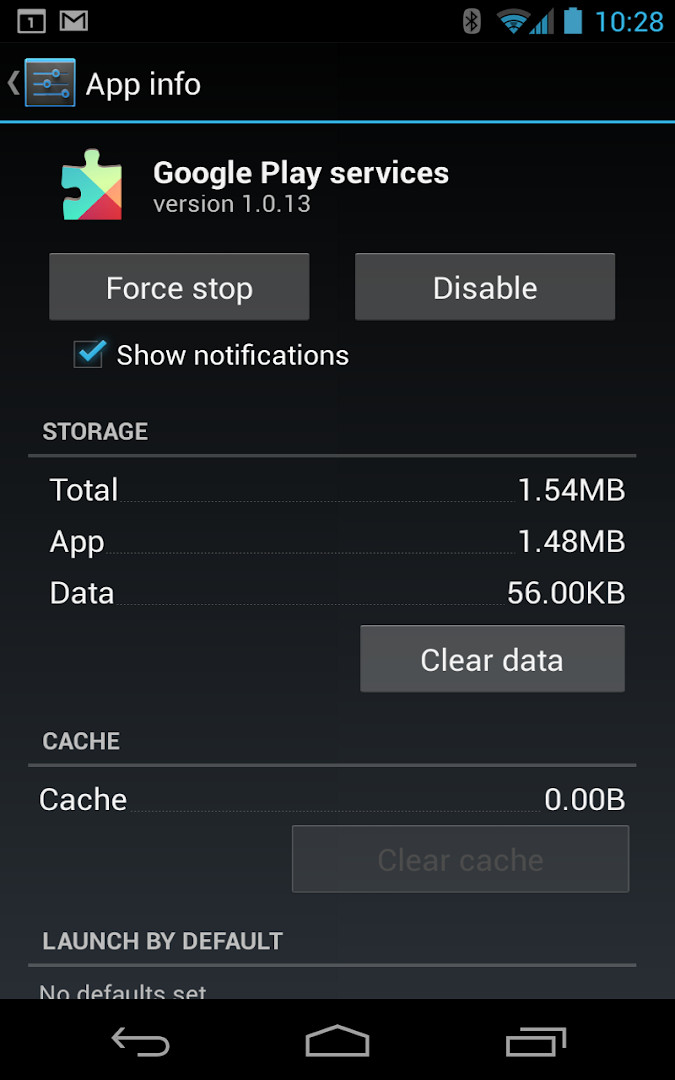


Google Play services is a system-level Tools app by Google LLC that provides the core background functionality many Android apps rely on to work correctly. It is not a user-facing application in the traditional sense; instead, it operates as a foundation layer, handling tasks such as authentication to your Google account, synchronizing contacts, and enforcing the latest privacy settings. It also powers location-based services that are both higher quality and more power-efficient, which is why apps like maps, ride-sharing, and weather tools can operate smoothly without draining your battery excessively. For an experienced user, this component is best understood as the glue that connects third-party apps to Google's APIs and services.
Beyond authentication and location, Google Play services also contributes to a better overall app experience. It accelerates offline searches, enables more immersive map rendering, and improves gaming performance by providing shared system-level resources. Because it sits between apps and the Android OS, it receives periodic updates independently of the apps themselves, which allows Google to patch security issues and add features without requiring each app to ship a new version. This architecture is why many apps will fail to launch or behave erratically if this service is missing or outdated.
For whom is this relevant? Essentially, any Android user running apps that integrate with Google — which is most of them. However, the target audience for this page is the experienced user who is comparing alternatives or managing multiple devices. Such users will appreciate understanding the trade-offs: the app is free, contains no ads, and has no in-app purchases, but it does request access to a broad range of sensitive data, including location, contacts, SMS, camera, and microphone. That breadth is a double-edged sword: it enables rich functionality, but it also demands a conscious decision about privacy. Knowing exactly what this component does and what it touches is the first step in making an informed choice about whether to keep it enabled, update it manually, or restrict its permissions where possible.
Key features
- Updates Google apps and other apps with core functionality
- Provides authentication to Google services
- Synchronizes contacts across devices
- Gives access to the latest user privacy settings
- Delivers higher-quality, lower-powered location services
- Speeds up offline searches
- Enables more immersive maps
- Improves gaming experiences
- Apps may not work if this service is uninstalled
How to install
- Tap the download button on this page to start fetching the APK file, which is 266 MB in size.
- When Android prompts you, allow your browser or file manager to install apps by enabling the 'Install unknown apps' setting for that source.
- Open the downloaded APK file from your notifications or downloads folder.
- Tap Install and wait for the process to complete; the app requires Android 9 or higher.
- Open the app from your app drawer or home screen to verify it is active.
Pros
- Free with no ads or in-app purchases
- Centralizes core Google APIs for consistent app behavior
- Regular updates improve security and features without requiring app updates
- Reduces battery drain for location-based services compared to older approaches
- Improves offline search and map rendering performance
Cons
- Requests extensive permissions, including location, contacts, SMS, camera, and microphone
- Large download size of 266 MB may be significant for users with limited storage
- Removing or disabling it can break many other apps
- Runs as a background service, which some privacy-conscious users may dislike
Version history
| Version | Size | Requires Android | Updated |
|---|---|---|---|
| 26.43.30 (100400-1006944126) | 266 MB | 9 | Nov 5, 2026 |
| 25.18.33 (040300-756823100) | 124 MB | 6.0 | May 17, 2025 |
| 25.18.33 (080306-756823100) | 46 MB | 6.0 | May 17, 2025 |
| 25.17.31 (080306-753339714) | 46 MB | 6.0 | May 10, 2025 |
| 24.28.35 (080306-657754416) | 44 MB | 5.0 | Jan 31, 2025 |
| 24.28.35 (080406-657754416) | 47 MB | 5.0 | Sep 3, 2024 |
| 23.07.14 (110304-512733570) | 46 MB | 8.1 | Mar 11, 2023 |
| 22.39.15 (000300-480654083) | 49 MB | 4.4 | Oct 20, 2022 |
| 21.42.59 (120408-410919843) | 126 MB | 10 | Nov 20, 2021 |
This is for experienced Android users who want to understand the system-level component that underpins Google-integrated apps, and who are comfortable managing permissions and storage trade-offs to keep their device functioning reliably.
If you are privacy-conscious, review the permission list after installation and revoke any that you deem unnecessary, though be aware that some apps may misbehave if core permissions are denied. Also, keep the service updated to the latest version to benefit from security patches and performance improvements, but ensure you have enough free storage for the 266 MB package.
Permissions
FAQ
How do I install the Google Play services APK on my Android device?
To install the APK, download it from the download button on this page, then open the file on your device and follow the on-screen prompts. Your device must run Android 9 or later, and you may need to allow installation from unknown sources if you are sideloading.
What is the current version of Google Play services?
The most recent listed version is 26.43.30 (100400-1006944126), dated November 5, 2026. The app was last updated on November 12, 2026.
Does Google Play services contain ads or in-app purchases?
No. The app is free, with no ads and no in-app purchases. Its price is listed as $0.00.
Can Google Play services be used offline?
Yes, it can speed up offline searches and provides core functions that work without a live connection. However, some features like authentication and syncing contacts require an internet connection.
Are there alternatives to Google Play services in the Tools category?
Yes, other tools in this category may offer similar system-level functions, such as background services or device optimization. However, Google Play services is tightly integrated with many apps, and removing it may cause some apps to stop working.
How large is Google Play services and what Android version does it require?
The app is about 266 MB in size and requires Android 9 (API level 9) or higher to run.
What happens if I uninstall Google Play services?
Many apps may not work correctly if you uninstall it, because it provides essential functionality such as authentication, contacts sync, and location services.
Google Play services is an indispensable background component for any Android device that relies on Google's ecosystem, providing essential authentication, location, and synchronization features. While its broad permission set and large size warrant careful consideration, its benefits in app compatibility and performance are substantial. For experienced users, managing it wisely — rather than removing it — is the recommended path.
Similar apps








More from this developer



Updated: Nov 23, 2026