TrackerControl: Network Tracker Blocker
TrackerControl is a security tool by TrackerControl that monitors and controls hidden data collection in apps.
Download TrackerControl · v2026.11.01TrackerControl lets users see which companies track them and block tracking selectively, using blocklists that include one built from analyzing roughly 2 million apps. It runs a local VPN server on the device, requires no root, and protects against DNS cloaking. TrackerControl is free and open source, requires Android 6.0 or higher, and has a download size of 15 MB.
- Version
- 2026.11.01
- Size
- 15 MB
- Requires Android
- 6.0
- Updated
- Nov 2, 2026
- Category
- Tools
- Developer
- TrackerControl
- Package
- net.kollnig.missioncontrol
- Free
- ✓
Screenshots
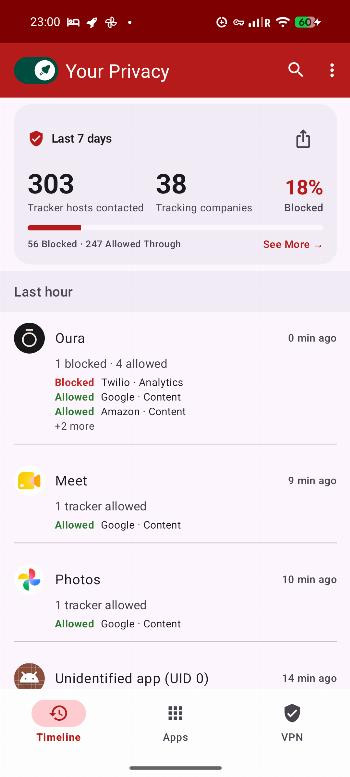
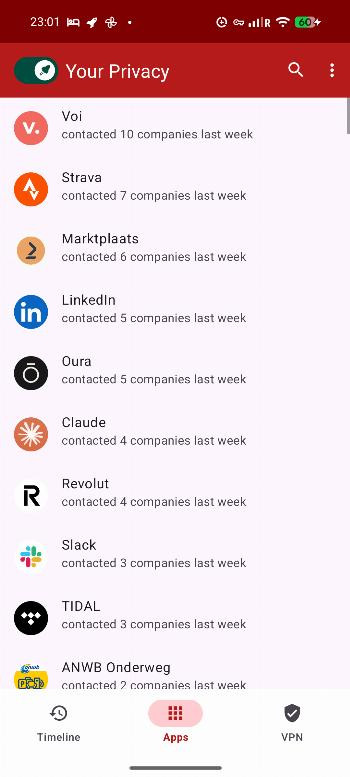
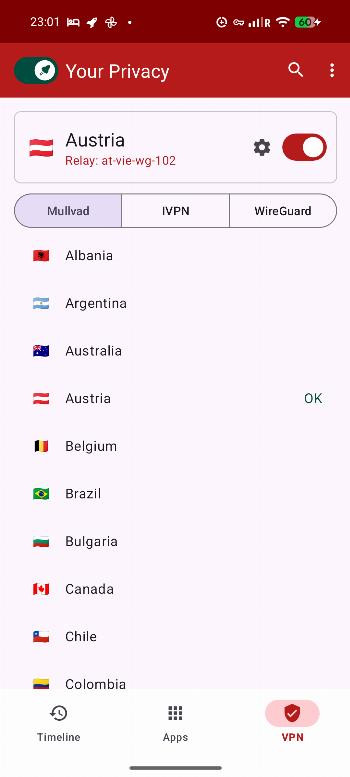
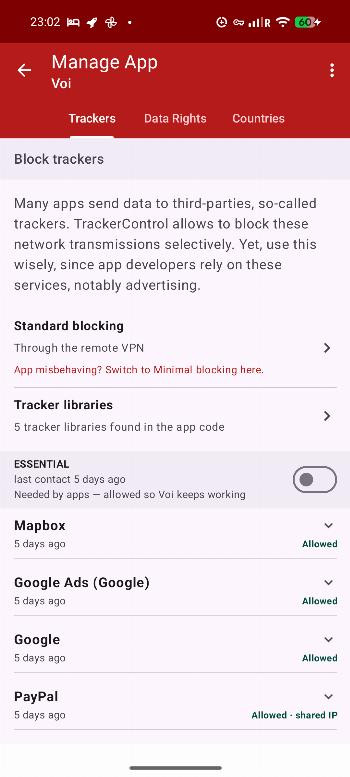
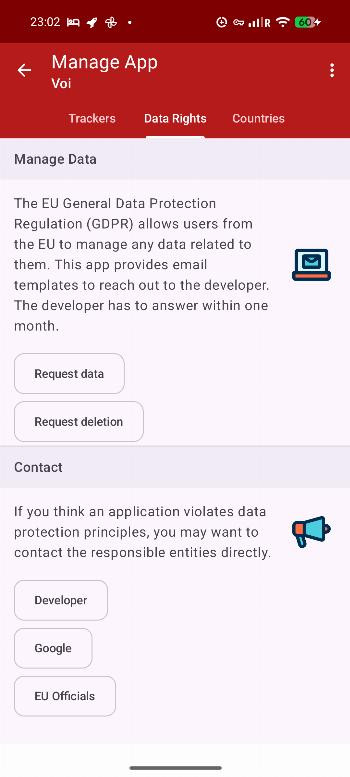
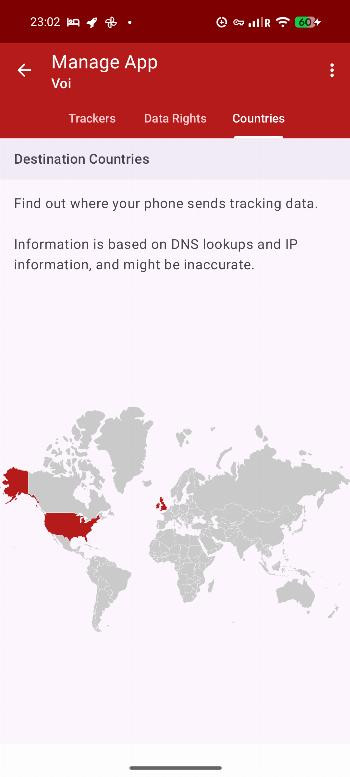
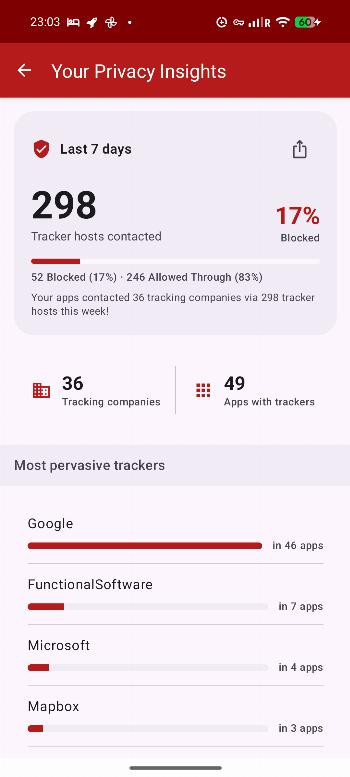
TrackerControl is a privacy tool by TrackerControl that lets you monitor and control hidden data collection in Android apps. It works by running a local VPN server on your device, so no root access is needed, and all analysis happens on-device rather than on an external server. This means you can see exactly which apps are sending information about your behavior, who receives it, and for what purpose — such as analytics or advertising. The app combines the Disconnect blocklist, also used by Firefox, with an in-house blocklist built from analyzing roughly two million apps, and it supports custom blocklists for more tailored control. Beyond blocking, it also aims to educate you about your rights under data protection laws like the EU GDPR, turning a technical tool into a learning resource. The latest version, 2026.11.01, continues this mission with ongoing improvements to tracking detection and blocking, keeping the app free and open source as a research project. For beginners, the key idea is simple: instead of guessing which apps spy on you, you get a clear, on-device dashboard that reveals tracking and lets you stop it selectively.
Key features
- Monitors network traffic of all installed apps in real time
- Blocks tracking selectively, per app or per tracker company
- Reveals the companies behind tracking and the purpose of each tracker
- Protects against DNS cloaking, a technique used to hide trackers
- Supports custom blocklists in addition to built-in ones
- Uses a local VPN server, so no external server or root is required
- Includes educational content about data protection rights like GDPR
- Free and open source under GPL-3.0 license
How to install
- Tap the download button on this page to get the APK file, which is about 15 MB in size.
- When Android asks, allow your browser or file manager to install apps by enabling the 'Install unknown apps' setting for that app.
- Open the downloaded APK file from your notifications or file manager.
- Tap Install and confirm when prompted; the app requires Android 6.0 or higher.
- Open TrackerControl from your app drawer and follow the on-screen setup to grant permission for the local VPN.
- Once set up, you can start reviewing and blocking trackers right away.
Pros
- No root required, making it accessible for most users
- All traffic analysis happens locally, keeping your data on your device
- Clear explanations of who is tracking you and why
- Custom blocklists give advanced users more flexibility
- Free and open source, with a research-driven approach
- Protects against DNS cloaking, a common evasion technique
Cons
- Other VPNs and Private DNS are not supported while active
- Running a local VPN may affect battery life on older devices
- The blocklist approach may occasionally miss very new trackers
Version history
| Version | Size | Requires Android | Updated |
|---|---|---|---|
| 2026.11.01 | 15 MB | 6.0 | Nov 2, 2026 |
| 2026.10.29 | 15 MB | 6.0 | Oct 30, 2026 |
| 2026.08.05 | 13 MB | 6.0 | Aug 5, 2026 |
| 2026.07.27 | 13 MB | 6.0 | Jul 28, 2026 |
This is ideal for privacy-conscious beginners who want to see what apps are doing without needing technical expertise, for curious users who want to learn about data collection and their GDPR rights, and for anyone who wants a free, on-device way to reduce tracking without rooting their phone.
Start by checking the 'Trackers' tab after a day of normal use — you will often spot apps you did not expect to be sharing data, and you can block them individually to see the immediate effect on your privacy.
FAQ
How do I install the TrackerControl APK on my Android device?
To install the APK, download it and open the file on your device. You will need to allow installation from unknown sources if prompted. No root access is required, and your device must run Android 6.0 or higher. The app is about 15 MB in size.
What is new in version 2026.11.01?
Version 2026.11.01 is the current release, dated November 2, 2026. It follows the previous version 2026.10.29 from October 30, 2026. Details of specific changes are not listed, but it represents the latest update to the app.
Does TrackerControl contain ads or require purchases?
No, TrackerControl is completely free and does not include ads or in-app purchases. It is an open-source research project that will always remain free to use.
Can TrackerControl work offline, and what happens to my data?
TrackerControl analyzes network traffic locally on your device using a built-in VPN server. It does not use an external VPN server, so your data stays on your device. This means it works without sending your information elsewhere, though an internet connection is needed for the apps you monitor.
Are there alternative apps in the same category that offer similar monitoring features?
Yes, other security and privacy tools exist that can monitor app behavior or block data collection. However, TrackerControl is notable for combining multiple blocklists, supporting custom lists, and being free and open source, which may not be true of all alternatives.
What Android version do I need to run TrackerControl?
The minimum operating system required is Android 6.0. As long as your device runs this version or newer, you can install and use the app without needing root access.
How does TrackerControl detect tracking in apps?
It uses the Disconnect blocklist, also used by Firefox, along with an in-house blocklist created from analyzing about two million apps. It also supports custom blocklists, and it can detect DNS cloaking to uncover hidden trackers.
TrackerControl is a well-designed, beginner-friendly privacy tool that turns a complex topic into a clear, actionable dashboard. Its local VPN approach keeps your data safe, and the free, open-source nature makes it a trustworthy choice. The main trade-off is that it cannot run alongside other VPNs, so if you rely on one, you will need to choose between them. For most users, the transparency and control it offers far outweigh this limitation.
Similar apps







Updated: Nov 13, 2026