Themepack - App Icons, Widgets for Android
Themepack - App Icons, Widgets is a personalization app from YoloTech for customizing your Android home screen.
Get Themepack · v1.0.0.4389Themepack - App Icons, Widgets is for Android users who want to redesign their home screen with icons, widgets, and wallpapers. The app is free to download, requires Android 7.0 or higher, and offers over 10,000 widgets, icons, and wallpapers, plus DIY icon and widget creation.
- Version
- 1.0.0.4389
- Requires Android
- 7.0
- Updated
- Nov 5, 2026
- Installs
- 100M+
- Rating
- ★ 4.63 (1,361,058)
- Category
- Personalization
- Developer
- YoloTech
- Content rating
- Teen
- Package
- com.iconchanger.widget.theme.shortcut
- Free
- ✓ · Contains ads · In-app purchases
Screenshots
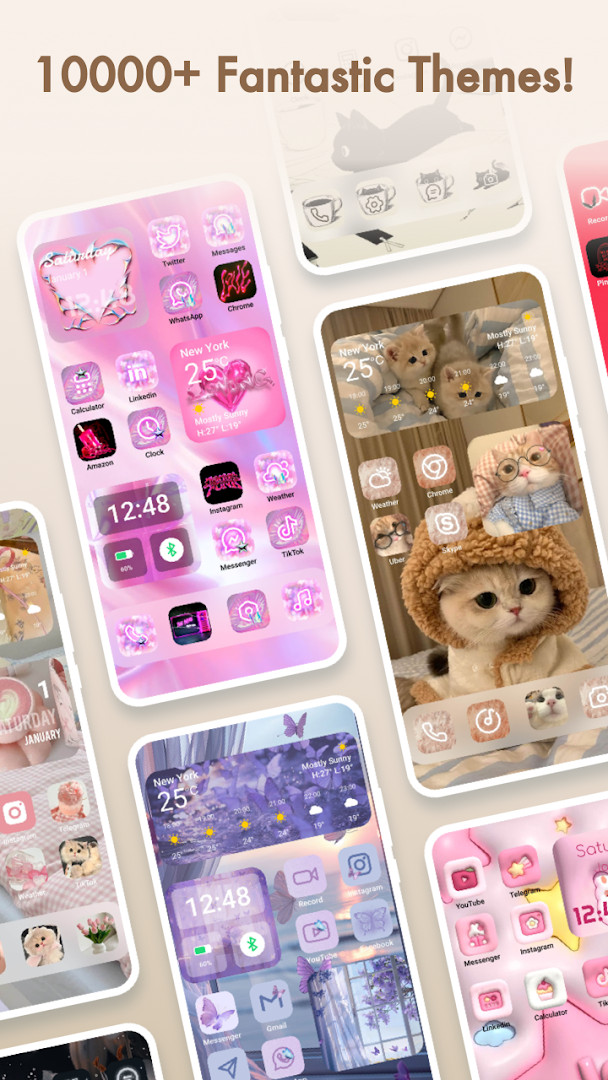
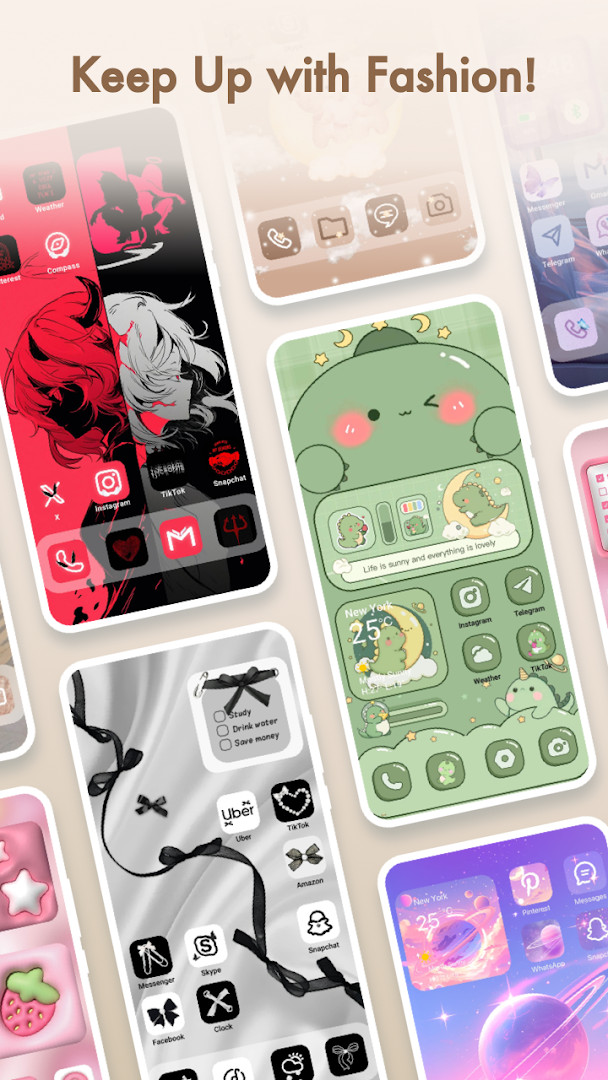
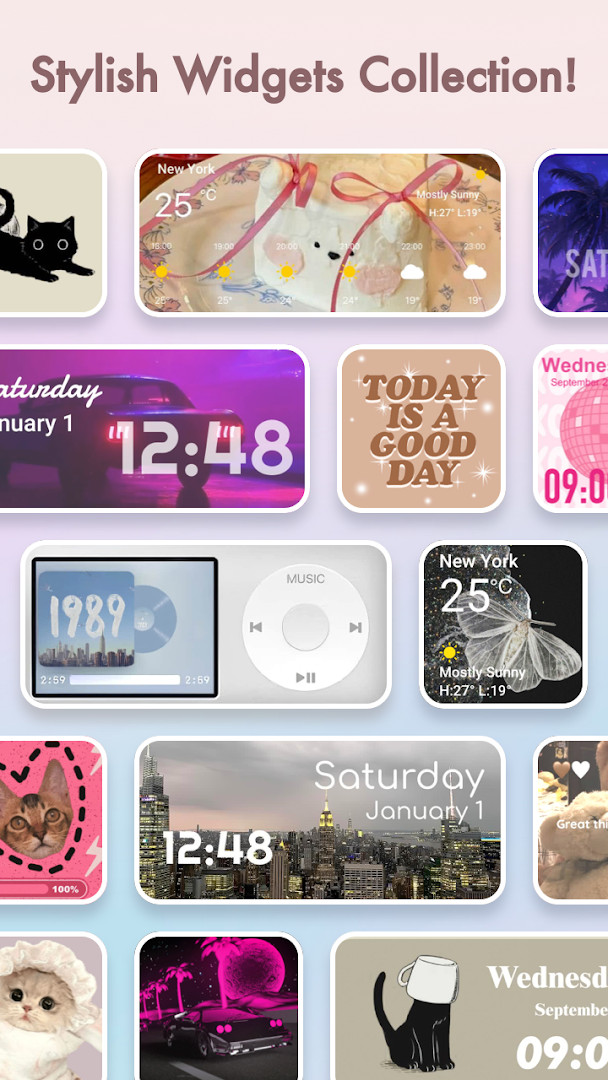
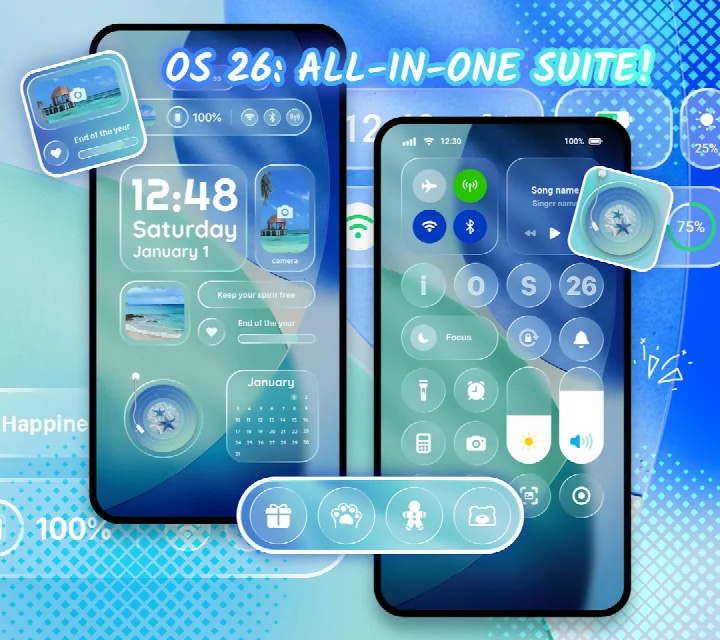
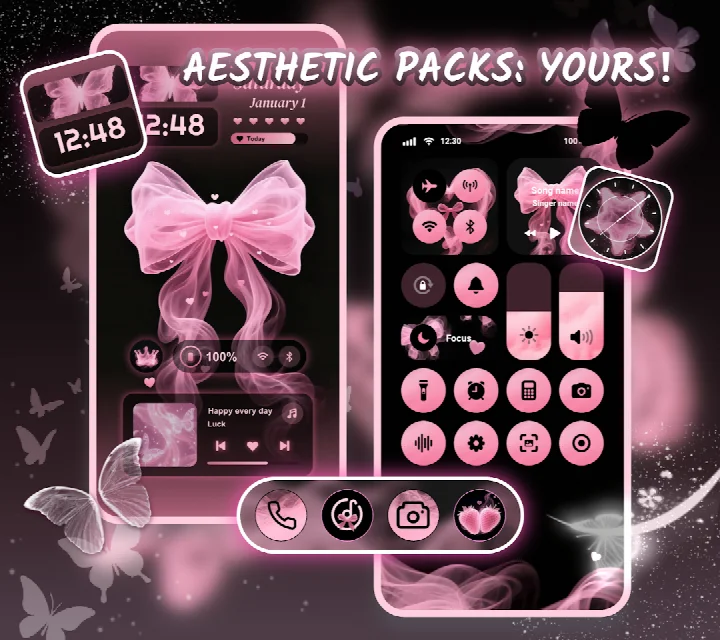
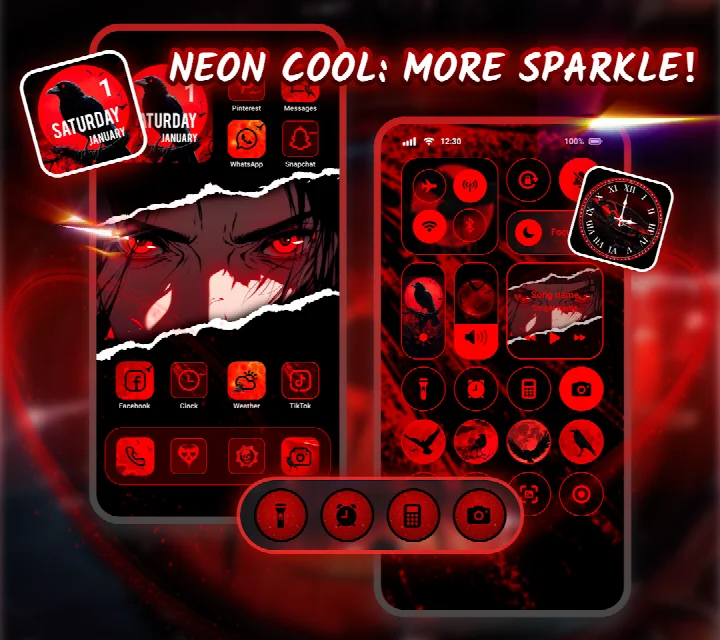
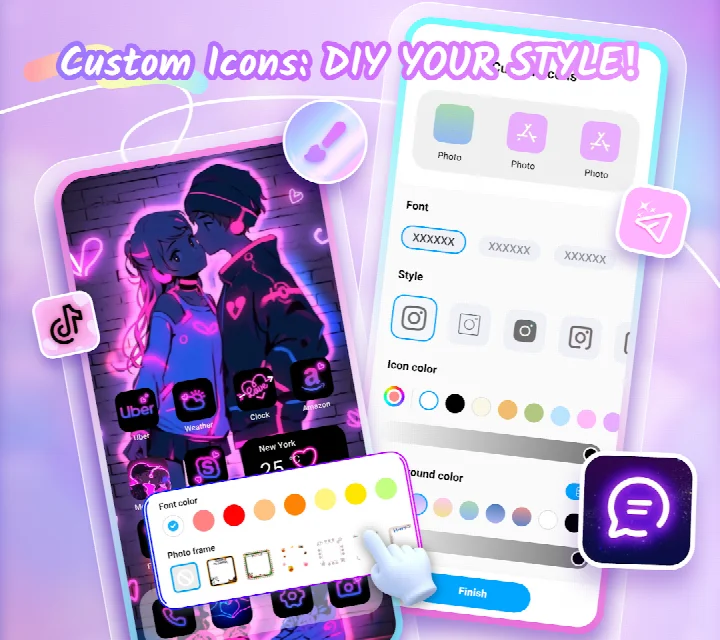
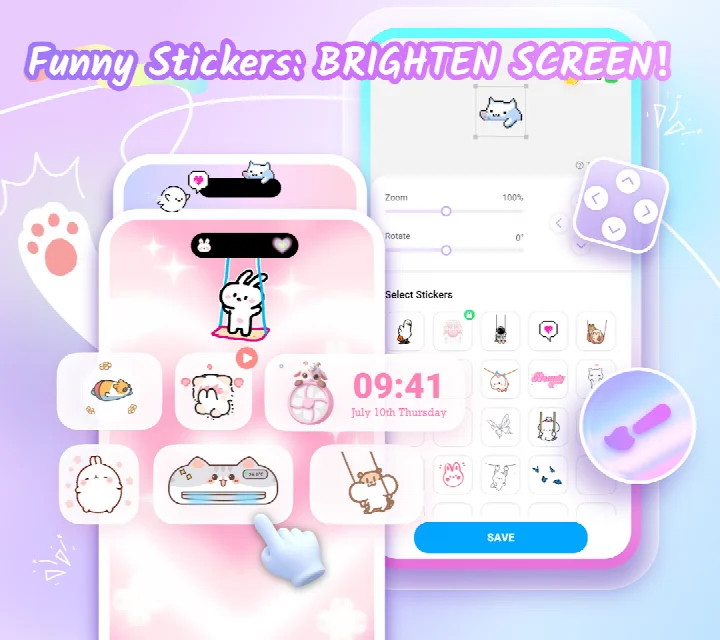
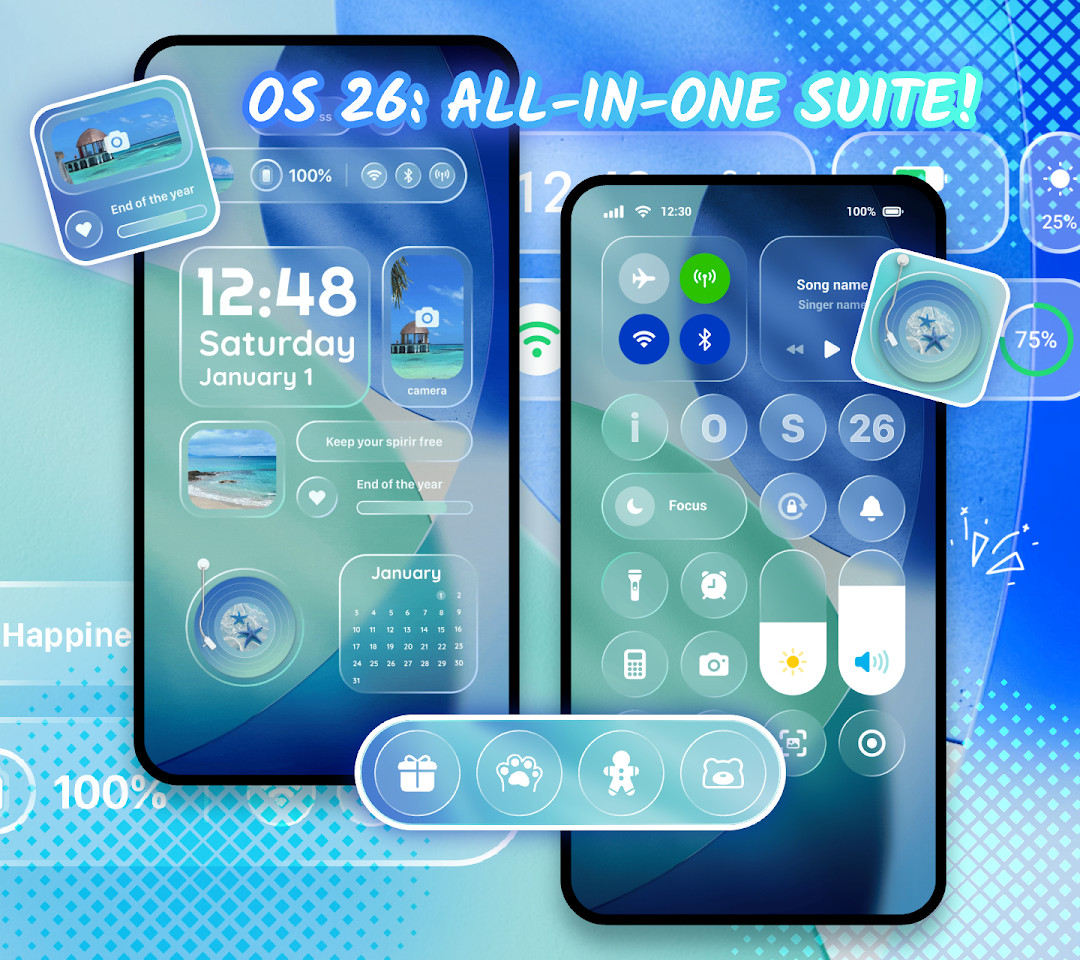
Themepack - App Icons, Widgets is a personalization app by YoloTech that lets Android users redesign their home screens with themes, wallpapers, widgets, and icon packs. It addresses the desire for a unique device look by offering a large library of ready-made content and tools for creating custom elements. Instead of settling for a default layout, you can browse thousands of widgets, icons, and wallpapers, then apply them with a single tap. For deeper personalization, the app allows you to modify widget images, icon styles, fonts, colors, and transparency, giving you hands-on control over how your screen appears. The app also includes aesthetic categories like K-pop, anime, neon, sports, and festival themes, so you can quickly find a style that matches your taste. By combining one-click replacements with DIY editing tools, it simplifies the process of making your phone feel truly yours without requiring technical skills.
Key features
- Access a library of over 10,000 functional widgets, icons, and wallpapers
- Use battery, calendar, clock, weather, and control panel widgets to display useful information
- Create custom widgets by selecting images from your gallery and applying them to your screen
- Design your own icons by adjusting style, font, color, transparency, and background color
- Rename icons with cool fonts to match your preferred applications
- Apply aesthetic wallpapers across categories such as K-pop, anime, neon, sports, and festival themes
- Replace themes, icons, and widgets with one-click actions for quick changes
- Enjoy designs created by professional designers, with each widget offering unique visual shapes
How to install
- Tap the download button on this page to get the APK file.
- When Android prompts you, allow your browser or file manager to install apps by enabling the 'Install unknown apps' setting for that app.
- Open the downloaded APK file from your notifications or file manager.
- Tap Install and wait for the installation to complete.
- Open Themepack - App Icons, Widgets from your app drawer.
- The app requires Android 7.0 or higher; the file size is not specified in the available data.
Pros
- Large selection of widgets, icons, and wallpapers in one place
- DIY tools let you customize widgets and icons beyond preset options
- One-click application makes changing themes fast and convenient
- Wide range of aesthetic categories covers varied tastes, from anime to sports
- Regular updates are promised to keep content fresh
Cons
- Contains ads, which may interrupt the experience
- Offers in-app purchases, so some content may require payment
- Requires access to location, photos, media, files, and storage for full functionality
- Uses Accessibility Service permissions for control center features, which some users may find concerning
- Content rated Teen, so it may not suit younger children
Version history
| Version | Size | Requires Android | Updated |
|---|---|---|---|
| 1.0.0.4389 | — | 7.0 | Nov 5, 2026 |
| 1.0.0.4348 | — | 7.0 | Sep 24, 2026 |
This app is for Android users who enjoy personalizing their devices and want more control over their home screen appearance. It suits both casual users who want quick, one-tap theme changes and more hands-on individuals who like creating custom widgets and icons from their own images. People who follow K-pop, anime, or sports aesthetics will find ready-made wallpapers and themes to match their interests. It is also appropriate for those who appreciate having a wide variety of tools, such as battery and weather widgets, integrated into a single app. However, it is best for users comfortable granting permissions like storage and accessibility, as those are needed for some features to work properly.
To get the most out of the app, start by applying a ready-made theme to see the overall effect, then use the DIY tools to tweak widget images and icon colors to match your wallpaper. Explore the different widget types like battery and calendar to place useful information on your screen, and remember to grant the requested permissions so features like the control panel work as intended.
Permissions
FAQ
How do I install the Themepack APK on my Android phone?
Download the APK file using the download button on this page, then open it on your device. Because it is installed outside a store, Android may ask you to allow installation from this source in your security settings. Confirm the prompt, wait for the installation to finish, and open the app. Your device needs Android 7.0 or newer.
What is the current version of Themepack?
The latest version is 1.0.0.4348, released on September 24, 2026. The app was first released on March 10, 2022, and this build is the only version listed.
Does Themepack contain ads or paid options?
Yes. The app is free to download and shows ads. It also offers in-app purchases, so some extra content or features may cost money.
Can I use Themepack without an internet connection?
The app requests Wi-Fi connection information, and browsing themes, icons, widgets and wallpapers generally relies on a connection to load content. Once items are applied to your home screen, they keep working on the device. Note that the app asks for permissions covering location, photos, media and files, and storage.
What can I customize with Themepack?
You can change home screen themes and pick from more than 10,000 widgets, icons and wallpapers. Widget types include battery, calendar, clock, weather, control panel and dynamic image widgets, and you can build your own widgets from gallery images. Icons can be adjusted with different styles, fonts, colors, transparency and background colors, and renamed with custom fonts. Wallpaper themes cover categories such as anime, neon, sports, K-pop and festivals.
Are there other personalization apps like this one?
Yes, the Personalization category has many apps that let you change wallpapers, icon packs and widgets. Features, widget counts, ad behavior and pricing differ between them, so compare what each one offers before choosing.
What is the app's rating and how many people use it?
It holds a rating of 4.63 from about 1,351,804 ratings, with more than 100,000,000 installs. The content rating is Teen, and the developer is YoloTech.
Themepack - App Icons, Widgets offers a practical way to refresh your home screen with a broad selection of themes and customization tools. It balances convenience and creativity, though you should be aware of the ads and permissions involved.
Similar apps





Updated: Nov 13, 2026