My Health: Health and Fitness Assistant
My Health is a health and fitness app by Transsion Holdings that connects smart wearable devices and provides analyses of running, steps, weight, and sleep.
Download My Health · v5.9.1.17My Health is a free health and fitness app that pairs with smart wearable devices to track steps, routes, weight trends, and sleep stages. It is designed for users who want professional health insights and activity monitoring without ads or in-app purchases.
- Version
- 5.9.1.17
- Requires Android
- 8.0
- Updated
- Nov 20, 2026
- Installs
- 100M+
- Rating
- ★ 4.15 (55,811)
- Category
- Health & Fitness
- Developer
- Transsion Holdings
- Content rating
- Everyone
- Package
- com.transsion.healthlife
- Free
- ✓
Screenshots
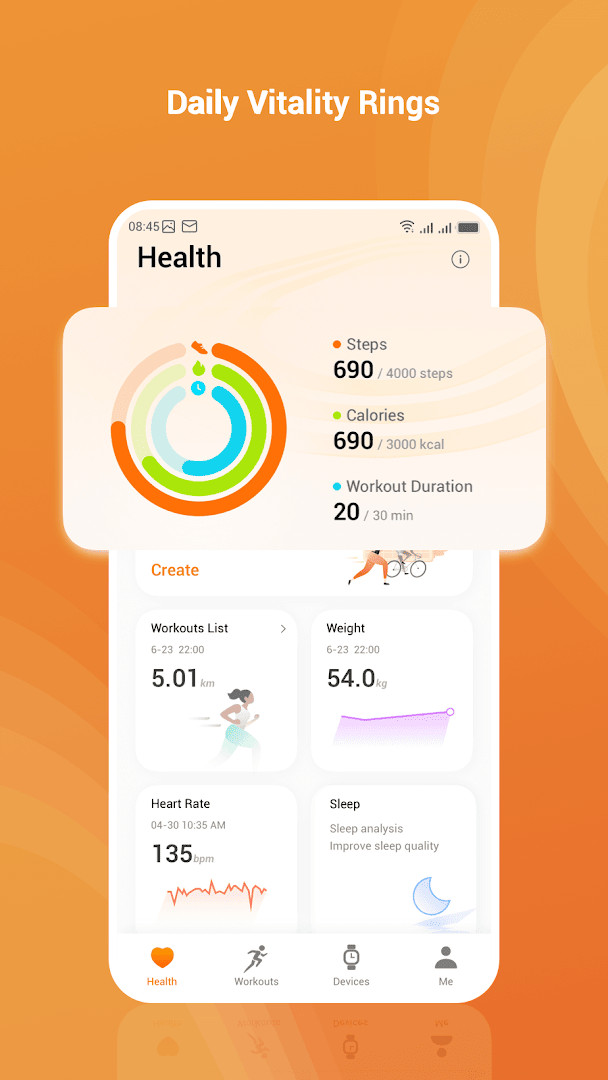
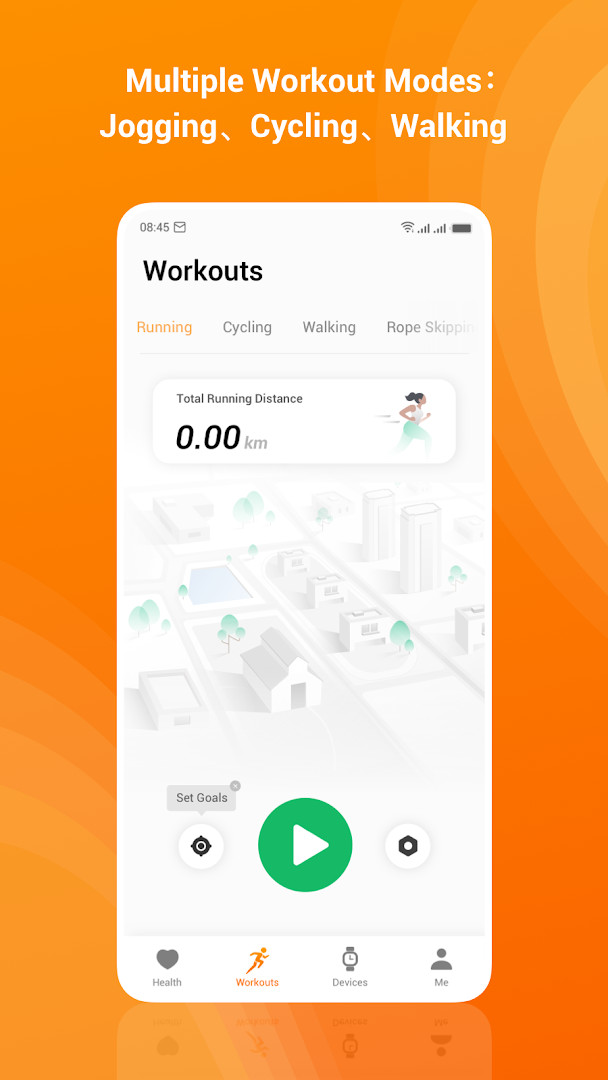
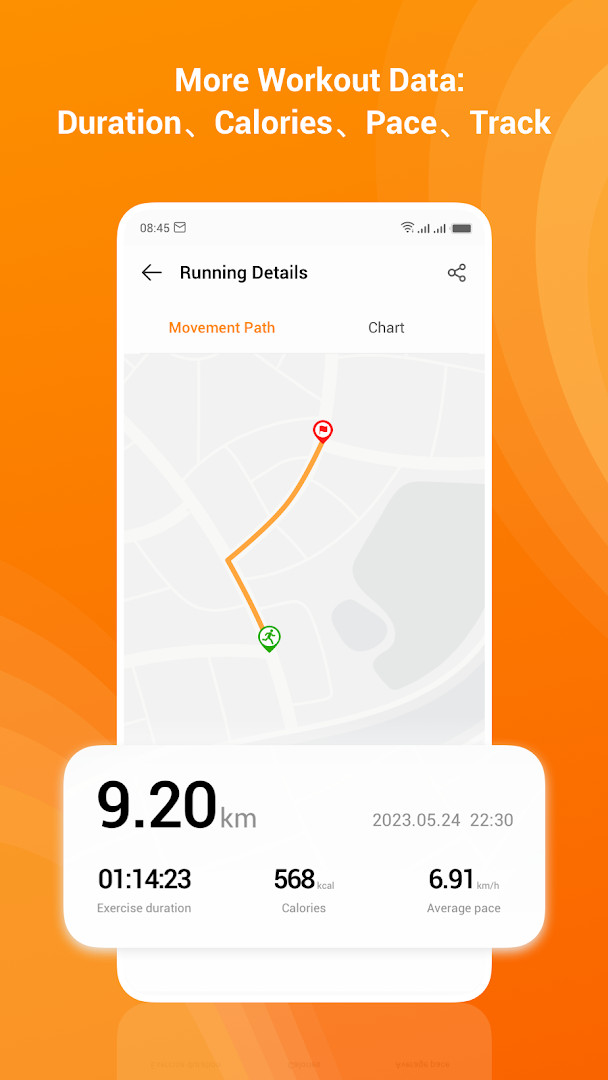
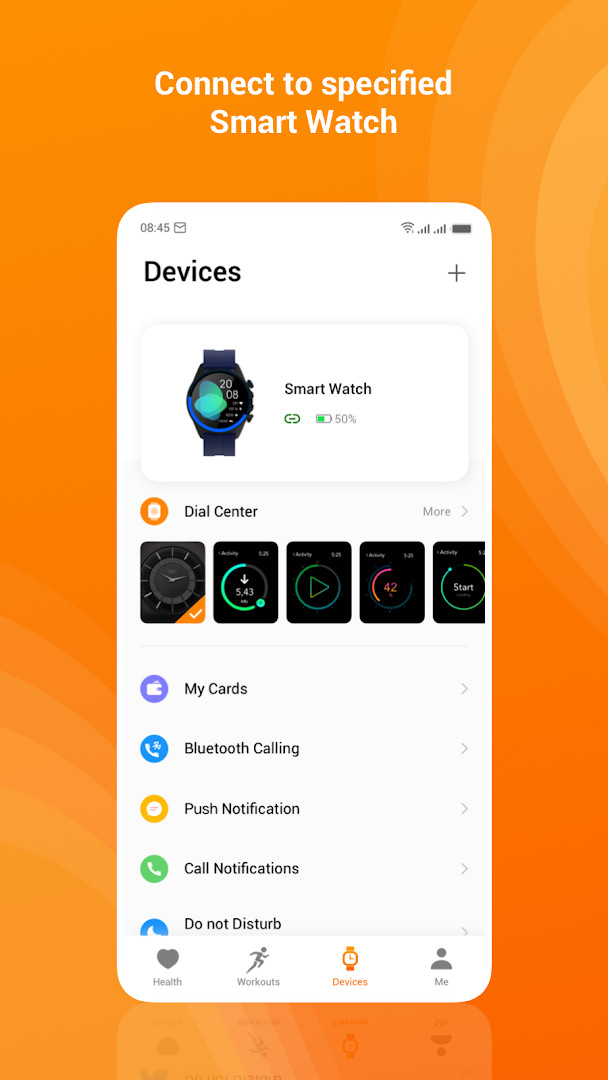
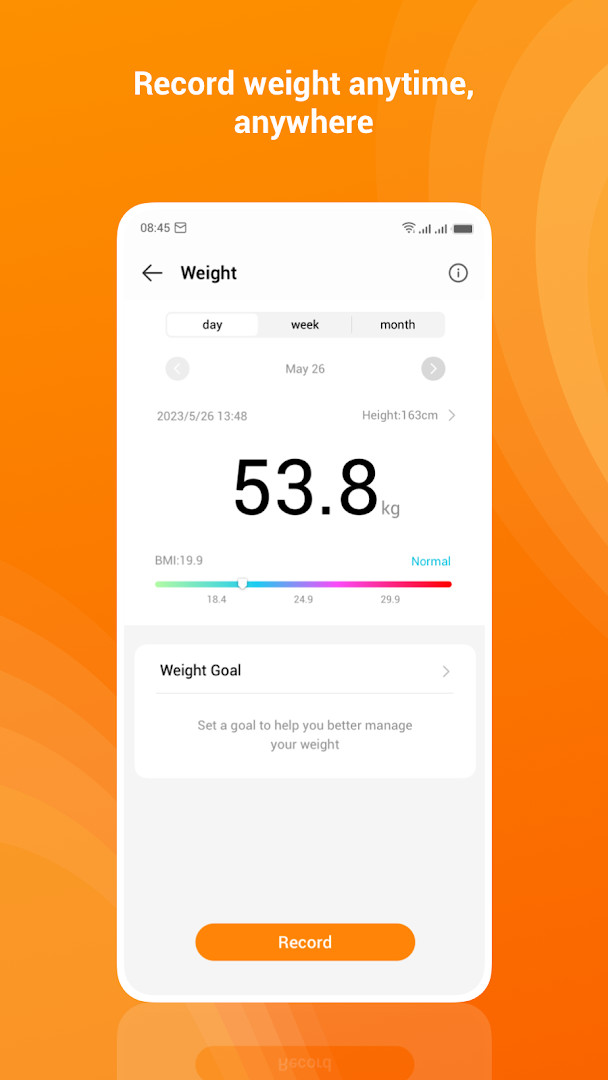
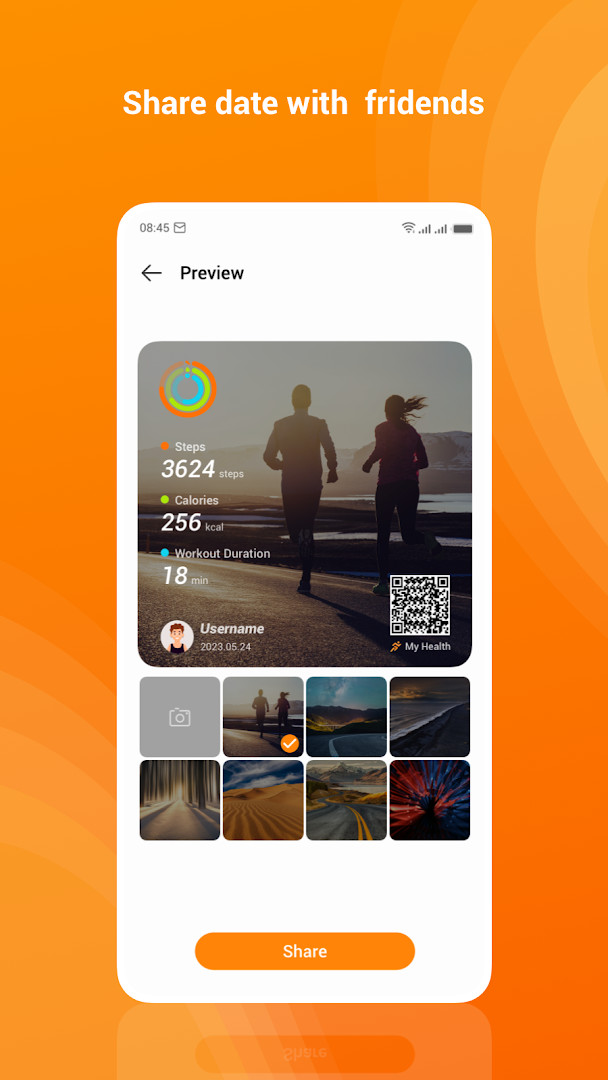
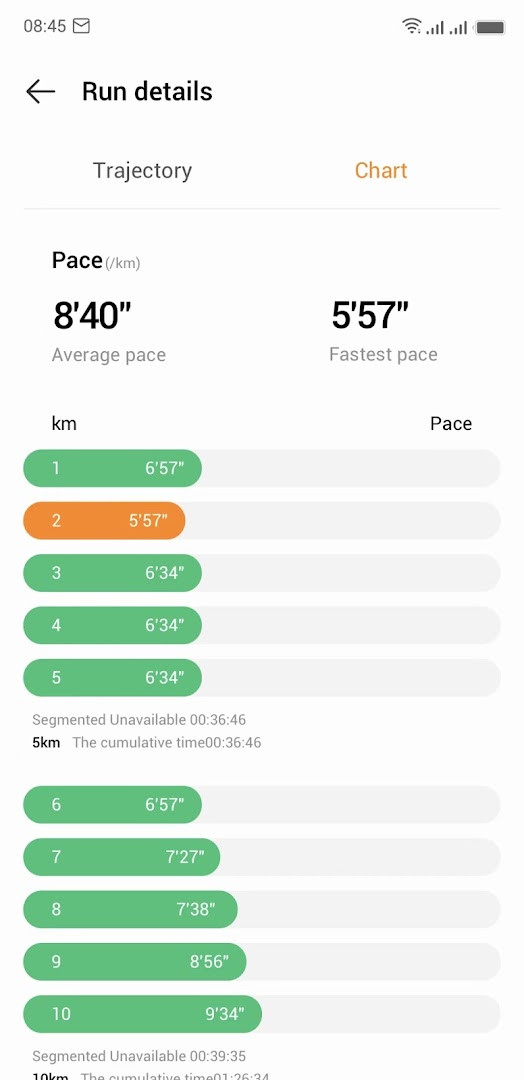
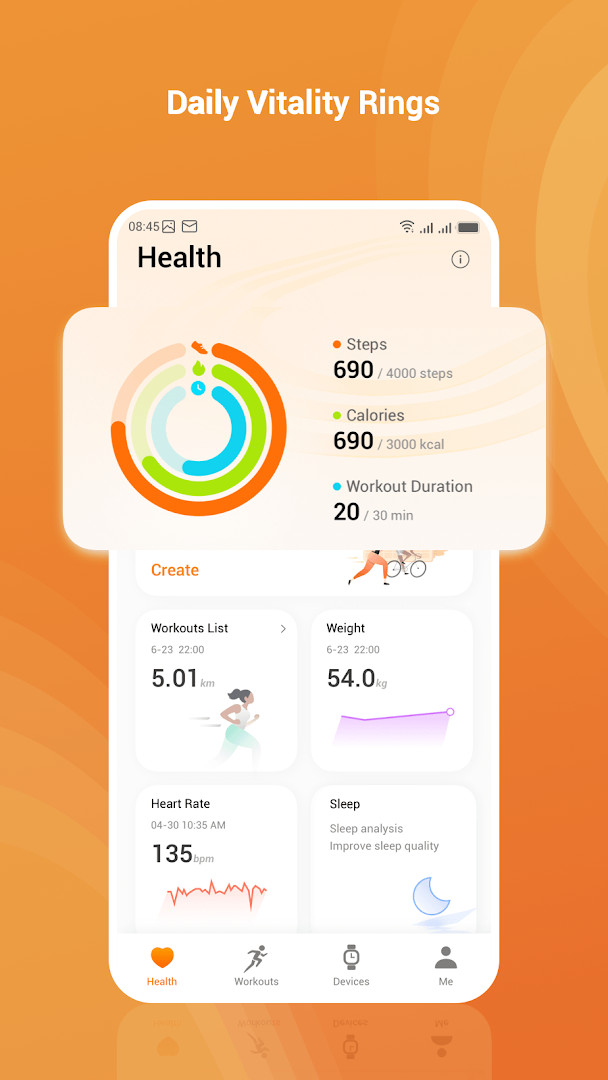
My Health is a health and fitness companion app by Transsion Holdings that connects your phone with compatible smart wearable devices and delivers detailed analysis of your daily activity, sleep, and weight trends. The app acts as a central hub for pairing wearables, syncing data between the phone and the device, and presenting that information in clear, easy-to-read reports. It is designed for users who already own or plan to use a smartwatch or similar wearable and want a single place to track their fitness journey without juggling multiple tools.
The core experience revolves around managing your wearable: you can receive call notifications, get reminders to stand up, and have messages and app alerts mirrored to your wrist. Beyond connectivity, the app provides a reliable step counter with customizable daily goals, so you can see your progress at a glance. For those who enjoy outdoor exercise, it includes route tracking for running, walking, and cycling, complete with voice reminders and post-workout data analysis to help you understand each session.
Weight management is another pillar, offering weekly and monthly reports that chart body weight changes and trends, making it easier to set realistic targets. With the support of a wearable device, the app can also monitor different sleep stages—awake, light, and deep—and offer scientific advice to improve sleep quality. The app also includes professional health knowledge covering topics like heart rate, sleep, and body weight, making it a practical resource for everyday health monitoring.
This app is best suited for people who already use a Transsion-branded phone or compatible wearable and want a straightforward, all-in-one tool for fitness tracking, sleep analysis, and weight management. It is equally useful for beginners setting their first step goals and more experienced users who want detailed route and sleep data. Because it is preinstalled on many devices, it also serves as a convenient default option for those who prefer not to install additional trackers.
Key features
- Connect and manage smart wearable devices such as smart watches for receiving calls, sedentary reminders, message sync, and app alerts
- Synchronize data between your phone and wearable device for running, steps, and sleep analysis
- Accurate step counter with easily configurable daily step goals to keep you motivated
- Route tracking for running, walking, and cycling with voice reminders and data analysis
- Weekly and monthly reports on body weight changes and trends to help set weight goals
- Professional health knowledge covering body weight, heart rate, sleep, and more
- With wearable support, monitor sleep stages (awake, light, deep) and receive scientific advice for better rest
How to install
- Tap the download button on this page to obtain the APK file for version 5.9.1.17.
- When Android prompts you, allow your browser or file manager to install apps by enabling the "Install unknown apps" setting for that app.
- Open the downloaded APK file from your notifications or file manager.
- Tap Install and wait for the installation to complete; the file size is n/a.
- Open the app from your app drawer or the install confirmation screen to begin setup.
Pros
- Comprehensive wearable management including calls, messages, and app alerts
- Detailed tracking for steps, running, walking, cycling, sleep, and weight
- Weekly and monthly weight reports help visualize trends
- Professional health knowledge content included
- No ads and no in-app purchases
- Free to use with a high rating of 4.15 from over 55,760 ratings
Cons
- Requires Android 8.0 or newer
- Heavy permission usage including SMS, Phone, Camera, Microphone, and Location
- Primarily designed for Transsion phones and compatible wearables, which may limit usefulness on other devices
- Sleep monitoring features depend on owning a compatible smart wearable
Recent updates · 5.9.1.17
The latest update of My Health, version 5.9.1.17, brings several fixes to improve your experience. It resolves an issue where some watches could not connect via QR code scanning, corrects inaccurate historical step count data, and addresses an incorrect permission prompt that appeared when accessing photos. Additionally, known issues have been fixed and overall stability has been improved.
Version history
| Version | Size | Requires Android | Updated |
|---|---|---|---|
| 5.9.1.17 | — | 8.0 | Nov 20, 2026 |
| 5.8.1.13 | — | 8.0 | Sep 22, 2026 |
This app is for users of Transsion phones who own or plan to buy a compatible smart wearable and want a single hub for tracking steps, exercise routes, sleep stages, and weight trends, as well as receiving phone notifications on their wrist.
For accurate step and sleep data, keep your wearable synced regularly and grant the app location and activity permissions when prompted. Use the weekly and monthly weight reports to adjust your goals gradually, and explore the health knowledge section to better understand your heart rate and sleep metrics. If you encounter connection issues with QR scanning, update to version 5.9.1.17 which fixes that problem.
Permissions
FAQ
What does the latest version 5.9.1.17 fix compared to earlier releases?
The 5.9.1.17 update, released on 2026-11-20, addresses several issues: it fixes a problem where some watches failed to connect via QR code scanning, corrects inaccurate historical step count data, resolves an incorrect permission prompt when accessing photos, and includes general stability improvements.
Which smart wearable devices can I connect with My Health?
My Health is designed to connect your phone with smart wearable devices such as smart watches. Once paired, you can receive calls, get sedentary reminders, synchronize messages, and use app reminders for a more convenient experience.
What health and fitness metrics does the app track and analyze?
The app provides analysis for running, steps, sleep, and weight management. It includes an accurate step counter with daily goal setting, route tracking for running, walking, and cycling with voice reminders and data analysis, plus weekly and monthly reports on body weight changes and trends.
Can the app monitor sleep stages and offer sleep advice?
Yes, with the support of a smart wearable device, My Health can accurately monitor different sleep stages—awake, light, and deep—and provide scientific advice to help you sleep more soundly. It also offers general health knowledge about sleep, heart rate, and body weight.
How can I provide feedback about the app?
You can share your thoughts and suggestions for improvement by going to My Health APP – Me – About – User Feedback within the app. The developer welcomes input on what to improve.
My Health delivers a solid, free fitness tracking experience for Transsion device users, combining wearable management, activity tracking, sleep analysis, and weight reports in one app. While it asks for many permissions and leans on compatible hardware, it remains a reliable and well-reviewed choice for daily health monitoring.
Similar apps
 HiOS Launcher - FastTranssion Holdings4.0
 Huawei Health华为软件技术有限公司4.0
 Workout for Women: Fitness AppLeap Fitness Group4.8
 Strava: Run, Bike, WalkStrava Inc.4.6
 Lose Weight - Weight Loss AppSimple Design Ltd.4.9
 Google Health (Fitbit)Google LLC3.6
 Lose Weight App for MenLeap Fitness Group4.9
 Six Pack in 30 DaysLeap Fitness Group4.9
More from this developer
Updated: Nov 23, 2026