
SeatGeek – Tickets to Events for Android
SeatGeek is an events app from SeatGeek for buying and selling tickets to sports, concerts, theater, festivals, and comedy events.
Get SeatGeek · v2026.41.1SeatGeek helps anyone who wants to attend live events find and resell tickets without worrying about overpaying or getting stuck with unused seats. The app includes interactive seating charts with panoramic photos, a Deal Score that color-codes value, and mobile tickets that work without a printer.
- Version
- 2026.41.1
- Size
- 115 MB
- Requires Android
- 10
- Updated
- Oct 9, 2026
- Installs
- 5M+
- Rating
- ★ 4.51 (45,287)
- Category
- Events
- Developer
- SeatGeek
- Content rating
- Everyone
- Package
- com.seatgeek.android
- Free
- ✓
Screenshots
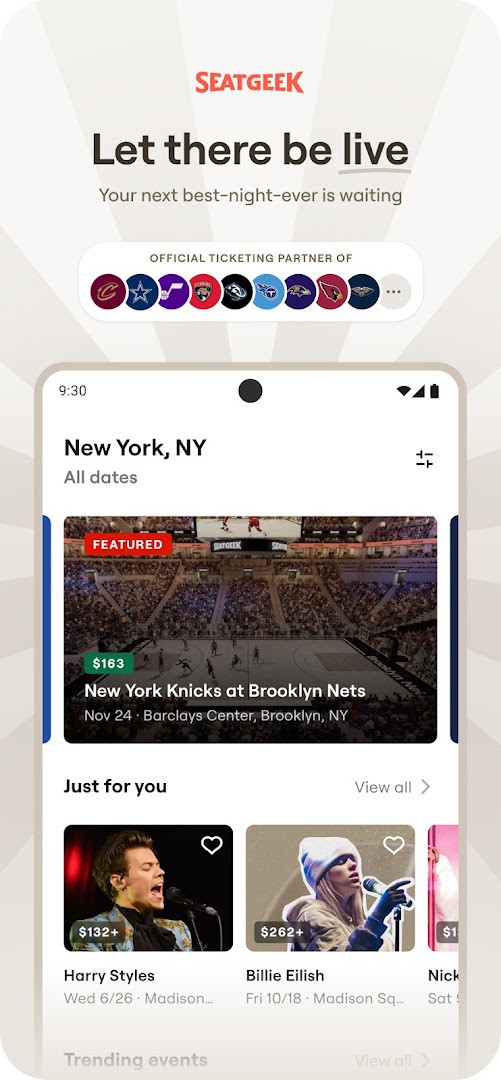
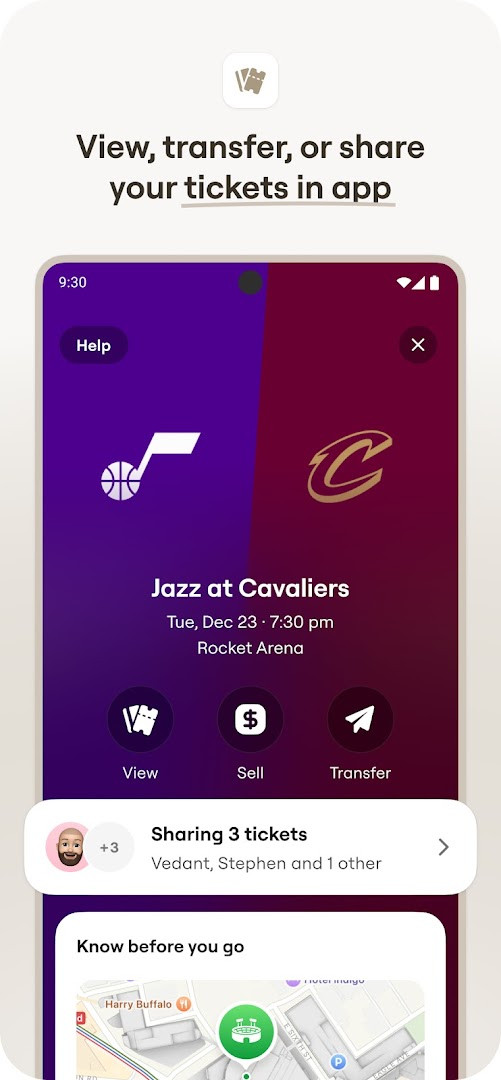
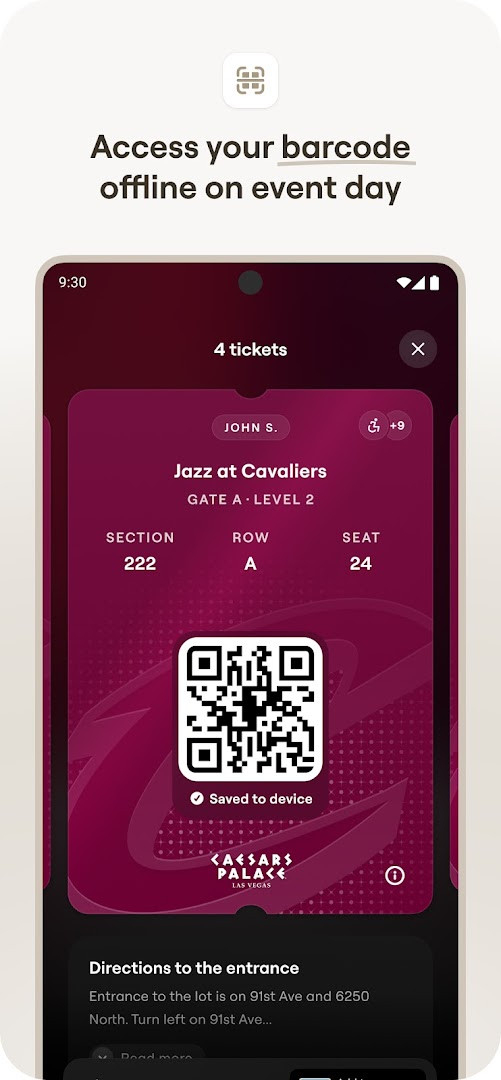
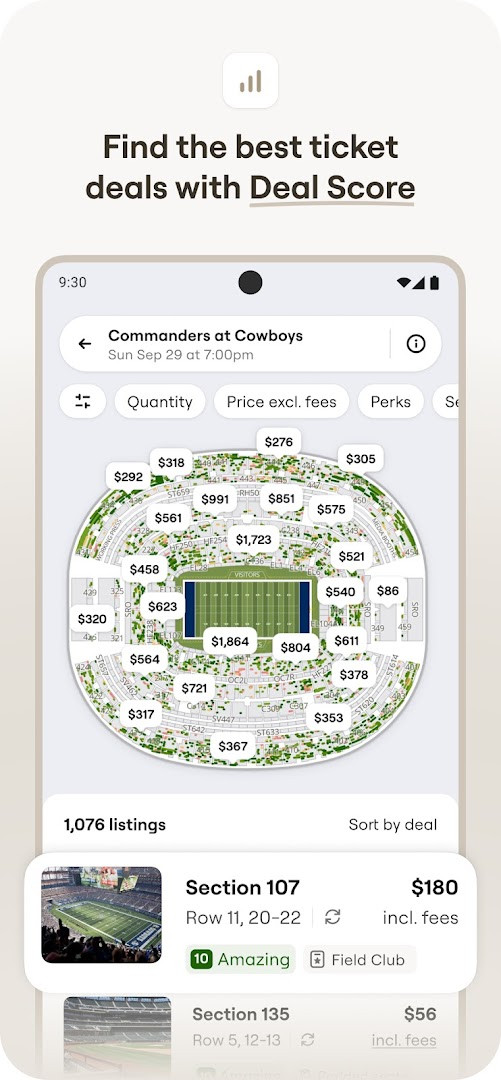
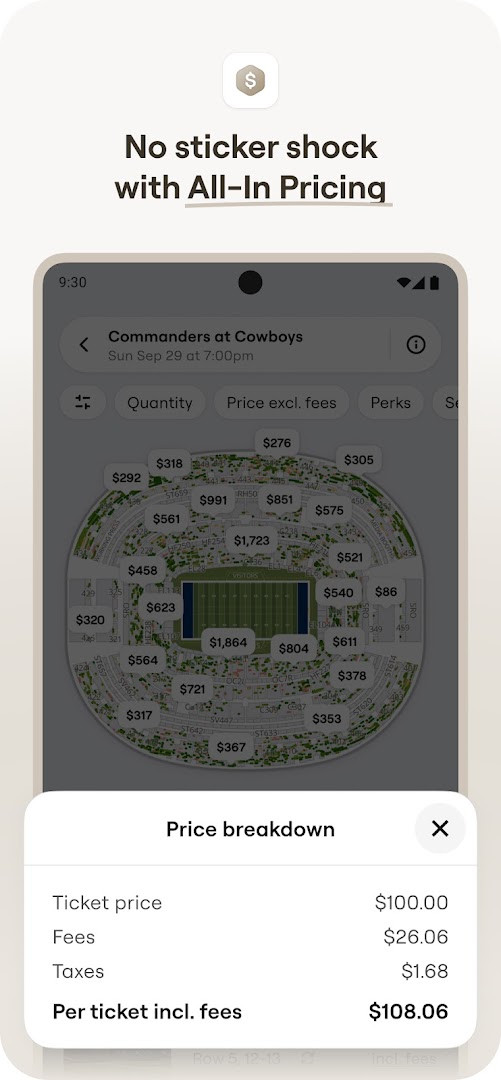
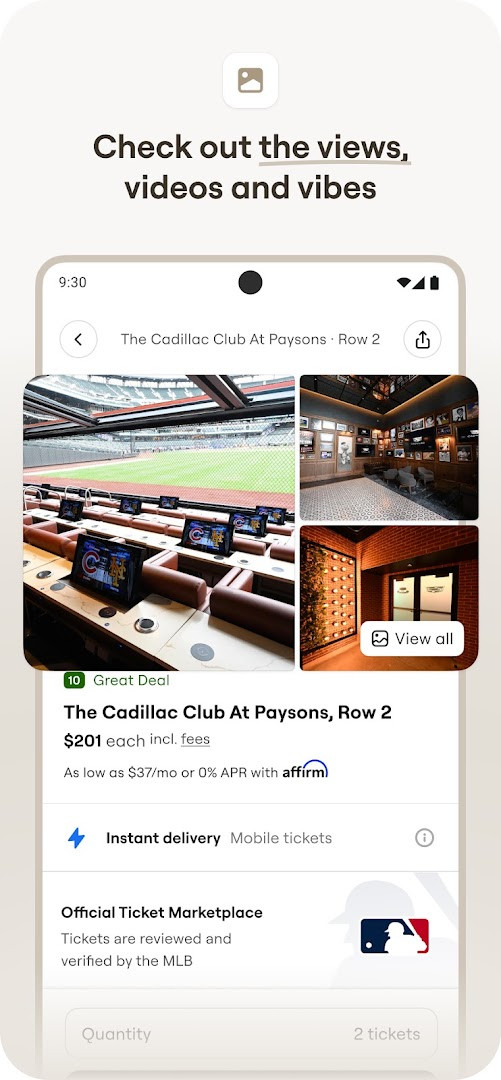
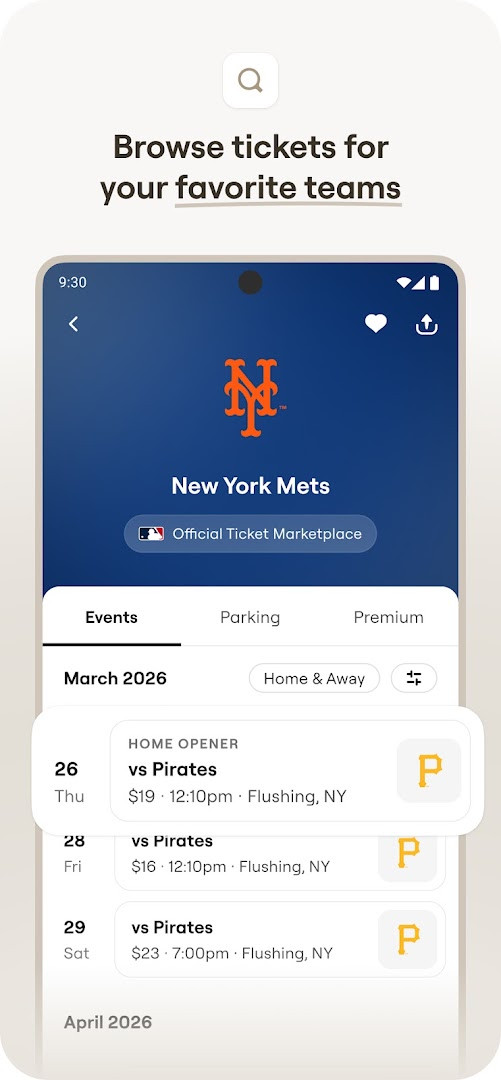
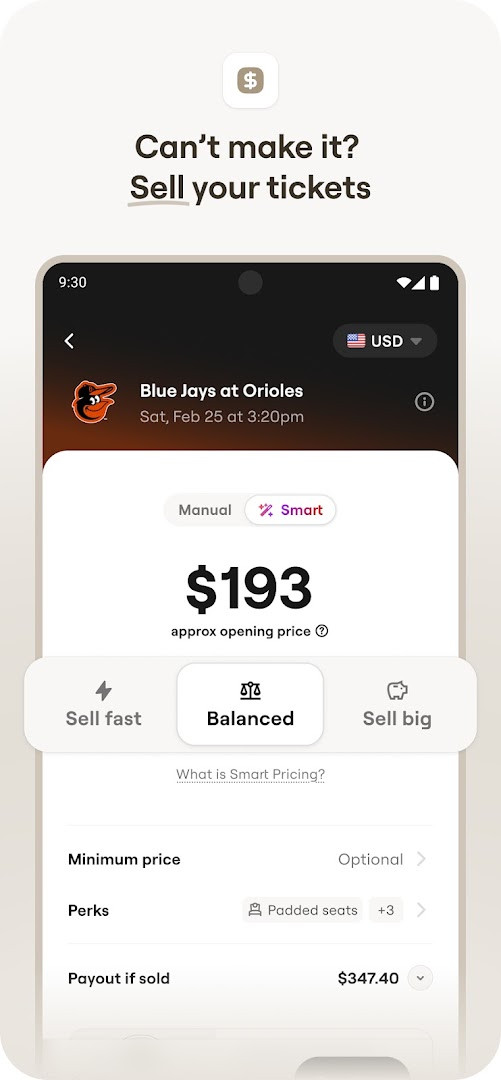
SeatGeek – Tickets to Events is a ticket marketplace app by SeatGeek that lets you buy and resell tickets to sports, concerts, theater, festivals, and comedy events. Launched in 2013, it has grown into a widely used platform with over five million installs and a rating of 4.51 from more than 45,000 users. The app aggregates tickets from thousands of events, covering major leagues like NFL, NBA, NHL, MLB, and MLS, as well as Broadway shows and music festivals, making it a one-stop destination for live entertainment seekers. Its core value proposition is transparency: interactive seating charts with panoramic photos let you see the view from any section before purchase, and every listing is color-coded with a Deal Score that rates value from best to worst, helping you avoid overpaying. The 100% buyer guarantee backs all transactions, while sellers can list tickets above or below face value, giving the marketplace flexibility. Version 2026.41.1, released October 9, 2026, focuses on speed and reliability improvements rather than new features, signaling an effort to make the browsing and checkout experience smoother. The app also supports mobile entry, so you can show e-tickets directly from your phone without printing, and you can transfer tickets to friends' phones with a tap. Payment options include Google Pay and credit cards, and there's a daily sweepstakes called The Daily Tap that offers free tickets to nearby events. For experienced users comparing alternatives, this app stands out for its visual seating tools and data-driven pricing, though it's worth noting that it requests permissions like location, contacts, and storage, which may warrant consideration. Overall, it's a mature, feature-rich option for both buyers and sellers in the secondary ticket market, with a strong emphasis on reducing the risk of bad deals.
Key features
- Interactive Seating Charts with panoramic photos from every section, letting you preview the view before buying
- Deal Score color-coding that ranks each ticket's value from best to worst, simplifying price comparison
- Mobile Tickets that allow venue entry directly from the app without needing a printer
- Send Tickets feature to transfer extra tickets to friends' phones in a tap, free or for a fee in the US
- Sell Your Tickets option with one-tap listing on the Marketplace and suggested pricing to speed up sales
- Discover Nearby Events by searching team, artist, venue, genre, or sport like baseball, basketball, hockey, football, or NASCAR
- Payment via Google Pay or Credit Card for convenient checkout
- The Daily Tap sweepstakes, enterable once per day to win free tickets to live events nearby
How to install
- Tap the download button on this page to get the APK file, which is 115 MB in size.
- When Android prompts you, allow your browser or file manager to install apps by enabling the 'Install unknown apps' setting for that source.
- Open the downloaded APK file from your notifications or file manager.
- Tap Install and wait for the process to complete; the app requires Android version 10 or higher.
- Open the app and sign in or create an account to start browsing and buying tickets.
Pros
- Deal Score provides a clear, data-backed way to judge ticket value at a glance
- Interactive seating charts with real photos reduce the guesswork of choosing seats
- 100% buyer guarantee adds confidence for purchases
- Free ticket transfers to friends' phones, with paid options for US users
- No ads and no in-app purchases, keeping the experience straightforward
- Daily sweepstakes offer a chance at free tickets
Cons
- Requests broad permissions including location, contacts, camera, and storage, which may raise privacy concerns
- Version 2026.41.1 only promises speed and reliability improvements, with no new user-facing features
- Resale pricing can be above or below face value, so you still need to compare carefully
- The Daily Tap is limited to once per day and may not always have relevant nearby events
Recent updates · 2026.41.1
This update focuses on improving the speed and reliability of the app, making it easier and more enjoyable to experience live events. The developer is working on meaningful improvements to enhance overall performance.
Version history
| Version | Size | Requires Android | Updated |
|---|---|---|---|
| 2026.42.0 | 115 MB | 10 | Oct 16, 2026 |
| 2026.37.0 | 129 MB | 10 | Oct 10, 2026 |
| 2026.41.1 | 115 MB | 10 | Oct 9, 2026 |
| 2026.40.0 | 111 MB | 10 | Oct 1, 2026 |
| 2026.39.0 | 111 MB | 10 | Sep 24, 2026 |
| 2026.38.1 | 111 MB | 10 | Sep 17, 2026 |
| 2026.02.201633 | 126 MB | 10 | May 18, 2026 |
| 2024.11.251481 | 81 MB | 8.1 | Jan 3, 2026 |
This app suits frequent event-goers who want to compare ticket deals across sports, concerts, and theater in one place, as well as sellers looking to offload unused tickets quickly with pricing guidance. It also appeals to deal-conscious buyers who value visual seat previews and data-driven value ratings over simple list browsing.
Before buying, check the Deal Score and the panoramic photo for your chosen section, then compare a few similar listings—the color-coded rating helps, but a quick manual scan can reveal better value in adjacent rows.
Permissions
FAQ
Is SeatGeek – Tickets to Events free to download and use?
Yes, the app is free to download and does not include ads or in-app purchases. You can install it at no cost.
What Android version is required to install the app?
The app requires Android version 10 or higher to run properly. The current version is 2026.41.1.
What is the file size of the app?
The APK file size is 115 MB. Make sure you have enough free storage space on your device before downloading.
Do I need an account to use the app?
Yes, you need a SeatGeek account to buy, sell, or transfer tickets and manage your orders. The account helps track your purchases and tickets.
What permissions does the app request?
The app asks for access to contacts, location, photos/media/files, storage, camera, and Wi-Fi connection information. These are used for features like sending tickets, discovering nearby events, and uploading photos.
How do I update the app to a newer version?
To update, simply download the latest version from this page and install it over your current installation. Your data and tickets will be preserved during the update.
SeatGeek is a polished, feature-rich ticket marketplace that excels at helping users understand seat value and avoid overpaying, backed by a solid guarantee and flexible buying and selling tools. The recent update focuses on performance rather than new features, which is fine for a mature app, though the broad permission requests and the need to manually verify resale prices mean it isn't a perfect fit for everyone. For experienced users who appreciate transparency and convenience, it's a strong, reliable choice worth considering.
Similar apps
 Gametime - Last Minute TicketsGametime4.8
 Fever: Events & TicketsFever Labs4.7
 Invitation Maker: Cards & RSVPGreetings Island4.9
 Easy Quran Mp3 Audio OfflineMuslim Worldapp4.7
 Invitation card Maker, DesignSplendid App Maker4.9
 TickPick - Live Event TicketsTickPick LLC4.8
 Invitation Maker: Cards + RSVPPhoto Studio & Picture Editor Lab4.9
Updated: Nov 11, 2026