
PlugBrain: Screen Time Blocker for Android
PlugBrain is a screen time blocker from Mohammed Said Belaid for reducing distraction by solving math challenges to open apps.
Download PlugBrainPlugBrain: Screen Time Blocker is for people who want to cut down on doomscrolling and regain control over social media, games, and videos. It interrupts distracting apps with a math problem that gets harder the more you scroll, then eases off when you step away.
- Size
- 4 MB
- Requires Android
- 9
- Updated
- Nov 9, 2026
- Installs
- 1K+
- Category
- Education
- Developer
- Mohammed Said Belaid
- Content rating
- Everyone
- Package
- app.plugbrain.android
- Free
- ✓
Screenshots
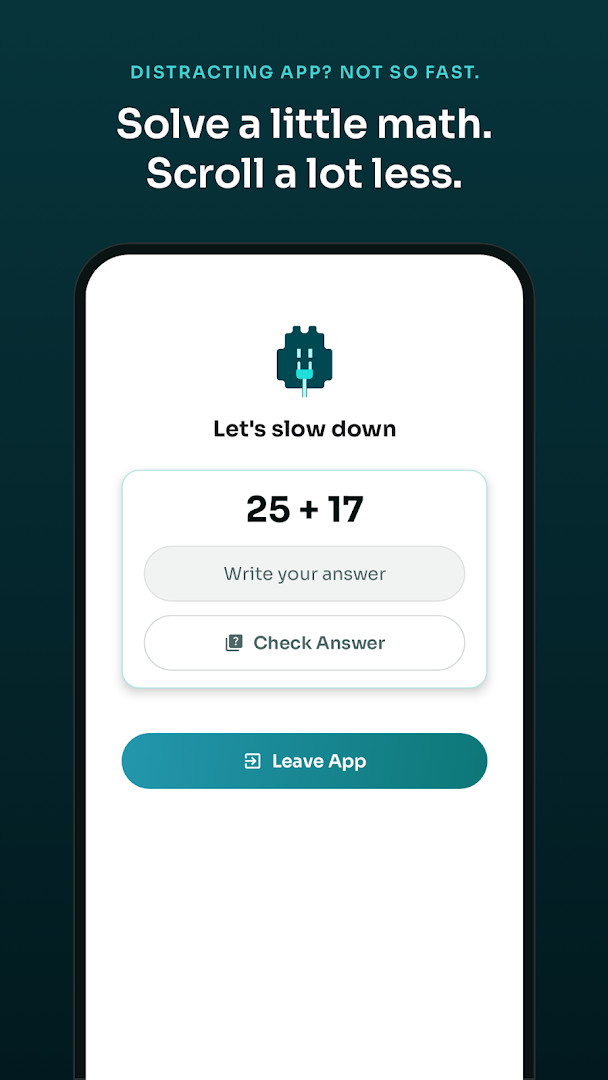
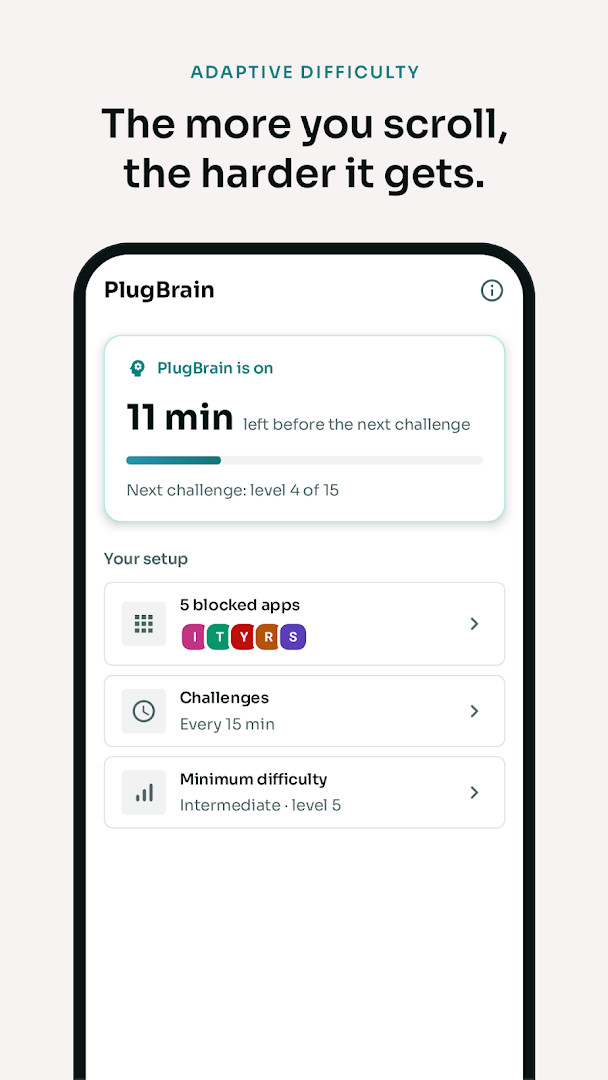
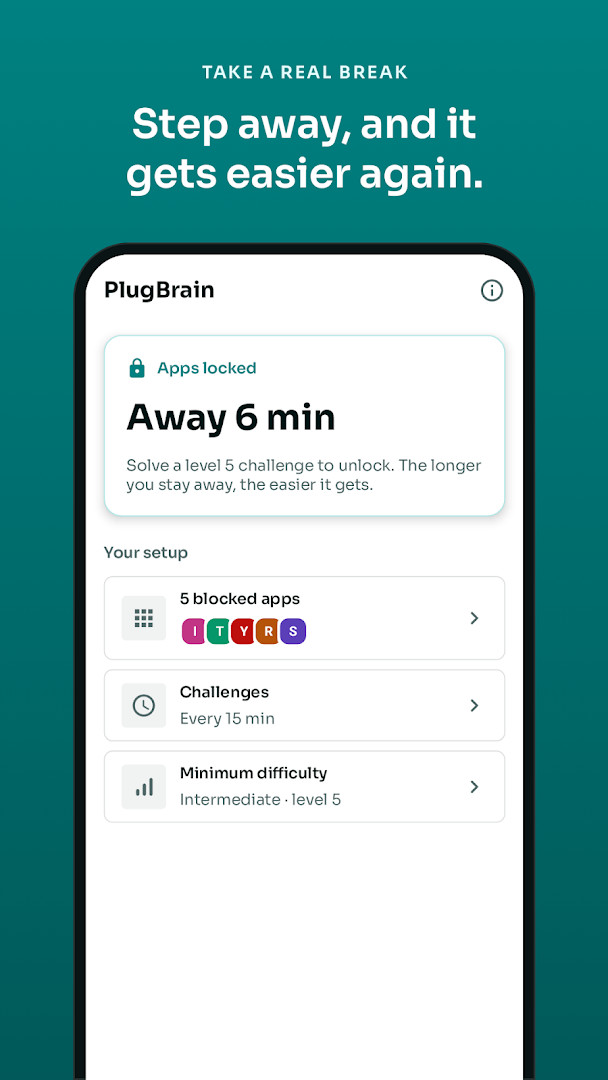
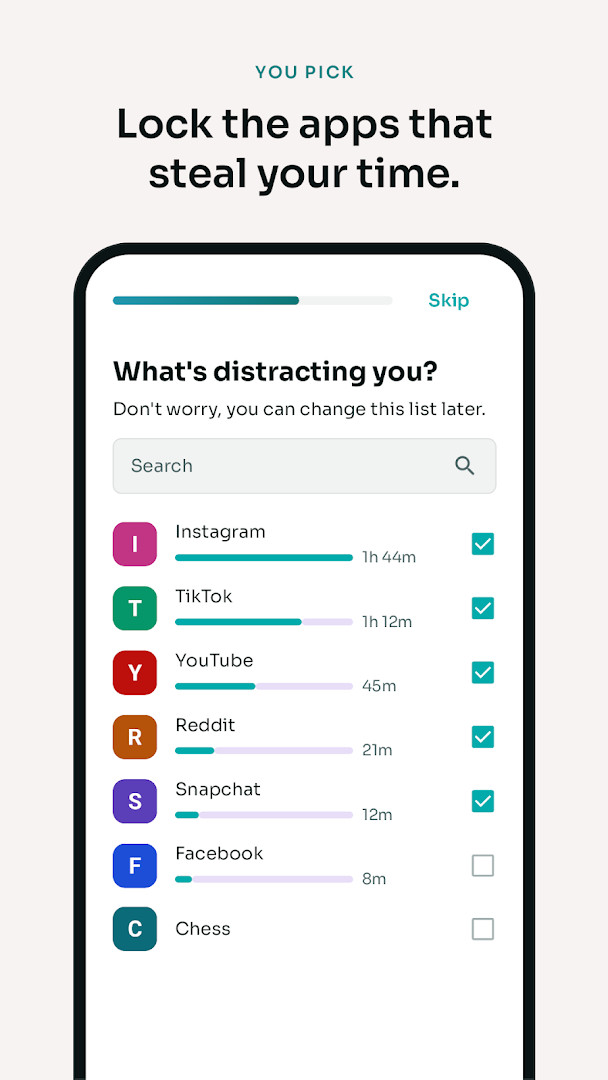
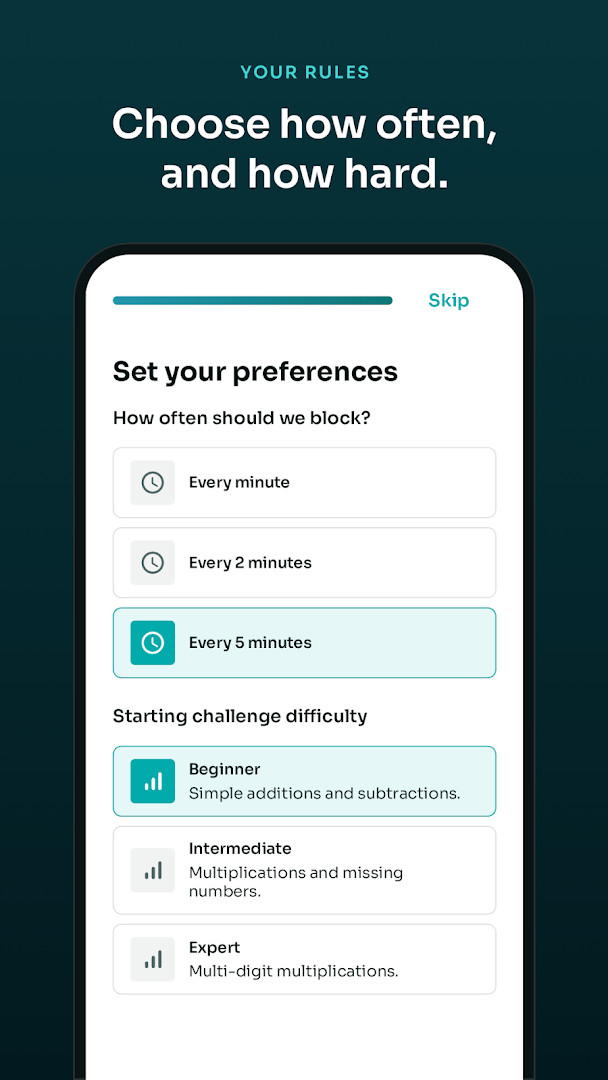
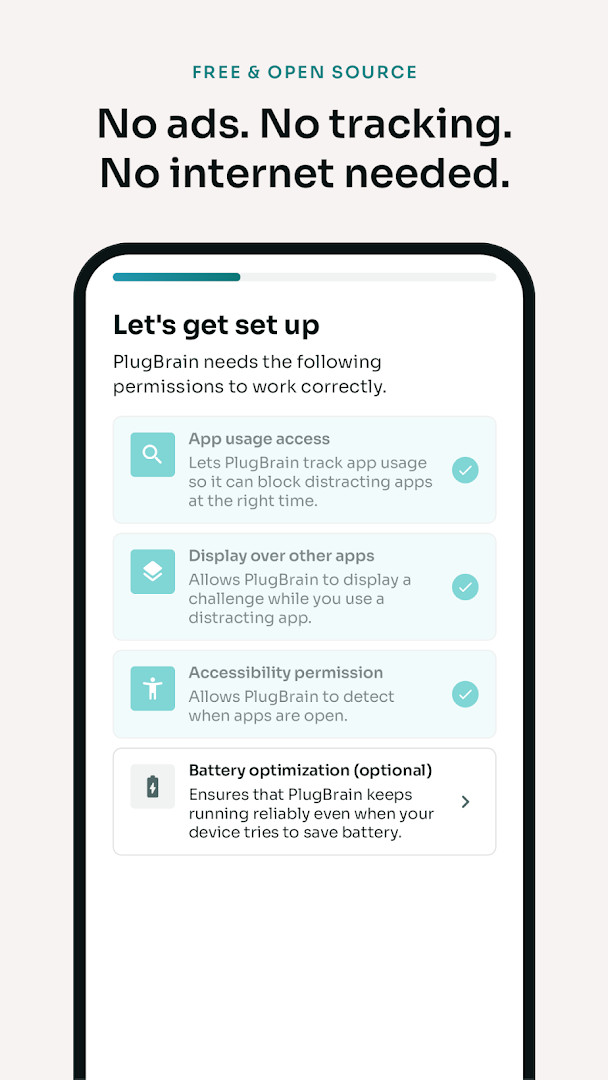
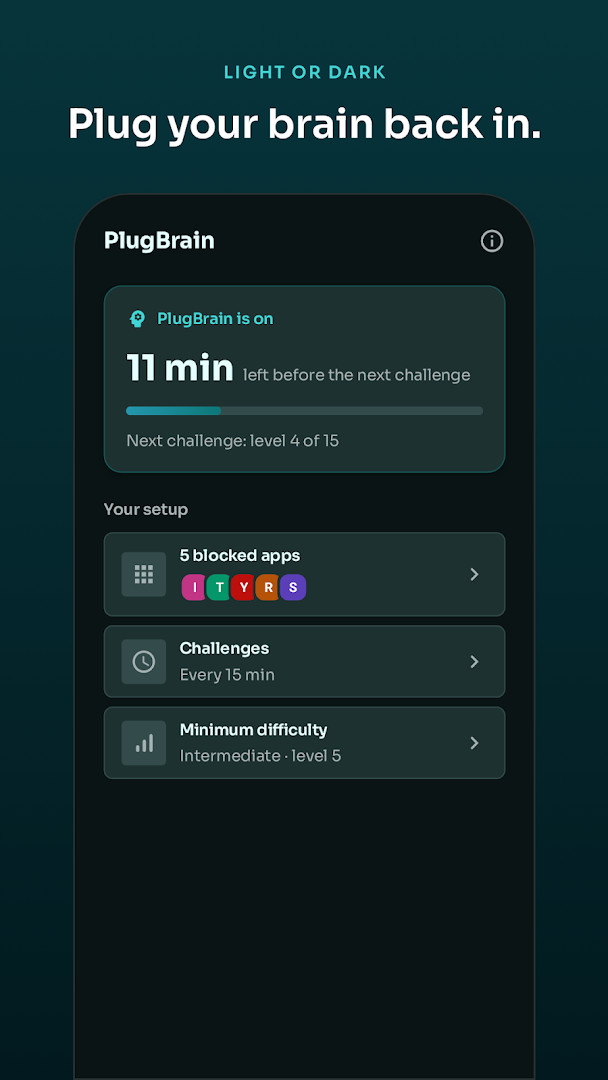
PlugBrain: Screen Time Blocker is a productivity app by Mohammed Said Belaid that interrupts distracting apps with a quick math challenge to help you cut down on aimless scrolling. Instead of relying on a timer you can simply dismiss, it overlays a problem on top of the app you are using; you either solve it to continue or tap Leave App to step away. The difficulty adapts to your behavior: the more often you solve challenges, the harder the next one gets, while staying away lets it ease back to your chosen starting level. You can also enable a challenge every time a distracting app opens, so you think twice before launching it. Designed with privacy in mind, it works fully offline, shows no ads, requires no account, and never tracks your activity. It only reads the name of the open app to decide when to show a challenge, and it blocks calculators during a challenge to keep the puzzle honest. With over 40 types of problems, from quick sums to multi-digit multiplication, it aims to keep your brain engaged rather than just nagging you to stop.
Key features
- Blocks any app you select, including social media, games, and videos
- Presents a math challenge over the open app; solve it to continue or leave
- Adaptive difficulty that gets harder with frequent use and easier after breaks
- Three starting levels: Beginner, Intermediate, and Expert
- More than 40 kinds of problems, from quick sums to multi-digit multiplication
- Works offline with light and dark themes, plus support for 11 languages
- No ads, no account, no tracking, and no internet permission
- Free and open source under GPL-3.0, with optional challenge on every app open
How to install
- Tap the download button on this page to get the APK file, which is about 4 MB in size.
- When Android asks, allow your browser or file manager to install apps by enabling the "Install unknown apps" setting for that source.
- Open the downloaded APK file from your notifications or file manager.
- Tap Install and confirm when prompted.
- Open the app and grant the required permissions: usage access, display over other apps, and Accessibility service.
- The app requires Android 9 or later to run.
Pros
- No ads, no in-app purchases, and no account required
- Fully offline with no internet permission, so nothing leaves your phone
- Difficulty adapts to your habits, making it harder to mindlessly bypass
- Blocks calculators during challenges to keep the puzzle honest
- Free and open source, with a light and dark theme and 11 languages
Cons
- Requires broad permissions: usage access, display over other apps, and Accessibility service
- Needs an active internet connection only if you want updates; otherwise offline
- The math challenge may feel tedious for some users who prefer a simple timer
- Only reads the app name, but still requires granting sensitive accessibility access
Version history
| Version | Size | Requires Android | Updated |
|---|---|---|---|
| 1.6.4 | 4 MB | 9 | Nov 9, 2026 |
| 1.6.3 | 4 MB | 9 | Nov 4, 2026 |
| 1.6.2 | 3.7 MB | 9 | Oct 27, 2026 |
| 1.6.0 | 3.7 MB | 9 | Oct 27, 2026 |
| 1.5.4 | 4.3 MB | 9 | Nov 17, 2025 |
| 1.5.3 | 4.2 MB | 9 | Oct 7, 2025 |
| 1.5.2 | 4.2 MB | 9 | Oct 2, 2025 |
PlugBrain is for anyone who finds themselves stuck in endless scrolling on social media, games, or video apps and wants a more deliberate way to step back. It suits people who respond better to an active mental nudge than a passive timer, and who appreciate that the difficulty grows with their own usage patterns. Because it works offline and collects no data, it is also a good fit for privacy-conscious users who want a screen time tool without accounts or tracking. The flexible starting levels make it approachable for casual users, while the adaptive difficulty can keep challenging heavy scrollers. It is not designed for parental control or strict scheduling; rather, it is a personal tool for building a healthier phone habit.
Start with a low difficulty level and pick just one or two apps you use most. Enable the challenge-on-open option for those apps to build a pause before you start scrolling, and let the difficulty adjust naturally over a few days instead of changing settings frequently.
FAQ
How does PlugBrain decide how hard the math challenge is?
The difficulty adapts to your habits. Each challenge you solve makes the next one tougher, while stepping away from the app eases the difficulty back down to your chosen starting level: Beginner, Intermediate or Expert. The app includes more than 40 kinds of problems, from quick sums to multi-digit multiplication.
Can I get a challenge before I even open a distracting app?
Yes. Besides blocking apps during use, you can turn on a challenge every time a distracting app opens, so you think twice before you start scrolling.
What exactly does PlugBrain see on my device, given the permissions it requests?
PlugBrain uses usage access, display over other apps and the Accessibility service to detect which app is open and to show the challenge on top. During a challenge it also blocks calculators. It only reads the name of the open app — never what is on your screen or what you type.
Does PlugBrain need an internet connection or an account to work?
No. The app works offline, has no ads, no account and no tracking, and it does not request internet permission, so nothing leaves your phone.
Which Android versions does PlugBrain support and how large is the app?
PlugBrain requires Android 9 or higher and the app package is about 4 MB in size.
PlugBrain offers a simple, privacy-focused way to make you think before you keep scrolling, with a challenge that adapts to your own behavior. It is a practical tool for anyone who wants to reduce screen time without giving up control of their phone.
Similar apps
 Google Play Books & AudiobooksGoogle LLC4.7
 Samsung Global GoalsSamsung Electronics Co., Ltd.3.7
 Duolingo: Learn LanguagesDuolingo4.8
 Seekho: Short Learning VideosSeekho App4.6
 Audible: Audiobooks & PodcastsAudible, Inc.4.6
 Gauth: AI Study CompanionGauthTech Pte. Ltd.4.8
 King James Bible - Verse+AudioOzion4.8
 Amazon Kindle: Reading AppAmazon Mobile LLC4.8
Updated: Nov 18, 2026