
News Suite by Sony: News Reader App
News Suite by Sony is a news and magazines app by Sony Group Corporation that gathers articles from thousands of feeds into two tabs.
Get News SuiteNews Suite by Sony separates reading into a News tab for organized genres and a My Feeds tab for topics chosen by the user, with push alerts and a bookmarks list. It is aimed at readers who want headlines from many publications in one place. The app is free, carries ads, requires Android 10 or later, and the download is 42 MB.
- Size
- 42 MB
- Requires Android
- 10
- Updated
- Aug 27, 2026
- Installs
- 100M+
- Rating
- ★ 3.96 (129,667)
- Category
- News & Magazines
- Developer
- Sony Group Corporation
- Content rating
- Everyone
- Package
- com.sony.nfx.app.sfrc
- Free
- ✓ · Contains ads
Screenshots
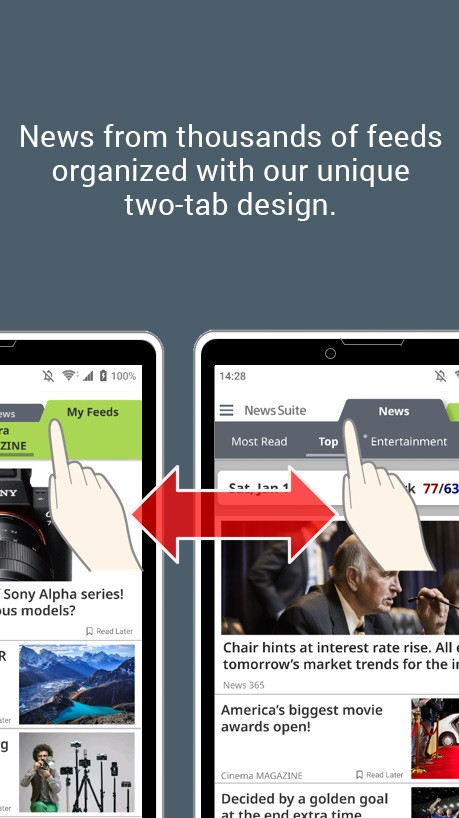
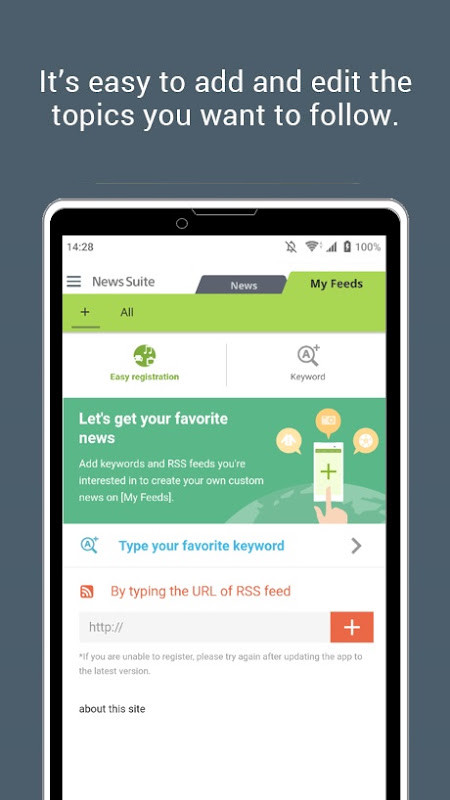
News Suite by Sony is a news and magazines application by Sony Group Corporation that aggregates articles from thousands of feeds into a single, organized interface. It is designed for Android devices running version 10 or later and requires about 42 MB of storage. The app aims to replace the need to visit multiple news sites and apps by bringing together content from a wide range of publications into two distinct tabs.
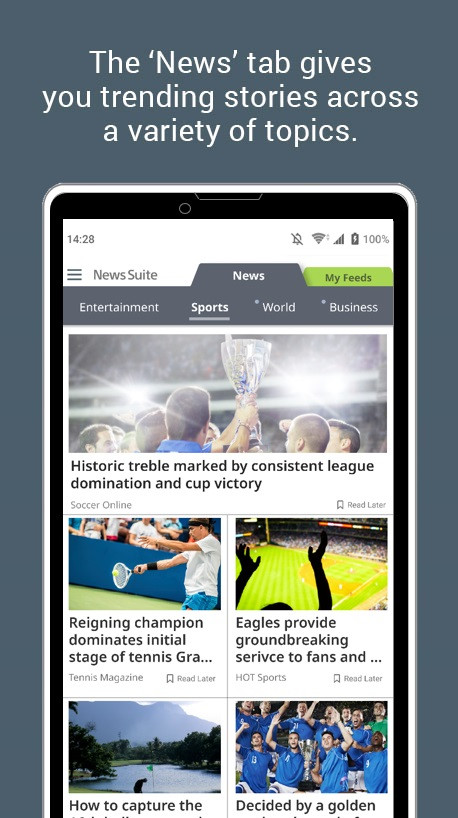
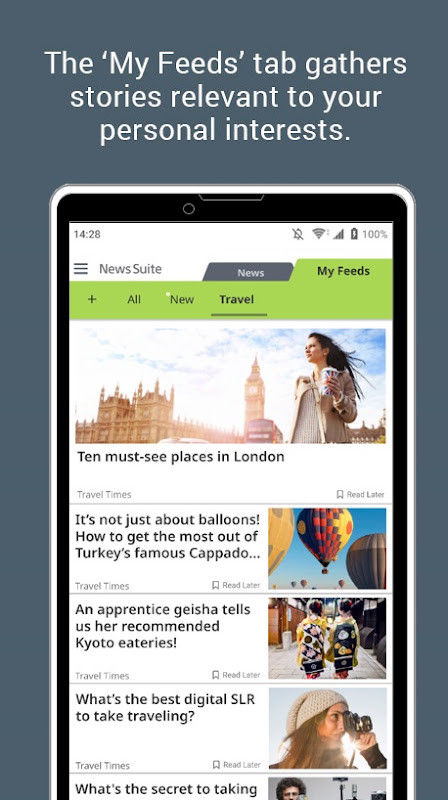
The first tab, labeled “News,” offers a curated selection of current affairs across various genres such as general news, entertainment, sports, and food. The second tab, “My Feeds,” personalizes the experience by delivering articles based on topics you choose. This two-tab structure lets you quickly switch between a broad overview and your specific interests.
Beyond reading, the app includes practical tools for staying informed. Push notifications can alert you to breaking stories, and a “Scheduled News” feature allows you to set periodic updates for chosen topics. You can also bookmark articles for later and share them on social platforms. The app is free to use, contains ads, and has received a high number of installs, indicating widespread adoption.
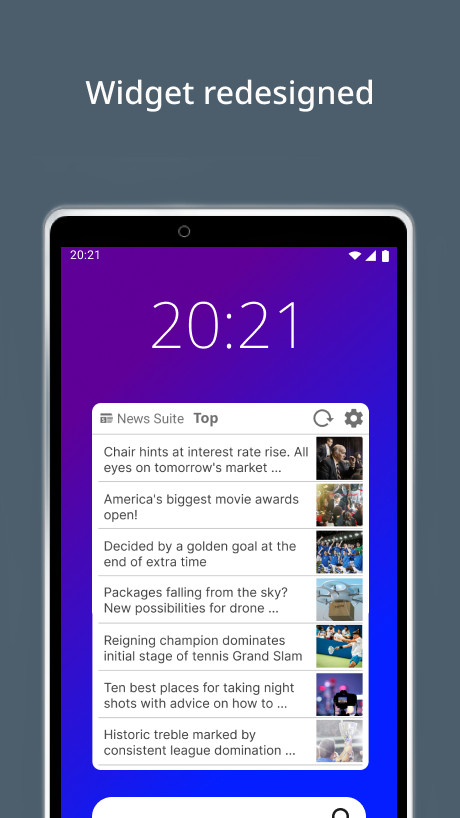
Whether you are a casual reader who wants a daily digest or a news enthusiast who follows specific subjects closely, News Suite provides a straightforward way to manage your news consumption. Its inclusion of a home screen widget, which was recently redesigned, adds convenience for quick access.
Key features
- Two-tab design to switch between general news and personalized feeds
- Articles from thousands of feeds covering genres like General News, Entertainment, Sports, and Food
- Push notifications for breaking news as it develops
- Scheduled News to customize periodic notifications for specific topics
- Bookmark articles to read later
- Share stories on social platforms like Facebook and X
- Home screen widget with selectable article categories such as Sports, Entertainment, and Most Read
How to install
- Tap the download button on this page to get the installation file.
- When Android prompts, allow your browser or file manager to install apps by enabling the “Install unknown apps” setting.
- Open the downloaded APK file (approximately 42 MB in size).
- Tap “Install” and wait for the process to complete.
- Open the app from your home screen or app drawer.
- Ensure your device runs Android 10 or later for compatibility.
Pros
- Aggregates news from thousands of sources in one place
- Personalized 'My Feeds' tab based on your interests
- Push notifications for important stories and scheduled updates
- Bookmarking and sharing features for convenience
- Home screen widget for quick access to chosen categories
- Free to use with no in-app purchases
Cons
- Contains ads, which may interrupt reading
- Requires location and Wi-Fi connection permissions, which may raise privacy concerns
- Changing region settings resets the app, deleting saved feeds and bookmarks
Recent updates
Version 5.3.16 of News Suite by Sony focuses on performance improvements and bug fixes, according to the release notes. The widget has also been redesigned, and its article categories can now be changed to options such as Sports, Entertainment, or Most Read. The refreshed widget can be added directly from the home screen. No further changes are described for this release.
Version history
| Version | Size | Requires Android | Updated |
|---|---|---|---|
| 5.6.10.30.2 | 42 MB | 10 | Sep 22, 2026 |
| 5.5.09.30.1 | 21 MB | 8.0 | Sep 10, 2026 |
| 5.2.37.30 | 16 MB | 5.1 | Sep 6, 2026 |
| 5.0.48.30.2 | 8.4 MB | 4.1 | Sep 5, 2026 |
| 5.4.12.31 | 18 MB | 7.0 | Sep 2, 2026 |
| 5.3.16.30.1 | 14 MB | 6.0 | Aug 27, 2026 |
| 5.6.11.30.1 | 42 MB | 10 | Aug 27, 2026 |
| 5.6.09.30.1 | 42 MB | 10 | Jun 24, 2026 |
| 5.6.05.30.2 | 42 MB | 10 | Apr 4, 2026 |
This app is for Android users who want a single, convenient place to read both general news and content tailored to their interests, without juggling multiple apps. It suits anyone who values timely updates via notifications and appreciates a clean, two-tab layout for browsing.
To get news from your current region, ensure your device language and region settings are correct. If you need to change the region, you can clear the app's storage from your phone settings, but be aware this will delete your saved feeds and bookmarks. For tailored notifications, use the 'Scheduled News' option under Settings > Notifications to set timings that fit your routine.
Permissions
FAQ
Is News Suite by Sony free to download?
Yes, the app is free and costs nothing to install. It does show ads, but there are no in-app purchases.
Which Android version do I need to run this app?
The app requires Android 10 or later. Make sure your device meets this minimum before installing.
How large is the download?
The file size is about 42 MB. The exact size may vary slightly depending on the version you install.
Do I need to create an account or sign in?
No account or sign-in is required to use the app. You can start reading news right after installing it.
What permissions does the app request?
The app asks for access to your location and Wi-Fi connection information. These permissions support features such as showing news relevant to your region.
How do I update News Suite to the latest version?
Download the newest version from this page and install it over your current copy. Your saved feeds and bookmarks are kept when you update this way.
News Suite by Sony offers a solid, feature-rich way to keep up with both global headlines and your personal interests. Its two-tab design, combined with useful notification and bookmarking tools, makes it a practical choice for everyday news consumption on Android.
Similar apps



Updated: Oct 24, 2026