
Car Scanner ELM OBD2 for Android
Car Scanner ELM OBD2 is a vehicle diagnostics and trip computer app from CAR SCANNER LLC for reading OBD2 fault codes and live sensor data.
Download Car Scanner · v2.2.42Car Scanner ELM OBD2 is for drivers and mechanics who want to see real-time engine data, read and reset diagnostic trouble codes, and check emission readiness without a dedicated scantool. The app is free, requires Android 5.0 or higher, and takes about 58 MB of storage.
- Version
- 2.2.42
- Size
- 77 MB
- Requires Android
- 6.0
- Updated
- Nov 11, 2026
- Installs
- 10M+
- Rating
- ★ 4.72 (370,938)
- Category
- Auto & Vehicles
- Developer
- CAR SCANNER LLC
- Content rating
- Everyone
- Package
- com.ovz.carscanner
- Free
- ✓ · Contains ads · In-app purchases
Screenshots
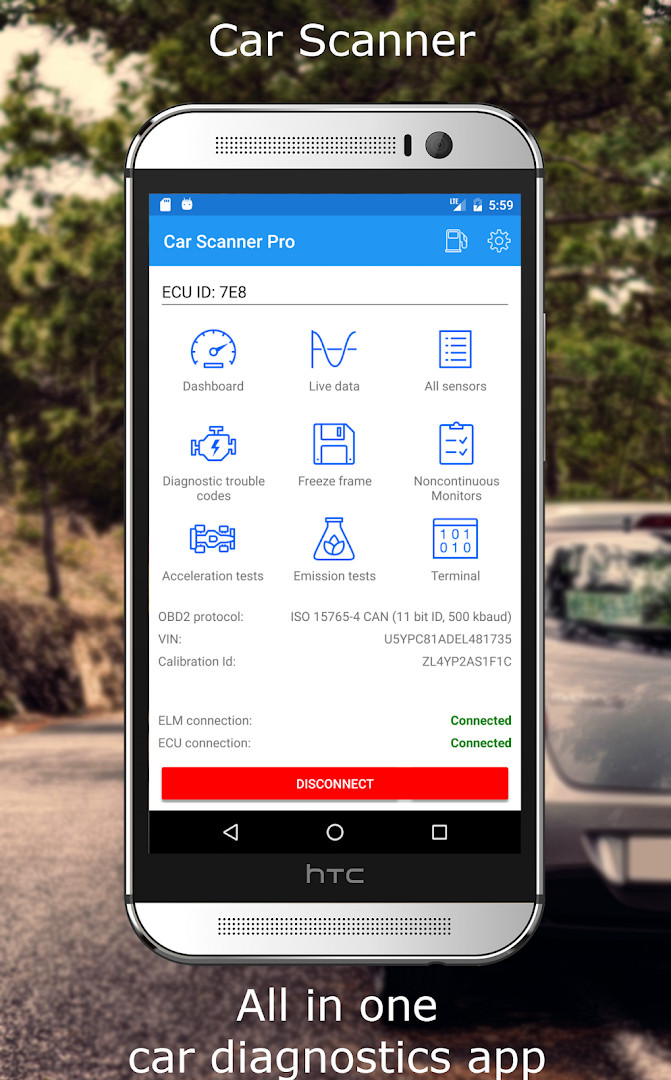
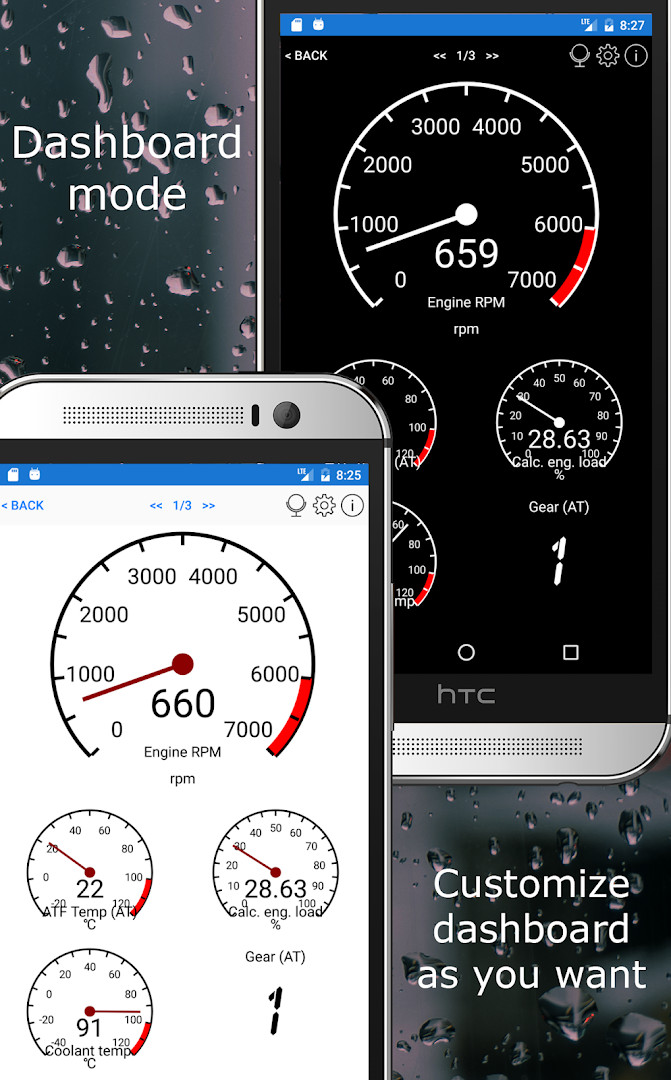
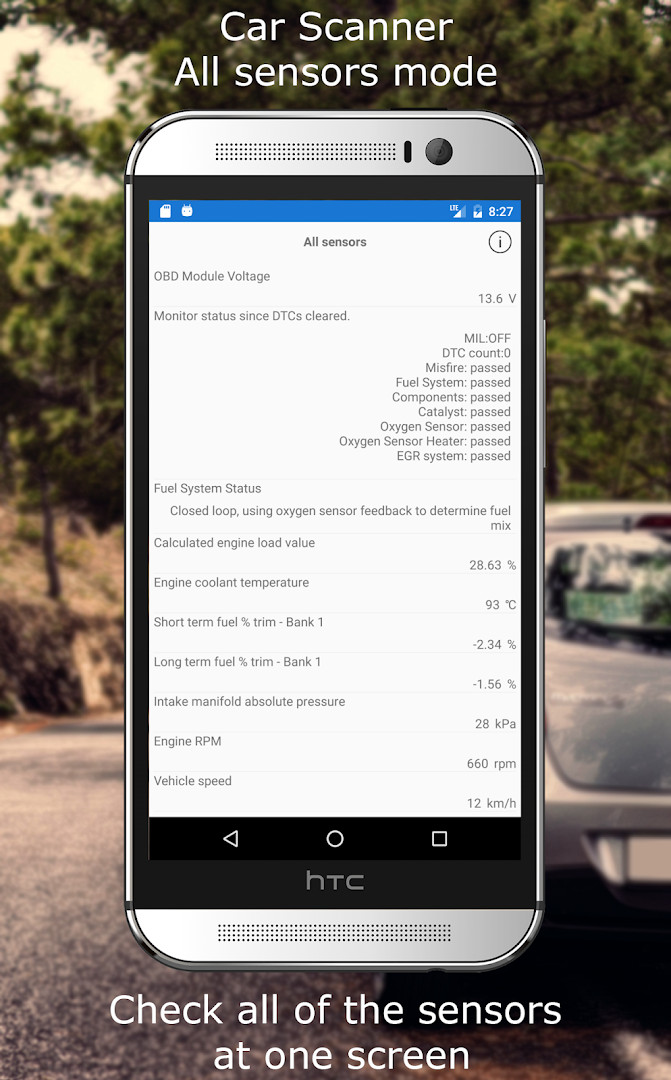
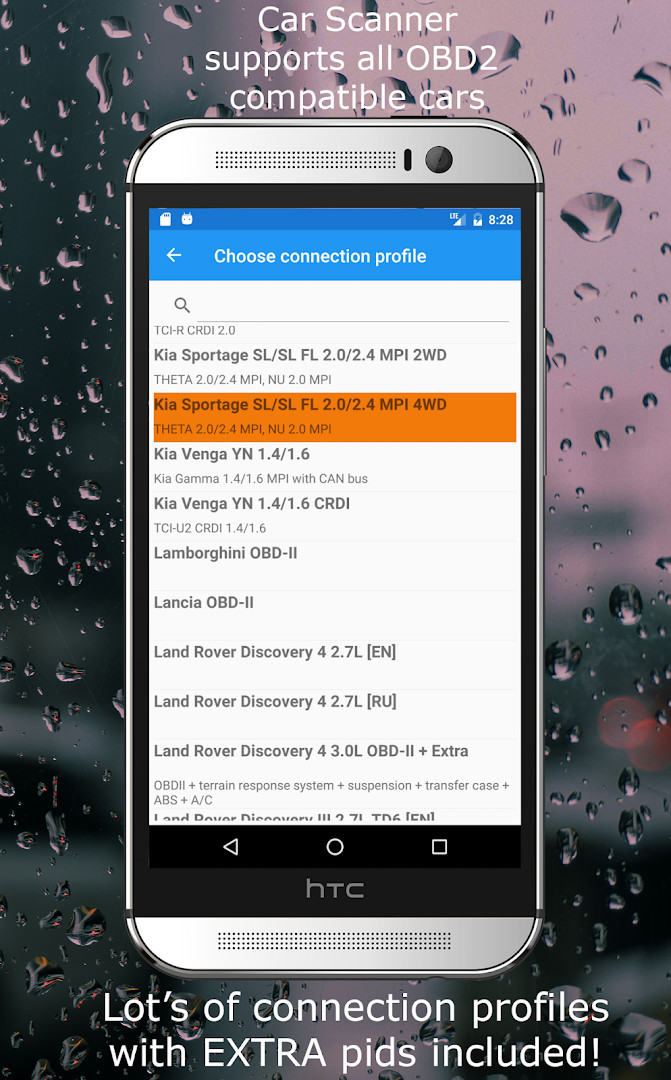
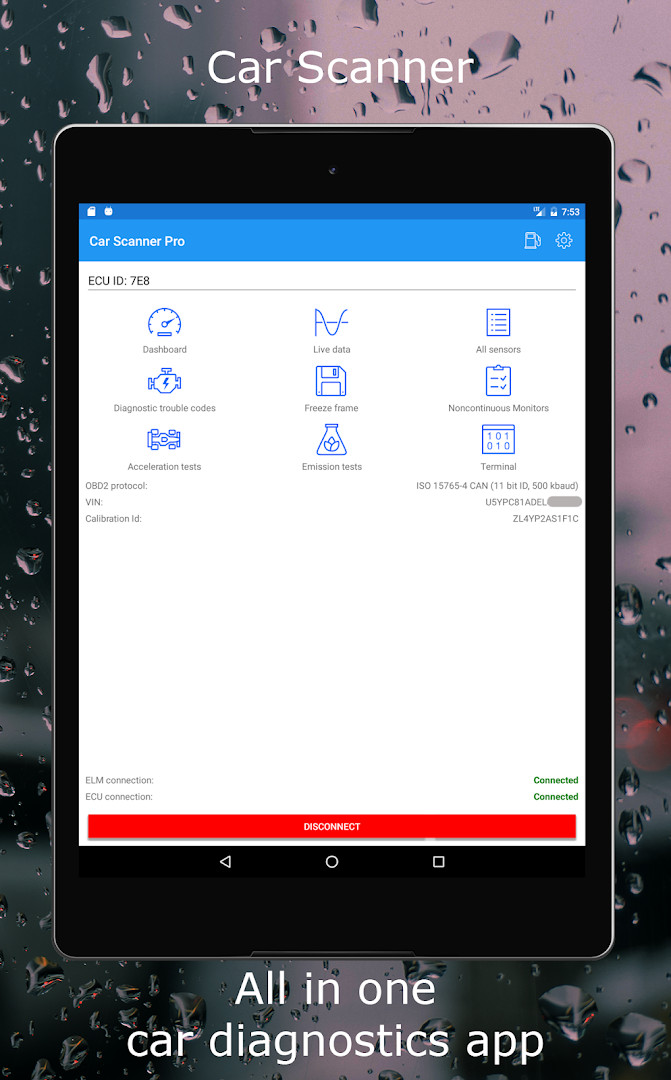
Car Scanner ELM OBD2 is a vehicle diagnostics and trip computer app by CAR SCANNER LLC that connects to your car's OBD2 port through a Wi-Fi or Bluetooth adapter to read real-time sensor data, fault codes, and performance metrics. It turns a smartphone into a versatile dashboard that can display everything from engine RPM and coolant temperature to fuel consumption and acceleration times, making it a practical companion for both casual drivers and those who like to keep a close eye on their vehicle's health. The app supports a wide range of vehicles built on the OBD2 standard, typically those from 1996 onward, and offers connection profiles that unlock extra features for many major brands like Toyota, Ford, Volkswagen, and others.
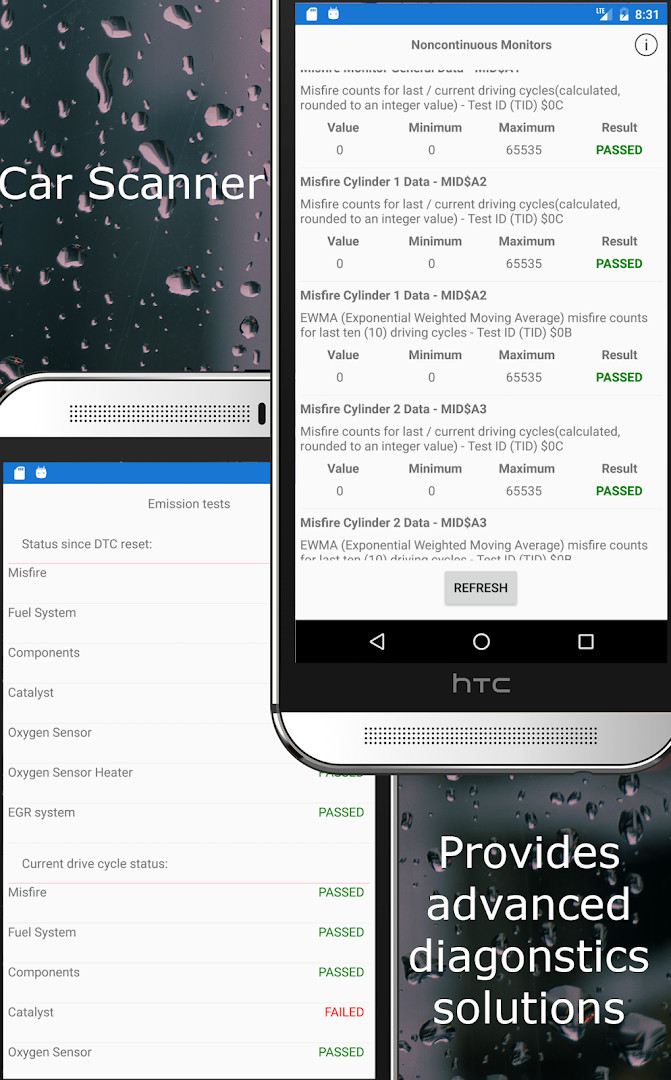
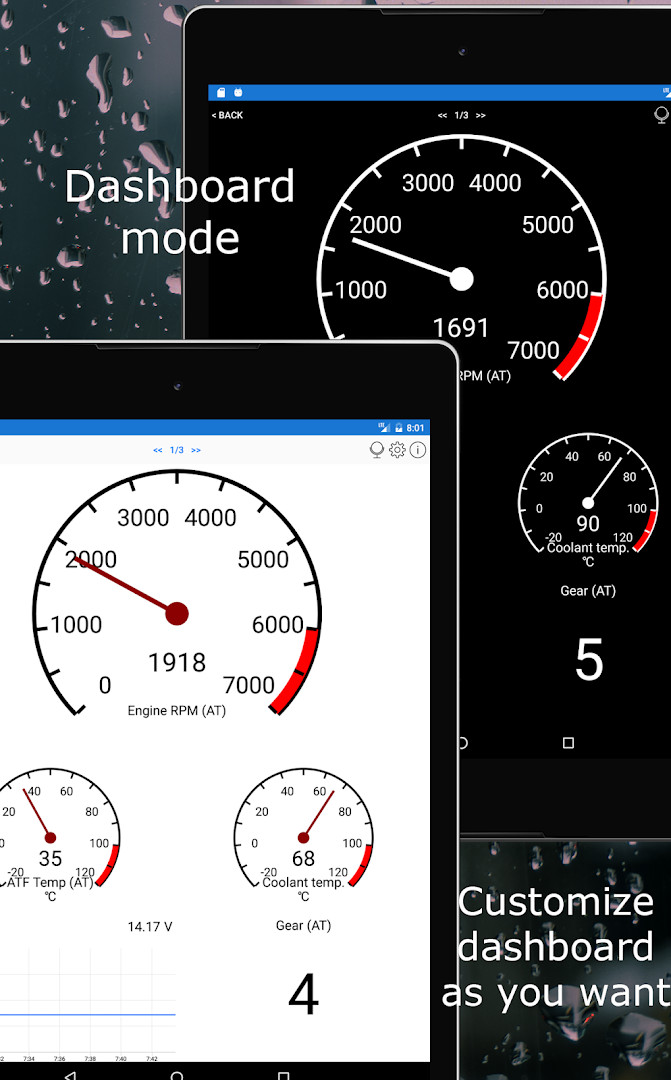
Beyond basic readouts, the tool acts like a professional scantool: it can read and reset Diagnostic Trouble Codes, show freeze-frame data captured when a fault was stored, and even access Mode 06 self-monitoring results from the ECU. These capabilities help you understand what is happening under the hood, check emission readiness, and potentially avoid unnecessary repair shop visits. Custom dashboards let you arrange gauges and charts to your liking, and you can add extended PIDs to reveal information that manufacturers sometimes hide. A HUD mode projects data onto your windshield, while the acceleration measurement tool provides accurate 0-60 and 0-100 times.
Version 2.1.50 brings an updated connection profiles database, adds support for USB ELM327 devices, and fixes several bugs. The app requires a compatible ELM327 adapter, and the developer warns that cheap clones can be unreliable or even cause engine instability, recommending genuine units or brands like OBDLink, V-Gate, and Carista. It is important to note that the app can only show data that your vehicle's ECU actually provides, and some cars support more sensors than others. The app includes ads and offers in-app purchases, and it asks for permissions related to location, storage, and Wi-Fi connection information, which are typically used for adapter connectivity and data logging.
Key features
- Customizable dashboard with user-defined gauges and charts
- Read and reset diagnostic trouble codes with a large DTC database
- Freeze-frame data capture showing sensor states when a fault occurred
- Mode 06 ECU self-monitoring test results
- Emission readiness checks
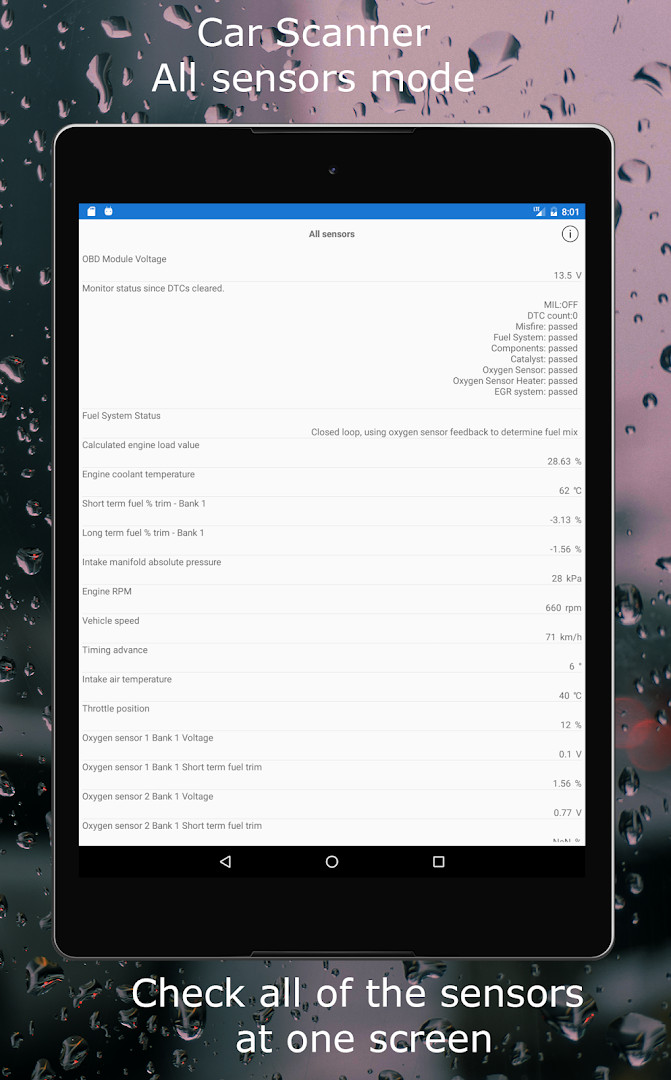
- Single-screen view of all available sensors
- Connection profiles for extra features on Toyota, VAG group, GM, Ford, and more
- HUD mode to project data onto the windshield
- Acceleration measurement tool for 0-60 and 0-100 times
- Trip computer with fuel consumption statistics
How to install
- Tap the download button on this page to get the APK file, which is 58 MB in size.
- When Android prompts you, allow your browser or file manager to install apps by enabling the 'Install unknown apps' setting.
- Open the downloaded APK file from your notifications or file manager.
- Tap Install and wait for the installation to complete.
- Open the app from your app drawer.
- Ensure your device runs Android 5.0 or higher, as this is the minimum required version.
Pros
- Extensive feature set covering diagnostics, performance, and trip data
- Support for many vehicle brands through connection profiles
- Customizable dashboards and HUD mode
- Ability to read and clear fault codes with detailed descriptions
- Regular updates with new features and bug fixes
Cons
- Requires a separate OBD2 adapter, which adds cost
- Cheap third-party adapters may be unreliable or cause issues
- Some advanced features depend on your car's ECU and may not work on all models
- Includes ads and in-app purchases
- Permissions for location and storage may be broader than some users prefer
Recent updates · 2.2.42
Version 2.1.50 brings an updated connection profiles database, adds support for USB ELM327 adapters, and includes several bug fixes.
Version history
| Version | Size | Requires Android | Updated |
|---|---|---|---|
| 2.2.42 | 77 MB | 6.0 | Nov 11, 2026 |
| 2.2.21 | 76 MB | 6.0 | Oct 27, 2026 |
| 2.1.15 | 60 MB | 5.0 | Oct 5, 2026 |
| 2.1.50 | 58 MB | 5.0 | Sep 26, 2026 |
| 2.1.46 | 58 MB | 5.0 | Jul 2, 2026 |
| 2.1.28 | 57 MB | 5.0 | Jun 14, 2026 |
| 2.1.3 | 96 MB | 5.0 | Feb 14, 2026 |
| 1.77.5 | 73 MB | 4.3 | Dec 5, 2025 |
| 1.121.0 | 84 MB | 6.0 | Jul 23, 2025 |
This app is for DIY car enthusiasts who want to monitor their vehicle's health and performance, drivers who want to diagnose check-engine lights before visiting a mechanic, and anyone interested in tracking fuel consumption or acceleration metrics on their daily commute.
If you experience connection drops or slow data updates, try using a genuine or recommended ELM327 adapter, as cheap clones often have bugs that affect reliability; also verify that your adapter's Bluetooth version matches your phone's capabilities.
Permissions
FAQ
How do I install the Car Scanner ELM OBD2 APK on Android?
To install it, download the APK file to your Android device, then open it from your file manager. If prompted, allow installation from unknown sources in your system settings. The app requires Android 5.0 or higher and takes up about 58 MB of storage.
What is new in version 2.1.50?
Version 2.1.50, released on 2026-09-26, includes an updated connection profiles database, adds support for USB ELM327 adapters, and fixes several bugs.
Does the app contain ads or in-app purchases?
Yes, the app is free to download and includes ads. It also offers in-app purchases, which likely unlock additional features or remove ads, though specific purchase details are not listed.
Can I use the app offline?
The app primarily works as a real-time diagnostic tool when connected to an OBD2 adapter and your vehicle. It does not require a constant internet connection for core functions, but some features may depend on your device's data or connection.
Are there alternative OBD2 diagnostic apps in the same category?
Yes, several other apps provide similar vehicle diagnostics and trip computer features. When choosing an alternative, consider factors like adapter compatibility, dashboard customization, and support for your specific car make and model.
Which vehicles and adapters are compatible?
The app works with most vehicles using the OBD 2 standard, generally models from 1996 onward. It requires a Wi-Fi, Bluetooth, or Bluetooth LE OBD2 ELM327-compatible adapter, and supports connection profiles for many brands like Toyota, Ford, Volkswagen, and others.
Car Scanner ELM OBD2 is a powerful and flexible diagnostics tool that packs professional-level features into a mobile app, making it a strong choice for anyone willing to invest in a quality OBD2 adapter. Its main drawbacks are the dependency on external hardware and the potential for unreliable cheap adapters, but for users with a compatible vehicle and a decent adapter, it offers excellent value and deep insight into their car's operation.
Similar apps






Updated: Nov 13, 2026